

SoloWrite
SoloWrite is made and published by Moscoso Pacheco, Gonzalo Juvenal. AppBrain is an independent app data site and isn't affiliated with Moscoso Pacheco, Gonzalo Juvenal. The app name, icon, screenshots and description belong to Moscoso Pacheco, Gonzalo Juvenal and are shown as published on the App Store.
AppBrain's verdict
- Rating on App Store
- 4.50
- 2 ratings
- Last updated
- October 7, 2026
It doesn't have enough ratings yet to judge what users think.
Rankings
App Store top chartsApp Store Rankings for SoloWrite
Competitors
Similar apps and more from Moscoso Pacheco, Gonzalo JuvenalMore from Moscoso Pacheco, Gonzalo Juvenal


Releases
Updates seen on the App Store- Version
- 3.2
- Launched
- December 2025
No changelog data
User feedback
Ratings and reviews on the App StoreComments on SoloWrite for iOS
We don't have enough comments to show example comments. Please check back later.
Technology
Found in the app by AppBrain- Price
- $3.99
- App size
- 2.13 MB
- Content rating
- Everyone
Technologies used by SoloWrite
About the app and developer
About SoloWrite
SoloWrite is a productivity app developed by Moscoso Pacheco, Gonzalo Juvenal.
What is the rating of SoloWrite?
SoloWrite is rated 4.50 out of 5 stars, based on 2 ratings.
Is SoloWrite free?
SoloWrite costs $3.99. The app size is 2.13 MB. The latest version available is 3.2. The last update was on October 7, 2026.
What are the requirements for SoloWrite?
The app has a content rating of Everyone. The app has been available on the App Store since December 2025.
Developer information for Moscoso Pacheco, Gonzalo Juvenal
Moscoso Pacheco, Gonzalo Juvenal
Address:
Store listing
By Moscoso Pacheco, Gonzalo Juvenal, from the App Store


Description by Moscoso Pacheco, Gonzalo Juvenal Written by the developer, not by AppBrain. Click to read.
Open the app. Write. That's it.
JUST WRITE
- A start screen with two choices: New document, or continue exactly where you left off
- Your recent notes one tap away - rename or delete them with a swipe
- The editor fills the whole screen; every gram of cognitive friction has been removed
- A live status bar with word, character and line counts and the autosave time
12 EDITING MODES
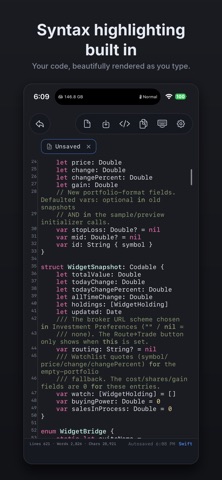
- Write Markdown, or switch the editor to Swift, Python, JavaScript, TypeScript, JSON, HTML, CSS, YAML, XML, plain text or todo lists
- Real syntax highlighting for each language, rendered live as you type
LIVE MARKDOWN
- Headings, bold, italics, quotes, lists, links, highlights and code blocks are styled as you type - while your text stays 100% plain Markdown
- Line numbers, GitHub style - double-tap a number to select the whole line
- A tiny code toolbar inserts Markdown snippets so you never have to remember the syntax
MAKE IT YOURS
- 12 hand-tuned themes: the dark developer theme Pushword, Paper, Sepia, Solarized, GitHub, Dracula, Nord, Gruvbox, Tokyo Night, Rose Pine, pure-black Night and more
- The theme dresses the whole app, not just the editor
- Monospaced fonts and adjustable sizes
- English and Spanish, switchable in-app
YOUR WORDS BELONG TO YOU
- Standard .md files stored in YOUR iCloud Drive - browse them any time in the Files app
- No proprietary database. Works natively with Obsidian, iA Writer and any text editor
- Automatic sync: your draft is preserved as you type, and the Save button is one tap away
- Start on iPhone, continue on the Mac companion app exactly where you left off
PRIVATE BY DESIGN
- No account. No login. No analytics. No servers.
- Your text never leaves your devices and your iCloud
ONE-TIME PURCHASE
- Pay once, keep it forever. No subscriptions, no ads.
SoloWrite. Don't get distracted. Just write.