

Space DOT
Space DOT is made and published by Space Japan Studios. AppBrain is an independent app data site and isn't affiliated with Space Japan Studios. The app name, icon, screenshots and description belong to Space Japan Studios and are shown as published on the App Store.
AppBrain's verdict
- Last updated
- March 29, 2026
Rankings
App Store top chartsApp Store Rankings for Space DOT
Competitors
Similar apps and more from Space Japan StudiosAlternatives to Space DOT


More from Space Japan Studios

Releases
Updates seen on the App Store- Version
- 3.0.2
- Launched
- November 2025
No changelog data
User feedback
Ratings and reviews on the App StoreComments on Space DOT for iOS
We don't have enough comments to show example comments. Please check back later.
Technology
Found in the app by AppBrain- Price
- Free
- App size
- 16.1 MB
- Content rating
- Everyone
Technologies used by Space DOT
About the app and developer
About Space DOT
Space DOT is a productivity app developed by Space Japan Studios.
What is the rating of Space DOT?
Space DOT has no ratings yet.
Is Space DOT free?
Space DOT is free. The app size is 16.12 MB. The latest version available is 3.0.2. The last update was on March 29, 2026.
What are the requirements for Space DOT?
The app has a content rating of Everyone. The app has been available on the App Store since November 2025.
Developer information for Space Japan Studios
Address:
Store listing
By Space Japan Studios, from the App Store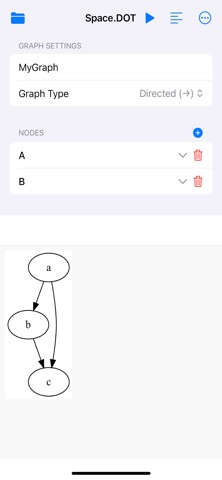


Description by Space Japan Studios Written by the developer, not by AppBrain. Click to read.
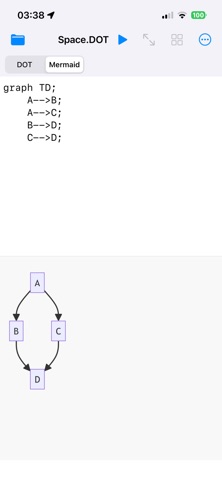
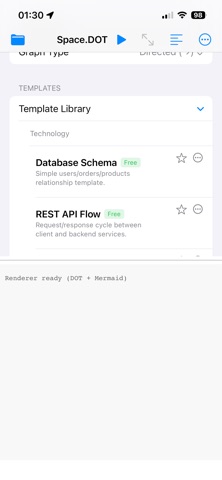
- Templates for both DOT and Mermaid
(Basic templates included. Additional templates can be purchased as in-app purchases.)
- Code persistence: Switching between the code editor and the code generator will no longer wipe out your written code.
- Layout adjustments: You can now choose for the code editor to appear on the top or bottom (iPhone & iPad), left or right (iPad only), full screen, or to be hidden.
- You no longer have to generate code before tapping the render button. You can now simply tap the render button and it will first generate your code automatically.
- The code generator tool now features a more compact layout, making it easier to enter information for multiple nodes.
- Space DOT now outputs larger image files.
Unleash the Power of Graphviz and Mermaid on Your iPhone and iPad. Space DOT version 3 transforms your mobile device into a powerful, professional-grade environment for creating and visualizing directed and undirected graphs using the industry-standard DOT and Mermaid languages. Perfect for engineers, data scientists, architects, and students, Space DOT is the ultimate tool for turning code into clear, elegant diagrams, all powered by an offline, high-performance WebAssembly engine.
Offline Code Editor & Real-Time Preview
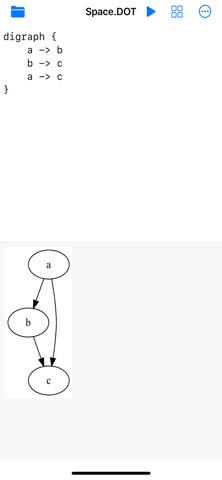
Pure graphing Power: Write or paste your DOT or Mermaid language code in a distraction-free text editor.
Instant Visualization: See your graph render in real-time. Hit "Render" to instantly generate high-quality SVG/PNG diagrams.
High-Fidelity Rendering: Powered by an embedded, offline rendering engine engine, ensuring professional-grade layouts and accuracy.
Interactive & Intelligent Graph Analysis
Tap-to-Zoom: Tap any node in the rendered graph to instantly "zoom" into a neighborhood view, highlighting only its immediate neighbors and their connecting edges. This critical feature allows for fast, focused analysis of complex structures without re-rendering the entire graph.
Fluid Gestures: Enjoy native iOS support for pinch-to-zoom and pan gestures on the graph preview.
Automatic background saving ensures your DOT and Mermaid source files are always up to date.
Import/Export: Easily import existing .dot or .gv files from the iOS file system.
Share Anywhere: Export your finished graphs as crisp SVG or high-resolution PNG files directly to your preferred sharing service.
Reference Dictionaries: Built-in, responsive, searchable libraries of DOT and Mermaid syntax, automatically switching, depending on which graphing language is selected.
Code Generator Mode: Switch from the code editor to a user-friendly, form-based interface for DOT. Create nodes, edges, and attributes without writing a single line of code—Space DOT generates the DOT source for you. If you're not familiar with nodes and edges, you can now choose from a selection of templates for a variety of different graphing needs!
Write the code. See the system.
Whether you're mapping out network topology, sketching a system architecture, or studying algorithms, Space DOT provides the speed, reliability, and features you need to master graph visualization on the go.