

Space Notes - Note Editor
Space Notes - Note Editor is made and published by Space Japan Studios. AppBrain is an independent app data site and isn't affiliated with Space Japan Studios. The app name, icon, screenshots and description belong to Space Japan Studios and are shown as published on the App Store.
AppBrain's verdict
- Rating on App Store
- 3.67
- 3 ratings
- Last updated
- August 13, 2026
It doesn't have enough ratings yet to judge what users think.
Rankings
App Store top chartsApp Store Rankings for Space Notes - Note Editor
Competitors
Similar apps and more from Space Japan StudiosMore from Space Japan Studios

Releases
Updates seen on the App Store- Version
- 3.0
- Launched
- September 2025
No changelog data
User feedback
Ratings and reviews on the App StoreComments on Space Notes - Note Editor for iOS
We don't have enough comments to show example comments. Please check back later.
Technology
Found in the app by AppBrain- Price
- Free
- App size
- 8.13 MB
- Content rating
- Everyone
Technologies used by Space Notes - Note Editor
About the app and developer
About Space Notes - Note Editor
Space Notes - Note Editor is a productivity app developed by Space Japan Studios.
User Ratings
Space Notes - Note Editor is rated 3.67 out of 5 stars. The rating is based on 3 ratings.
App Information
Space Notes - Note Editor is freely available from the App Store. The app size is 8.13 MB. The latest version available is 3.0. The last update was on August 13, 2026.
Technical Requirements
The app has a content rating of Everyone. The app has been available on the App Store since September 2025.
Developer information for Space Japan Studios
Address:
Store listing
By Space Japan Studios, from the App Store




Description by Space Japan Studios Written by the developer, not by AppBrain. Click to read.
New in Space Notes 3.0:
- Note Bundles: Keep notes organized with Note Bundles. You can create a bundle and add your notes to it so that you can quickly locate related entries.
- Card Collector's Gallery: A gallery where you can store images of your favorite trading or collector's cards.
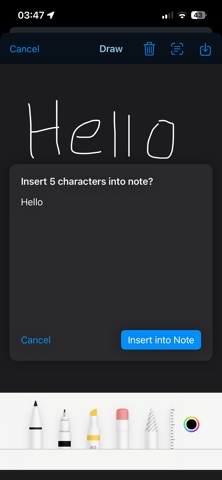
- Handwriting with OCR: Use handwriting to enter text into your notes with Optical Character Recognition (OCR).
Features:
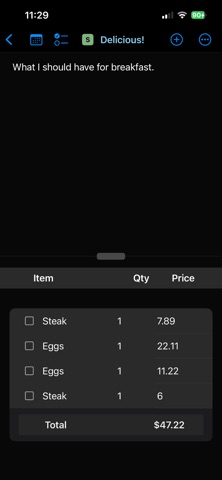
- Note types with exclusive functionality for creating goals with progress bars, comparing notes, making shopping lists.
- Expand checklist items into notes for taking as much detail as you need, without crowding your screen.
- Randomly select an item from your lists, for those times when you can't decide on something, like where to go for lunch!
- Checklist table view: You can now switch to a table view for your checklists, allowing you to quickly edit your checklist items.
- Convert to checklist: you can now type out rows of text in the main notepad, then convert them to items in your checklist.
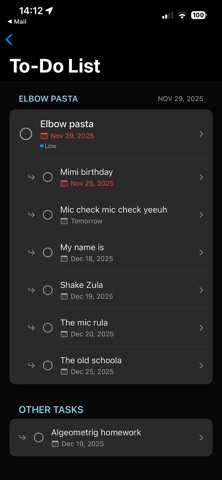
- Consolidated to-do list: all your due dates in one central location for quick reference and navigation.
- User-defined category tags: create tags to categorize your notes any way you'd like.
- Note priorities: assign priority levels for low, medium, high, and urgent.
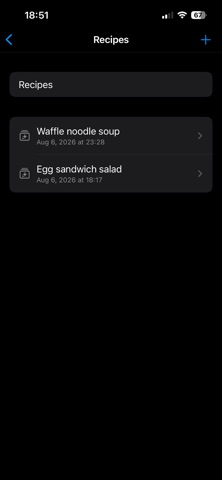
- Three new note types: shopping, recipe, and character cards.
- Checklist item due dates: prior to version 2.0, due dates could only be assigned to primary notes. Now they can be assigned to checklist items for 'Goal' notes.
- Custom color schemes: add a personal touch to your Space Notes experience by creating your own color schemes.
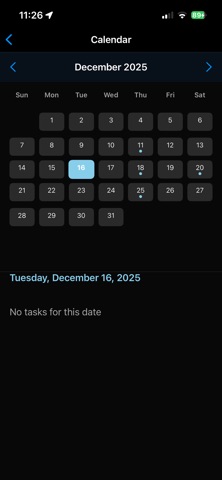
- In-app calendar: access a calendar right within your notes so that you don't have to keep switching between apps when you're making to-do lists.
- Due date quick add: when viewing a 'goal' note with the in-app calendar, you can tap on a date in the calendar, then tap the calendar button on a checklist item to instantly create a due date.
Space Notes Pro features:
- Compare checklists: see two checklists, side by side. Space Notes will automatically highlight if the same item appears in both checklists.
- Historical timeline: if you're working on a project, or tracking responsibilities at your job, you can commit your completed tasks to a historical timeline, which removes them from your note lists, but keeps them in a timeline that you can access when it's time to write your resume or review.
- Calculator: an in-app calculator so that you don't have to switch to a separate calculator app when you need to do basic arithmetic. Once you've arrived at the result, simply tap on it to insert it into your note.
The next version of Space Notes is being completely rebuilt, from the ground up. This will provide greater performance and stability, while also reducing the app's footprint.