
Spin-a-Wind is made and published by Len Robinson. AppBrain is an independent app data site and isn't affiliated with Len Robinson. The app name, icon, screenshots and description belong to Len Robinson and are shown as published on the App Store.
AppBrain's verdict
Established- Rating on App Store
- 4.61
- 44 ratings
- Last updated
- January 23, 2015
It doesn't have enough ratings yet to judge what users think.
Rankings
App Store top chartsApp Store Rankings for Spin-a-Wind
Competitors
Similar apps and more from Len RobinsonAlternatives to Spin-a-Wind






Releases
Updates seen on the App Store- Version
- 2.7.1
- Launched
- before 2010
No changelog data
User feedback
Ratings and reviews on the App StoreComments on Spin-a-Wind for iOS
We don't have enough comments to show example comments. Please check back later.
Technology
Found in the app by AppBrain- Price
- $2.99
- App size
- 10.4 MB
- Content rating
- Everyone
Technologies used by Spin-a-Wind
About the app and developer
About Spin-a-Wind
Spin-a-Wind is an utilities app developed by Len Robinson.
User Ratings
Spin-a-Wind is rated 4.61 out of 5 stars. The rating is based on 44 ratings.
App Information
Spin-a-Wind costs $2.99. The app size is 10.40 MB. The latest version available is 2.7.1. The last update was on January 23, 2015.
Technical Requirements
The app has a content rating of Everyone. The app has been available on the App Store since before 2010.
Developer information for Len Robinson
Address:
Frequently asked questions about Spin-a-Wind
Is Spin-a-Wind free?
No. Spin-a-Wind costs $2.99 on the App Store.
Is Spin-a-Wind still available?
Yes. Spin-a-Wind is on the App Store, and the last update we saw was on January 23, 2015.
How large is Spin-a-Wind?
Spin-a-Wind is 10.40 MB.
Is Spin-a-Wind suitable for children?
App Store rates the content of Spin-a-Wind as suitable for everyone.
How do people rate Spin-a-Wind?
Spin-a-Wind scores 4.61 out of 5 stars, from 44 ratings on the App Store.
Who made Spin-a-Wind?
Spin-a-Wind was developed by Len Robinson. It is listed in the utilities category on the App Store.
What are the best alternatives to Spin-a-Wind?
People looking at Spin-a-Wind also look at these utilities apps: xWind, Extended Rest Operations, Zulu Time Widget - GMT/UTC, Fast Breaks, Crew Rest.
Store listing
By Len Robinson, from the App Store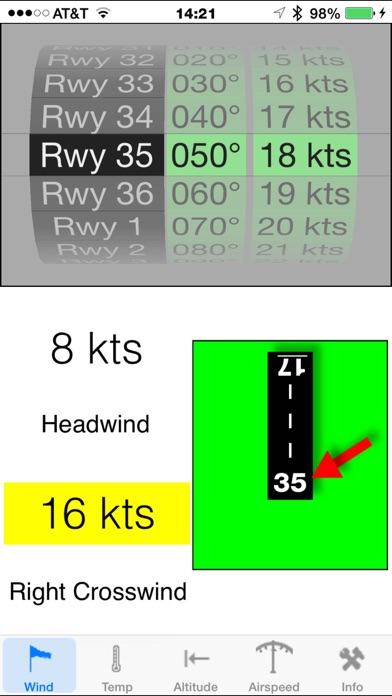
Description by Len Robinson Written by the developer, not by AppBrain. Click to read.
Reviewed favorably on AOPA Flight Planning App Roulette 20 Nov 2012
Designed by an airline pilot, Spin-a-Wind calculates wind components, temperatures, altitudes and airspeeds.
The headwind (tailwind) and crosswind components are based on the runway, and reported wind direction and speed. If the airport has parallel runways, using the runway number closest to the actual magnetic heading of the runway gives the most accurate results. The result is also displayed graphically. Crosswind and tailwind components are rounded up, while the headwind component is rounded down, making sure that all results depict the worst case. To instantly change to the opposite (reciprocal) runway, tap the runway number at the far end.
Spinning reels are used to make your selections. No keyboard is necessary. Results of calculations are displayed instantly when the last reel stops. The app was designed for one handed use, and ease of operation.
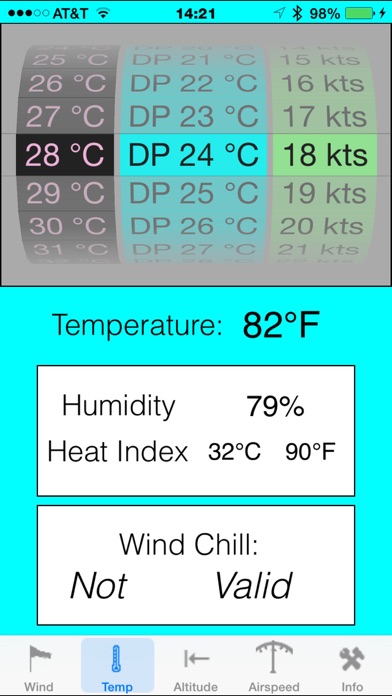
The second item on the tab bar links you to a page with temperature conversions. Enter the temperature in degrees Celsius, and instantly the Fahrenheit conversion is displayed, as well as the chill factor in °C and °F using the NWS Wind Chill index used by the U.S. and Canada. (note: the NWS Wind Chill index is not valid for greater than 50°F or less than 3 mph of wind. Relative Humidity and Heat Stress Index are calculated using the entered Dewpoint Temperature.
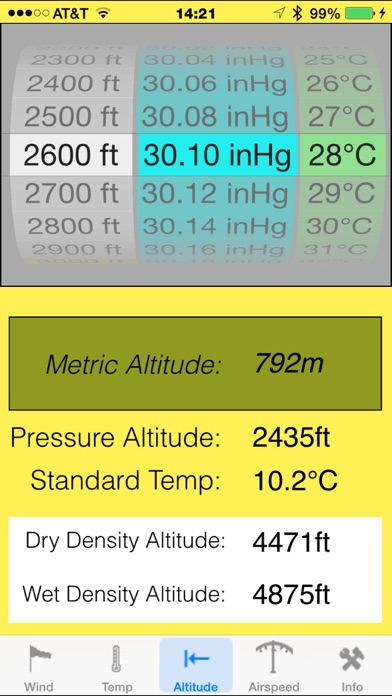
The third item deals with altitudes, metric, pressure altitude and density altitude. Density altitude is diaplayed for assumed dry air, and also moist air (based upon the temp/dewpoint spread entered in the temperature page.
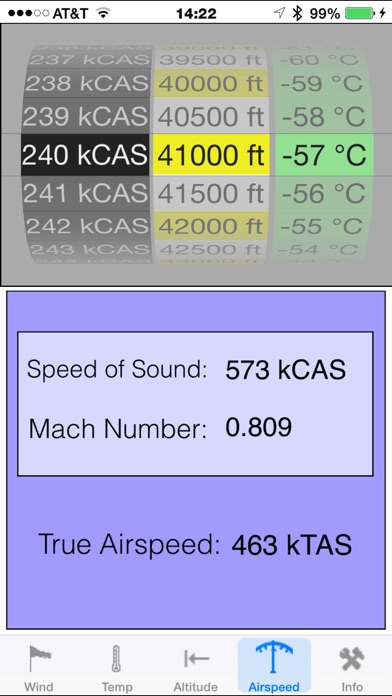
The fourth item is the Airspeed Calculator. It uses equations for TAS, mach, and speed of sound. The equations used will be accurate even for the higher speeds of jet aircraft.
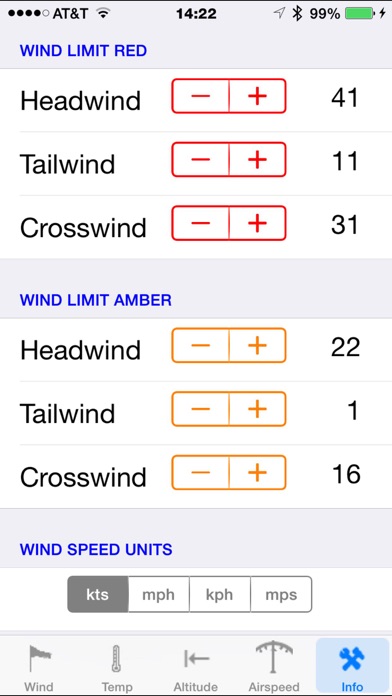
The fifth item on the tab bar moves the view to the settings page. Here, you can set your display speed units (kts, mph, kph) and pressure units(inHg, hPa, mb) as well as the threshold points where the wind results turn amber (caution zone) and red (aircraft limits).