

SPL Meter is made and published by Andrew Smith. AppBrain is an independent app data site and isn't affiliated with Andrew Smith. The app name, icon, screenshots and description belong to Andrew Smith and are shown as published on the App Store.
AppBrain's verdict
Established- Rating on App Store
- 4.03
- 29 ratings
- Last updated
- September 11, 2026
- Size
- 35.6 MB
It doesn't have enough ratings yet to judge what users think. Its best ranking is #19 in Top Paid, Music in South Korea.
User feedback
Ratings and reviews on the App StoreComments on SPL Meter for iOS
We don't have enough comments to show example comments. Please check back later.
Store listing
By Andrew Smith, from the App Store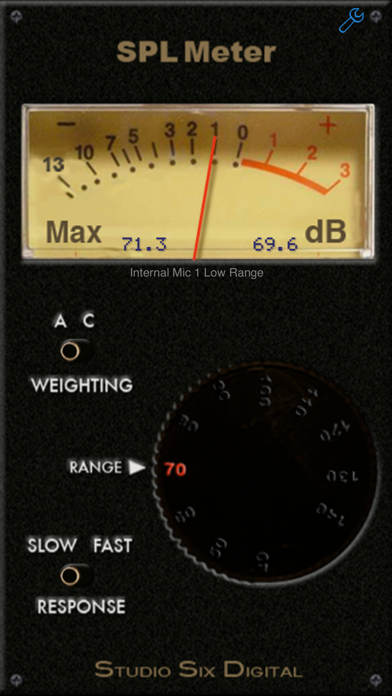
Description by Andrew Smith Written by the developer, not by AppBrain. Click to read.
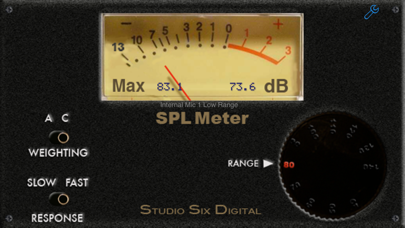
Modeled after a traditional analog SPL meter, we have faithfully reproduced all the characteristics and qualities found in those meters, including the ballistics, ranges, filters, and decay rates.
Under the hood we have advanced DSP-based algorithms that meet or exceed ANSI / IEC Type 1 standards. And starting with iOS 6, we can disable the mic filters and limiters, to get the real world performance of a hand-held SPL meter.
And now, upgrade SPL Meter with iTestMic, our pro-grade test & measurement mic, made specifically for iOS devices. Using iTestMic with SPL Meter, you get a calibrated, accurate SPL Meter, that meets industry standards for Type 2 performance. See our website for more information.
But don't compare us to a Radio Shack meter, ours is much more accurate!
We have also included a digital LCD display, as shown in the image, to make this the best SPL meter available for iPhone or iPad. And this is something that the old analog meters never had!
The screen will flip when you flip the phone over, so that you can point the iPhone mic directly at the sound source. (iPhone X does not support upside down mode)
SPL Meter is a universal app -- buy once, and use on all of your iOS devices.
SPL Meter is built by the same team that created the other great professional audio and acoustics apps on the store, Studio Six Digital. Built on the engine of our more expensive "SPL" app, SPL Meter's filters and decay rates meet or exceed ANSI type 1. This app is not a toy or a game.
SPL Meter is the one audio app that everyone who works in audio must have on their phone! Not only have we made the best one, but we've priced it so you can't afford not to get it.
*** FEATURES:
FILTERS -- A and C weighting filters are provided.
DECAY -- Choose ANSI Fast or Slow.
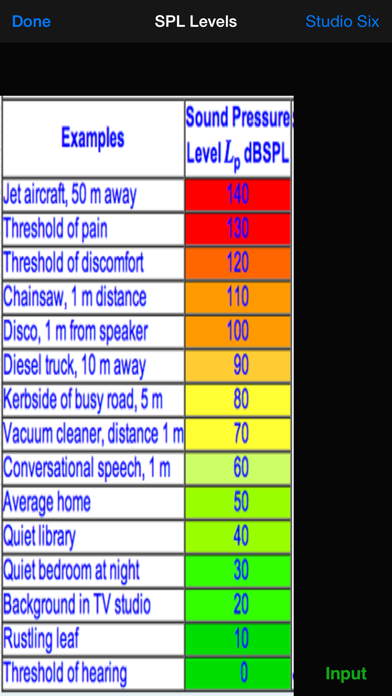
RANGES -- 40dB to 120dB in 9 ranges.
CALIBRATION -- Comes pre-calibrated for the typical iPhone or iPad built-in and headset mic, but you can adjust the calibration if you have a professional, calibrated meter to compare it to. Accesses our cloud-based iOS device calibration database, which we updates as new devices are released.
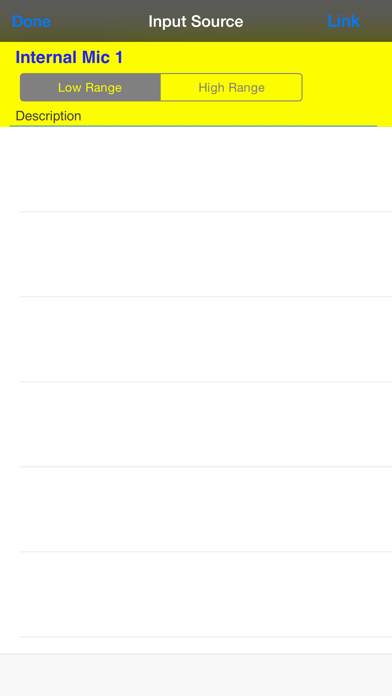
INTERNAL / EXTERNAL MIC -- Select Internal to activate the included compensation filter, which is designed to flatten the frequency response of the built-in or headset mic. External will work with our iPhone Measurement Mic, to be released later this summer. See our website for more details.
SPL Meter is bargain-priced to make it easy for anyone to check out one of our professional, accurate apps. Studio Six Digital is dedicated to making the iPhone and Touch a professional audio and acoustics test device.
Check out our full line of professional-grade audio and acoustics apps: SPL, the professional digital iPhone sound level meter, SPL Graph, for recording SPL over time, RTA, a 1/3 octave real-time analyzer, FFT, for detailed acoustic analysis, ETC, the energy-time curve function, RT60, for automated octave-band decay time measurement, Speaker Pop, to test speaker polarity, and Generator, the iPhone signal generator.
Also, if you are looking for more great acoustical and audio test apps, have a look at AudioTools, our premier app for audio professionals.
Safety and technology
Found in the app by AppBrain- Price
- $0.99
- App size
- 35.6 MB
- Content rating
- Everyone
Technologies used by SPL Meter
Releases
Updates seen on the App Store- Version
- 11.13
- Launched
- before 2010
No changelog data
Alternatives
Similar apps and more from Andrew SmithAlternatives to SPL Meter


More from Andrew Smith


Rankings
App Store top charts- Highest rank
- #19
- Chart
- Top Paid
- Music
- Country
- South Korea
App Store Rankings for SPL Meter
Top rankings
| Rank | Country | Category | List |
|---|---|---|---|
| 19 | South Korea | Music | Top Paid |
| 22 | Sweden | Music | Top Paid |
| 27 | Norway | Music | Top Paid |
| 85 | United States | Music | Top Paid |
| 46 | Indonesia | Music | Top Paid |
| 48 | Slovakia | Music | Top Paid |
| 49 | Portugal | Music | Top Paid |
| 51 | Denmark | Music | Top Paid |
| 52 | Finland | Music | Top Paid |
| 59 | Czech Republic | Music | Top Paid |
Ranking history in South Korea
About the app and developer
About SPL Meter
SPL Meter is a music app developed by Andrew Smith.
User Ratings
SPL Meter is rated 4.03 out of 5 stars. The rating is based on 29 ratings.
App Information
SPL Meter costs $0.99. The app size is 35.61 MB. The latest version available is 11.13. The last update was on September 11, 2026.
Technical Requirements
The app has a content rating of Everyone. The app has been available on the App Store since before 2010.
Developer information for Andrew Smith
Address:
Frequently asked questions about SPL Meter
Is SPL Meter free?
No. SPL Meter costs $0.99 on the App Store.
Is SPL Meter still available?
Yes. SPL Meter is on the App Store, and the last update we saw was on September 11, 2026.
How large is SPL Meter?
SPL Meter is 35.61 MB.
Is SPL Meter suitable for children?
App Store rates the content of SPL Meter as suitable for everyone.
How do people rate SPL Meter?
SPL Meter scores 4.03 out of 5 stars, from 29 ratings on the App Store.
Who made SPL Meter?
SPL Meter was developed by Andrew Smith. It is listed in the music category on the App Store.
What are the best alternatives to SPL Meter?
People looking at SPL Meter also look at these music apps: Audyssey MultEQ Editor app, Mix With The Masters, Avid Control, Decibel Display, SoundFlow.