Splice Easy Video Editor Maker is a photo & video app developed by Mamoona Yasin.
User Ratings
The app has no ratings yet.
App Information
Splice Easy Video Editor Maker is FREE to download. The download size is 102.09 MB. The latest version available is 1.0.4. The last update was on November 1, 2023.
Technical Requirements
The app has a content rating of Everyone. The app has been available on the App Store since October 2021.
Description
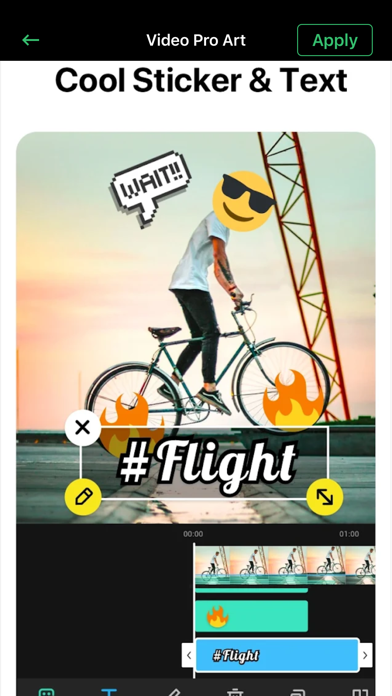
Powerful HD Video Editor and Photo Editor with professional features.Add music, transition effects, text, emoji and filters, blur background and etc!
Create amazing movies with the best all-in-one video editor - Easiest and fast way to capture life’s favorite moments, produce your own-style videos and turn them into a stunning cinematic masterpiece on-the-go!
All you need to change your footage into a great little video and become your own master filmmaker! Enhance your clips with cool one-touch filters, apply creative effects & unique looks for your films, add the right music for every mood & moment, and edit instantly! Cut, trim, split, mix & fit for Insta, Vine, Facebook, Coub! Enjoy & share your cinematic creations with your friends and the world!
Do you know what is missing from your vacation videos? The perfect background music! BackgroundMusic gives you countless options of soundtracks to add life to your videos and make them even more amazing. Do you want to add your narrative with a voice over? Do you want to remove unwanted parts and add awesome transitions to your videos? All of this possible with BackgroundMusic, as simple as a few taps. Everything you need to create masterpieces from your summer getaway, your birthday party and your lovely family dinner is waiting for you.Don’t hesitate, just select your videos from your gallery and start the magic!
FEATURES: - 40+ stunning video camera filters. - Create and manage unlimited projects - Manage, share/export projects' underlaying assets through the File Manager view - 4K video support on iPhone SE and later, and iPad Pro - Unlimited video clips, audio tracks, voiceovers, and text overlays - Color coded timeline view makes it easy to distinguish assets and manage the timeline - Reposition assets using a long press gesture - Composition’s export frame rate - Choose the composition’s aspect ratio - Change the composition’s background color - Composition fade in / out options - Auto save ensures that edits are never lost - Add music tracks to your videos - Record your own voice over - Beautiful UI with stunning design - Save your edited videos or share on social media with a tap.
Subscription Details: If you want to access pro features then we offer 3 auto-renewing subscription options on a 1, 3, or 12-month basis. Payment will be charged to your credit card through your iTunes account at confirmation of purchase. Subscription renews automatically unless canceled at least 24 hours prior to the end of the subscription period. Subscriptions can be managed and auto-renewal turned off in Account Settings in iTunes after purchase. Once purchased, refunds will not be provided for any unused portion of the term. Read our terms https://www.privacypolicies.com/terms/view/4046987008e84e19612132b3accfa486
Have a feature request you would like to see in a future version of the app? Do not hesitate to contact us.
Each subscription will automatically renew 3 days before the expiration date for
the same time period. Subscriptions can be cancelled at any time before the renewal.