

Make Video with Music~Videotik
Make Video with Music~Videotik is made and published by Bushra Parveen. AppBrain is an independent app data site and isn't affiliated with Bushra Parveen. The app name, icon, screenshots and description belong to Bushra Parveen and are shown as published on the App Store.
AppBrain's verdict
- Last updated
- June 10, 2026
- Size
- 68.8 MB
User feedback
Ratings and reviews on the App StoreComments on Make Video with Music~Videotik for iOS
We don't have enough comments to show example comments. Please check back later.
Store listing
By Bushra Parveen, from the App StoreDescription by Bushra Parveen Written by the developer, not by AppBrain. Click to read.
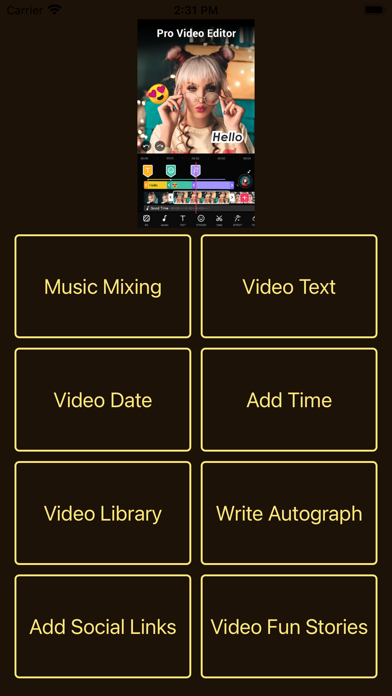
Supercharge your video editing creativity with BP Videoshop.Edit videos, music and text like a Hollywood editor utilizing hundreds of easy-to-use tools and filters. All you need is a video and you are set to create magic
◆ ADVANCED VIDEO EDITING
Open your 4k recorded videos in their true resolution and start editing.From trimming & splitting, to video grading & picture-in-picture,you have tons of easily accessible & easy to apply tools that will give context and life to each of your videos.
◆ ADD AND EDIT AUDIO & TEXT OVERLAYS
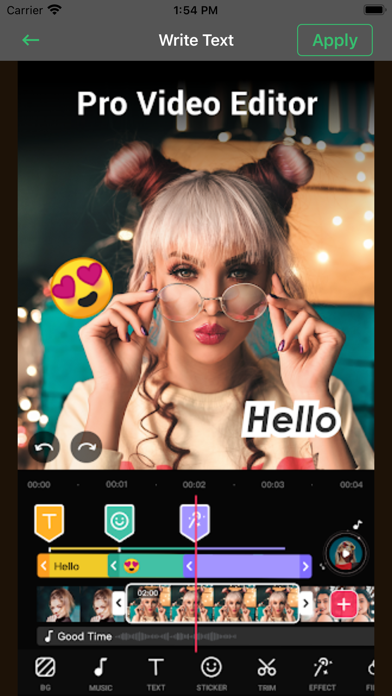
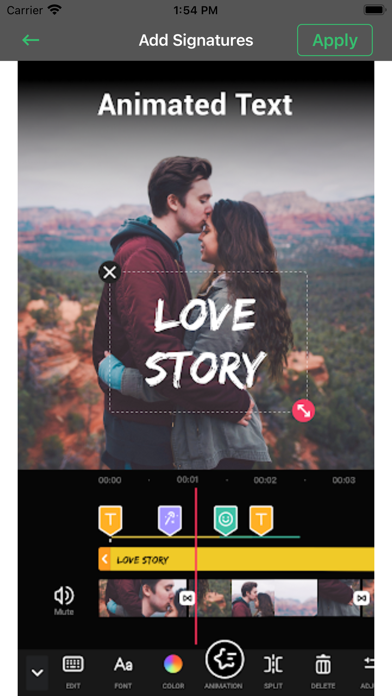
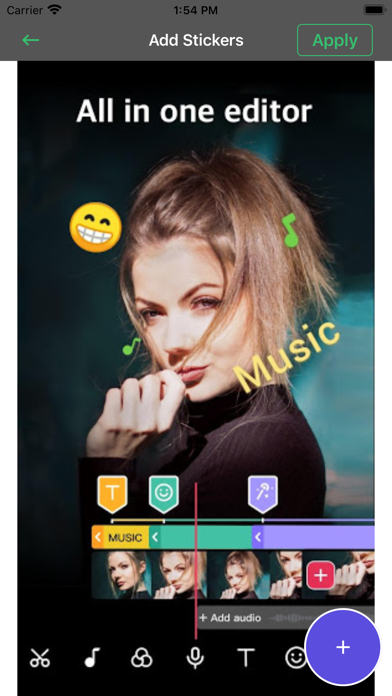
Bring your video to life with audio and text. From adding music, sound effects and voice overs, to adding text and text overlays, you can create stunning videos fast.
◆ PROFESSIONAL TOOLS
Everything you see and try is designed by a team of veteran designers with vast experience in the industry in collaboration with vloggers and influencers.
► FEATURES
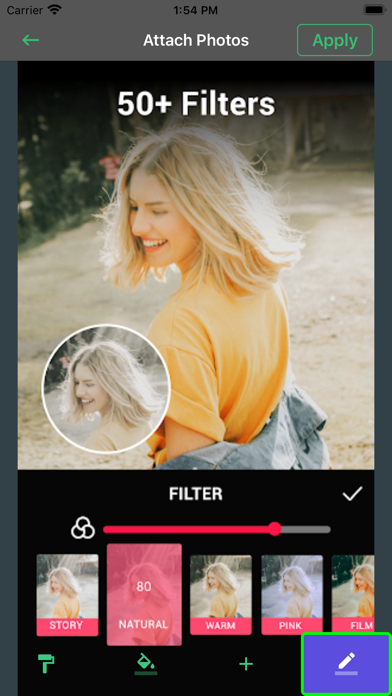
- 40+ stunning video camera filters.
- Create and manage unlimited projects
- Manage, share/export projects' underlaying assets through the File Manager view
- 4K video support on iPhone SE and later, and iPad Pro
- Unlimited video clips, audio tracks, voiceovers, and text overlays
- Color coded timeline view makes it easy to distinguish assets and manage the timeline
- Reposition assets using a long press gesture
- Composition’s export frame rate
- Choose the composition’s aspect ratio
- Change the composition’s background color
- Composition fade in / out options
- Auto save ensures that edits are never lost
► VIDEO EDITOR
- professional transition options
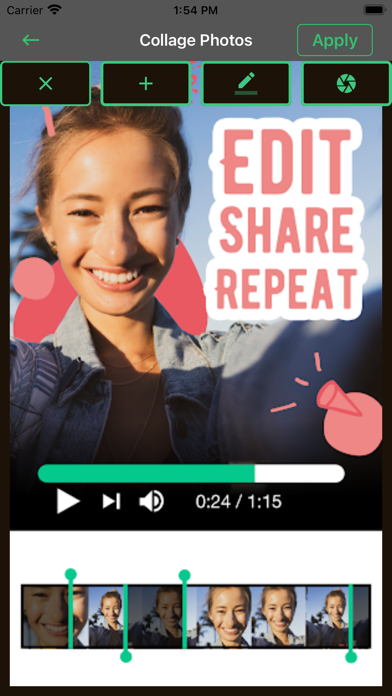
- Trim, split, or duplicate video clips
- Adjust video playback speed for a super slow motion or fast motion effect
- Volume control
- Reverse video tool
- 30 expertly crafted filters
- Video grading (brightness, contrast, saturation, exposure, and white balance)
- Realtime filters and effects playback
- Picture-in-Picture Video
- Picture-in-Picture Photo
- Picture-in-Picture GIF - in-app purchase
- Photo motion (Ken Burns)
- Ken Burns effect for videos
- Chroma Key (Green Screen)
► AUDIO TRACKS
- Custom composed thematic music tracks
- Sound Effects Collection
- Trim audio tracks with a fade in / out option
- Adjust auto track playback speed
- Volume control
- Audiometer assisted voiceovers
► TEXT OVERLAYS
- 79 classic fonts
- Special Fonts Collection - 92 beautiful custom fonts
- Movie Fonts Collection - 15 fonts inspired by popular Hollywood blockbusters
- Script Fonts Collection - 16 beautiful script style fonts
- Retro Fonts Collection - 26 beautiful retro style fonts
- Graffiti Fonts Collection - 21 beautiful graffiti style fonts
- Premium Text Animations - 17 advanced text animation options -
- 9 standard text animation options
- "Stroke Path" animation draws text on videos
- Pan, pinch and rotate gestures to reposition, resize, and rotate text
- The ability to curve text up to 360 ° / -360 °
- Adjustable text duration
- Text stroke option (white / black)
- Recent font category persistent across projects
- Foreground and background color adjustment
- Recent color category persistent across projects
► ILLUSTRATIONS & STICKERS
- gorgeous illustration and labels
- custom animated stickers - in-app purchase
- illustration animation options
- "Stroke Path" animation draws illustrations on videos
- Pan, pinch and rotate gestures to reposition, resize, and rotate text
- Adjustable duration
- Illustrations outline option
- Foreground and background color adjustment
► DRAWING TOOL
- Select brush color, size, and opacity
- Works with Apple Pencil on iPad
SUBSCRIPTION DETAILS
Try PRO with 3 auto-renewing subscription options on either a 1, 3 or 12 month basis.
Payment will be charged to your credit card through your iTunes account at confirmation of purchase.Subscription renews automatically unless cancelled at least 24 hour prior to end of the SUBC.
Terms of Use:
https://www.privacypolicies.com/terms/view/68237bda8beeae140d2d63c47874716a
Safety and technology
Found in the app by AppBrain- Price
- Free
- App size
- 68.8 MB
- Content rating
- Everyone
Technologies used by Make Video with Music~Videotik
Releases
Updates seen on the App Store- Version
- 1.4
- Launched
- April 2021
No changelog data
Alternatives
Similar apps and more from Bushra ParveenAlternatives to Make Video with Music~Videotik





More from Bushra Parveen





Rankings
App Store top chartsApp Store Rankings for Make Video with Music~Videotik
About the app and developer
About Make Video with Music~Videotik
Make Video with Music~Videotik is a photo & video app developed by Bushra Parveen.
User Ratings
The app has no ratings yet.
App Information
Make Video with Music~Videotik is freely available from the App Store. The app size is 68.77 MB. The latest version available is 1.4. The last update was on June 10, 2026.
Technical Requirements
The app has a content rating of Everyone. The app has been available on the App Store since April 2021.
Developer information for Bushra Parveen
Address: