

Stage Timer
Stage Timer is made and published by MSDC TECHNOLOGIES LTD. AppBrain is an independent app data site and isn't affiliated with MSDC TECHNOLOGIES LTD. The app name, icon, screenshots and description belong to MSDC TECHNOLOGIES LTD and are shown as published on the App Store.
AppBrain's verdict
- Rating on App Store
- 3.94
- 16 ratings
- Last updated
- June 2, 2026
It doesn't have enough ratings yet to judge what users think.
Rankings
App Store top chartsApp Store Rankings for Stage Timer
Competitors
Similar apps and more from MSDC TECHNOLOGIES LTDAlternatives to Stage Timer







More from MSDC TECHNOLOGIES LTD





Releases
Updates seen on the App Store- Version
- 1.1.8
- Launched
- August 2023
No changelog data
User feedback
Ratings and reviews on the App StoreComments on Stage Timer for iOS
We don't have enough comments to show example comments. Please check back later.
Technology
Found in the app by AppBrain- Price
- Free
- App size
- 16.8 MB
- Content rating
- Everyone
Technologies used by Stage Timer
About the app and developer
About Stage Timer
Stage Timer is a productivity app developed by MSDC TECHNOLOGIES LTD.
User Ratings
Stage Timer is rated 3.94 out of 5 stars. The rating is based on 16 ratings.
App Information
Stage Timer is freely available from the App Store. The app size is 16.82 MB. The latest version available is 1.1.8. The last update was on June 2, 2026.
Technical Requirements
The app has a content rating of Everyone. The app has been available on the App Store since August 2023.
Developer information for MSDC TECHNOLOGIES LTD
Address:
Frequently asked questions about Stage Timer
Is Stage Timer free?
Yes. Stage Timer is free on the App Store.
Is Stage Timer still available?
Yes. Stage Timer is on the App Store, and the last update we saw was on June 2, 2026.
How large is Stage Timer?
Stage Timer is 16.82 MB.
Is Stage Timer suitable for children?
App Store rates the content of Stage Timer as suitable for everyone.
How do people rate Stage Timer?
Stage Timer scores 3.94 out of 5 stars, from 16 ratings on the App Store.
Who made Stage Timer?
Stage Timer was developed by MSDC TECHNOLOGIES LTD. It is listed in the productivity category on the App Store.
What are the best alternatives to Stage Timer?
People looking at Stage Timer also look at these productivity apps: LEDWallCalc, QuotTeleprompter, Watts Amps Volts Calculator, Camera for OBS Studio, TeamViewer Assist AR (Pilot).
Store listing
By MSDC TECHNOLOGIES LTD, from the App Store



Description by MSDC TECHNOLOGIES LTD Written by the developer, not by AppBrain. Click to read.
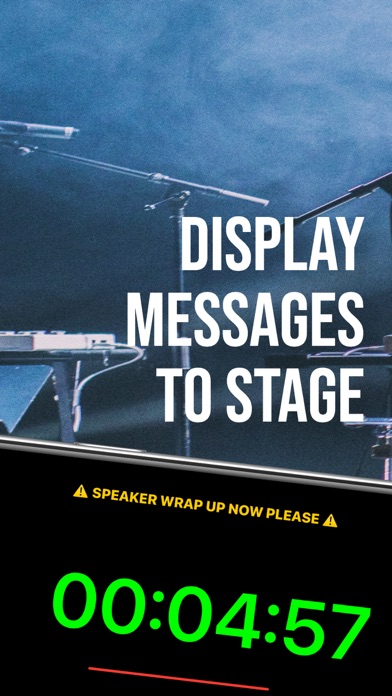
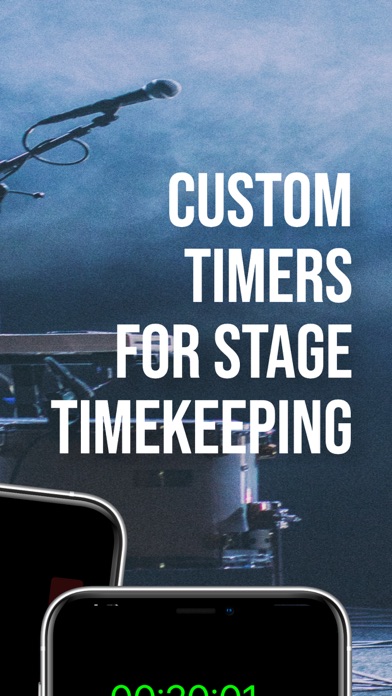
Whether you’re a teacher timing classroom activities, a presenter coordinating your speech, or an event organizer managing multiple timers across devices, StageTimer provides you with an elegant, customizable timing solution. Enjoy a large, easy-to-read timer display accompanied by interactive controls that let you start, pause, reset, and update your timer with just a few taps. Plus, thanks to its innovative multi-device connectivity, you can share timer sessions across several devices—keeping your entire team or audience perfectly synchronized no matter where they are.
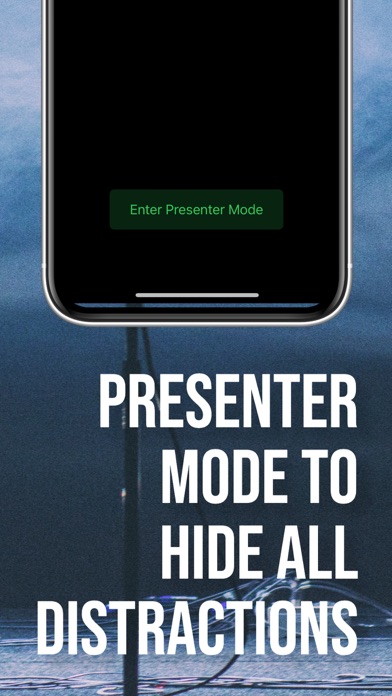
But StageTimer isn’t just about keeping time—it’s about enhancing your entire event experience. Use the fullscreen mode for a distraction-free view that’s ideal for large presentations, or set custom messages to display important cues or instructions directly on the timer screen. Every aspect of the app has been designed with both aesthetics and functionality in mind, ensuring that your timing experience is not only accurate but also visually appealing.
StageTimer offers a rich settings menu that empowers you to tailor the app to your exact needs. Set your default duration, enable auto‑start for immediate timing, toggle between dark and light modes, or keep your screen on during critical moments. And for those who demand even more, our premium upgrade unlocks advanced features like multi‑device sharing, remote controls, custom themes, and audio alerts. With a one‑time payment, you can upgrade to premium—no recurring subscriptions, just professional-grade tools that are yours forever.
Every detail of StageTimer is crafted to ensure a seamless and intuitive user experience. The user-friendly interface, paired with clear controls and flexible options, makes it simple to focus on your performance rather than fiddling with settings. Whether you’re preparing for a live stage performance, running a workshop, or simply managing everyday tasks, StageTimer is the perfect companion to keep you punctual and in control.
Join thousands of satisfied users who have elevated their timing game. With StageTimer, you’re not just managing time—you’re mastering it.
Key Features:
• Precision Timer Display with a dynamic progress bar
• Intuitive Start, Pause, and Reset Controls
• Customizable Timer Duration (up to 1 hour for free users, 24 hours for premium)
• Multi-Device Connectivity for Synchronized Timer Sessions
• Fullscreen Mode for Distraction-Free Presentations
• Custom Messaging for On-Screen Instructions
• Advanced Settings including Dark Mode, Auto‑Start, and “Keep Screen On”
• Premium Upgrade with a One‑Time Payment (No Subscription)
• Remote Controls, Custom Themes, and Audio Alerts (Premium)
• Sleek, User-Friendly Interface Designed for Professionals
Download StageTimer today and experience the ultimate tool for managing your time. Whether you’re leading a classroom, staging a live performance, or orchestrating a large event, StageTimer ensures you’re always in control—and always on time.
Your payment will be charged to your Apple ID account. In-app purchases are processed by Apple and are subject to their standard terms and conditions. By downloading StageTimer, you agree to Apple's End User License Agreement (available at https://www.apple.com/legal/internet-services/itunes/dev/stdeula/) as well as our Privacy Policy, which is available at https://mattcowlin.com/policies/privacy.html. Please review these terms carefully before making any purchase.