

Sticky Notes - Notepad & Memo
Sticky Notes - Notepad & Memo is made and published by 洪 邓. AppBrain is an independent app data site and isn't affiliated with 洪 邓. The app name, icon, screenshots and description belong to 洪 邓 and are shown as published on the App Store.
AppBrain's verdict
- Last updated
- April 26, 2025
- Size
- 8.09 MB
User feedback
Ratings and reviews on the App StoreComments on Sticky Notes - Notepad & Memo for iOS
We don't have enough comments to show example comments. Please check back later.
Store listing
By 洪 邓, from the App Store



Description by 洪 邓 Written by the developer, not by AppBrain. Click to read.
Simply create a new Sticky Note to jot down anything – your thoughts, a short message, phone numbers, new ideas, or a to-do list. To make note-taking easier, you can adjust a note's transparency to see other windows open below it. Notes can be "pinned" on top of all other windows on your desktop. Your most important notes are always visible!
BEAUTIFUL & CUTE BACKGROUNDS
• The app comes preloaded with over 50 beautiful background images. You can choose one as your sticky note's background.
• You can also choose any image on your Mac as the sticky note's background.
• You can assign different colors (yellow, orange, red, pink, green, blue, purple, grey, etc.) to your notes to visually set them apart.
NOTE REMINDERS
• Keep track of notes that contain time-sensitive information. You can set a date-and-time reminder for any sticky note. An alarm will sound, and your notes will pop up when date-and-timed reminders are due. You'll never miss a deadline!
• Either set up a date-and-time reminder or a duration reminder (which reminds you after a specified number of hours and minutes have elapsed).
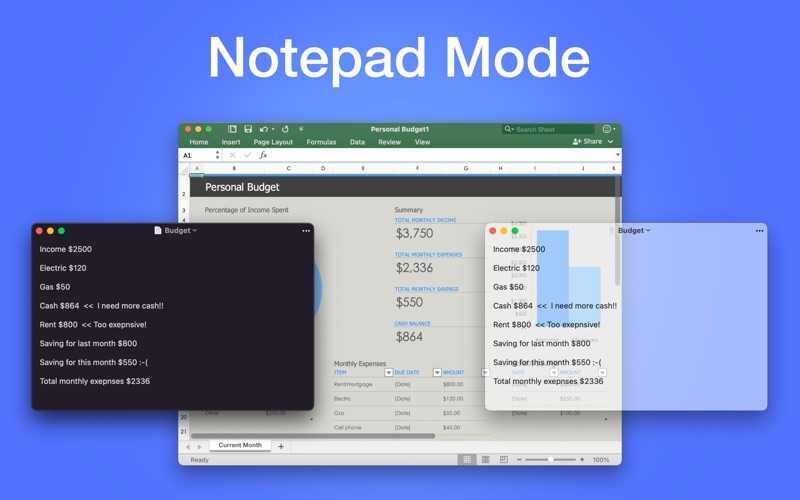
NOTEPAD MODE
• Normal notepad mode works just like Windows Notepad but is more powerful.
• Saves your content as a plain text file.
EVEN MORE
• Autosave your notes. Never lose your content!
• Adjust the transparency level for easier note-taking. No need to switch back and forth between windows!
• Pin notes so they're always on top of your other windows. You'll never forget they're there.
• Supports rich text, different font families, sizes, formats, and colors.
• Launch app at login.
• Works in both light and dark modes.
Privacy Policy: https://iosapp2.wixsite.com/apps/privacy-policy
Terms: https://iosapp2.wixsite.com/apps/terms
Safety and technology
Found in the app by AppBrain- Price
- Free
- App size
- 8.09 MB
- Content rating
- Everyone
Technologies used by Sticky Notes - Notepad & Memo
Releases
Updates seen on the App Store- Version
- 2.2.1
- Launched
- July 2023
No changelog data
Alternatives
Similar apps and more from 洪 邓More from 洪 邓


Rankings
App Store top chartsApp Store Rankings for Sticky Notes - Notepad & Memo
About the app and developer
About Sticky Notes - Notepad & Memo
Sticky Notes - Notepad & Memo is a productivity app developed by 洪 邓.
What is the rating of Sticky Notes - Notepad & Memo?
Sticky Notes - Notepad & Memo has no ratings yet.
Is Sticky Notes - Notepad & Memo free?
Sticky Notes - Notepad & Memo is free. The app size is 8.09 MB. The latest version available is 2.2.1. The last update was on April 26, 2025.
What are the requirements for Sticky Notes - Notepad & Memo?
The app has a content rating of Everyone. The app has been available on the App Store since July 2023.
Developer information for 洪 邓
Address:
Frequently asked questions about Sticky Notes - Notepad & Memo
Is Sticky Notes - Notepad & Memo free?
Yes. Sticky Notes - Notepad & Memo is free on the App Store.
Is Sticky Notes - Notepad & Memo still available?
Yes. Sticky Notes - Notepad & Memo is on the App Store, and the last update we saw was on April 26, 2025.
How large is Sticky Notes - Notepad & Memo?
Sticky Notes - Notepad & Memo is 8.09 MB.
Is Sticky Notes - Notepad & Memo suitable for children?
App Store rates the content of Sticky Notes - Notepad & Memo as suitable for everyone.
Who made Sticky Notes - Notepad & Memo?
Sticky Notes - Notepad & Memo was developed by 洪 邓. It is listed in the productivity category on the App Store.