

Subsonic Radio Player
Subsonic Radio Player is made and published by Ridgeley, LLC. AppBrain is an independent app data site and isn't affiliated with Ridgeley, LLC. The app name, icon, screenshots and description belong to Ridgeley, LLC and are shown as published on the App Store.
AppBrain's verdict
Established- Rating on App Store
- 4.71
- 62 ratings
- Last updated
- July 2, 2026
It doesn't have enough ratings yet to judge what users think.
Rankings
App Store top chartsApp Store Rankings for Subsonic Radio Player
Competitors
Similar apps and more from Ridgeley, LLCAlternatives to Subsonic Radio Player



Also available on Google Play

Releases
Updates seen on the App Store- Version
- 2.2.4
- Launched
- December 2020
No changelog data
User feedback
Ratings and reviews on the App StoreComments on Subsonic Radio Player for iOS
We don't have enough comments to show example comments. Please check back later.
Technology
Found in the app by AppBrain- Price
- Free
- App size
- 3.58 MB
- Content rating
- Everyone
Technologies used by Subsonic Radio Player
About the app and developer
About Subsonic Radio Player
Subsonic Radio Player is an entertainment app developed by Ridgeley, LLC.
User Ratings
Subsonic Radio Player is rated 4.71 out of 5 stars. The rating is based on 62 ratings.
App Information
Subsonic Radio Player is freely available from the App Store. The app size is 3.58 MB. The latest version available is 2.2.4. The last update was on July 2, 2026.
Technical Requirements
The app has a content rating of Everyone. The app has been available on the App Store since December 2020.
Developer information for Ridgeley, LLC
Address:
Store listing
By Ridgeley, LLC, from the App Store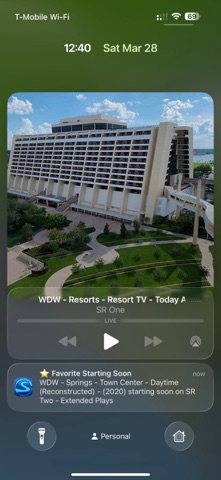

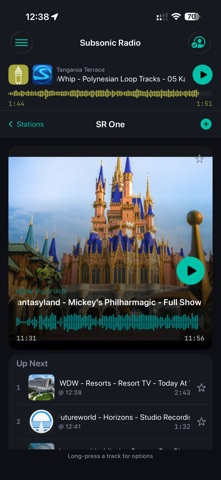

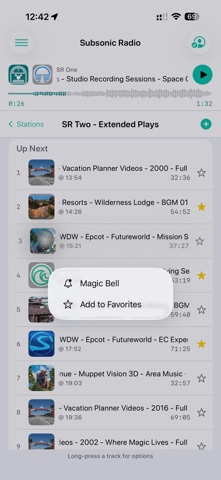

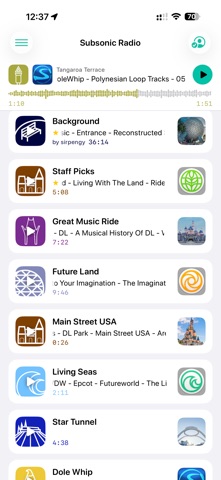

Description by Ridgeley, LLC Written by the developer, not by AppBrain. Click to read.
Just click the app to start it, select your station and listen to all the wonderful music.
Here are the new features:
* CarPlay integration
* Lock screen controls
* Login authentication persistence via Keychain
* Pull-to-refresh with active station tracking
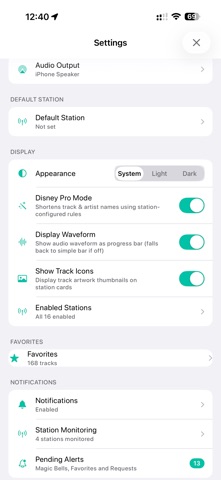
* “Pro Mode” (Short Names)
* Favorites (Display, creating, deleting)
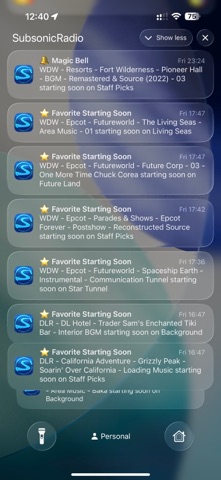
* “Magic Bells”
* Request Favorite from Favorites list in Settings
* Logged in indicator (top right) allows direct access to login/logout
* Local Push Notifications (Requests, Favorites, Magic Bells)
* Default Station on Startup and Auto-Play (Configurable in Settings)
* Full Pending Alerts management
* Progress bar/Waveform under now playing track
* Marquee Scroll
* Long-press on Station List to Favorite/Unfavorite a track
* Long-press any “requested” track to see new option to see that users Favorite Tracks List
* Swipe gestures for back
* Settings: Audio Selector
* Settings: Show Stations Selector (pick your stations, similar to monitoring)
* Settings: Show Track Icon (on all pages except the large one on the station and queue list)
* Settings: Favorites Management
* Settings: Show Waveform
* Settings: Light / Dark / Auto appearance setting
Use the support link or tap Chat in app to come talk to us about the new app and design. We're also great people to talk to...