

Super Video Converter Pro
Super Video Converter Pro is made and published by iColorfulsoft. AppBrain is an independent app data site and isn't affiliated with iColorfulsoft. The app name, icon, screenshots and description belong to iColorfulsoft and are shown as published on the App Store.
AppBrain's verdict
- Last updated
- July 24, 2026
- Size
- 142.2 MB
User feedback
Ratings and reviews on the App StoreComments on Super Video Converter Pro for iOS
We don't have enough comments to show example comments. Please check back later.
Store listing
By iColorfulsoft, from the App Store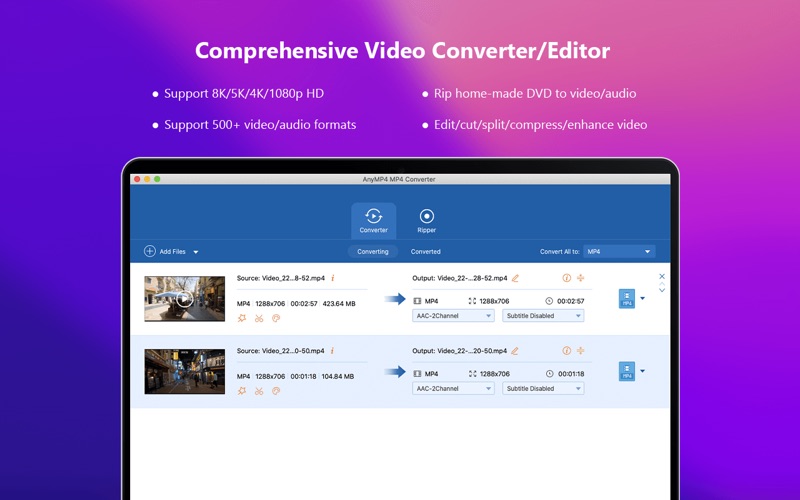
Description by iColorfulsoft Written by the developer, not by AppBrain. Click to read.
Super Video Converter Pro can convert any video like MTS, M2TS, TS, TRP, MP4, 3GP, MOV, M4V, MKV, AVI, WMV, FLV, MKV to 100+ 2D/3D video/audio formats. Besides, it provides various video editing functions to give the video better visual effects. After the recent upgrade, it has more editing options.
1. Convert video/home-made DVD to MP4, MKV, AVI, MOV, WMV and more
* Convert almost all videos/audios to needed formats
You are allowed to convert any video/audio formats like M2TS, MTS, MKV, FLV, AVI, WMV, MP4, MOV, M4V, MP3, MP2, FLAC, AAC, ALAC, AC3, M4A, WMA, WAV and more to any popular video/audio formats even GIF. And it supports all encoding formats, including H.265/HEVC, H.264, Xvid, VP8, VP9, etc.
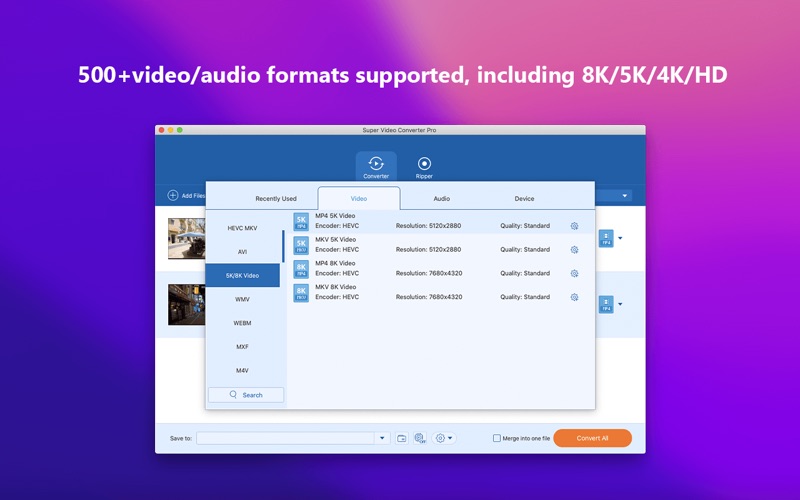
*Upscale any video to HD/4K/5K/8K resolution
Now it supports converting video from low resolution to 4K/5K/8K. For example, you can convert SD/HD video to 4K. After converting, you can enjoy the 4K videos on your 4K players.
* Highly support output 3D video format
Super Video Converter Pro can convert nearly all general 2D video formats to 3D videos like Side by Side 3D, Top and Bottom 3D, and Anaglyph 3D video. Thus you can enjoy the 3D videos on any 3D player device.
* Convert video to any portable device
Apart from popular video/audio formats, it has preset profiles that designed for iPhone, Apple TV, hot video editing software and hot video sites. For example, if you want to upload your video to Tiktok, just choose the specific profile, then you can get the video with right resolution, encoder, aspect ratio and other required settings.
2. Customize video to be perfect
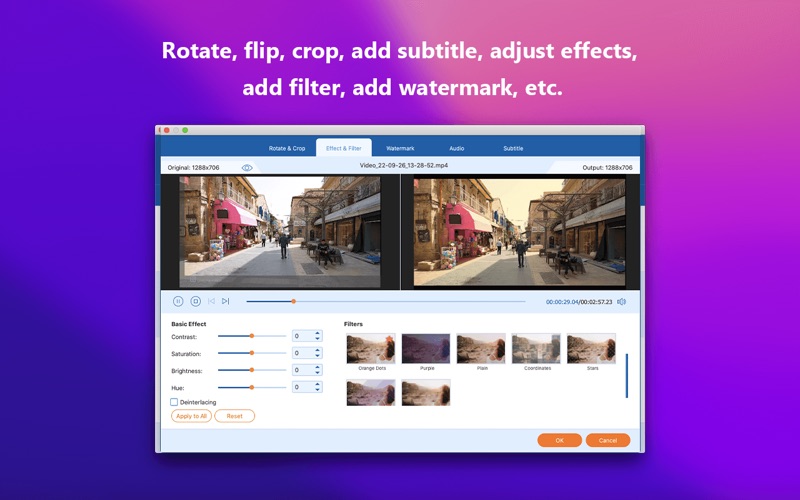
* Add filters to your video (New)
Now it provides a dozen of different filters for your to choose. Different filters produce different video effect.
* Edit Media Metadata (New)
You can change the cover, title, artist and other metadata info of your media files.
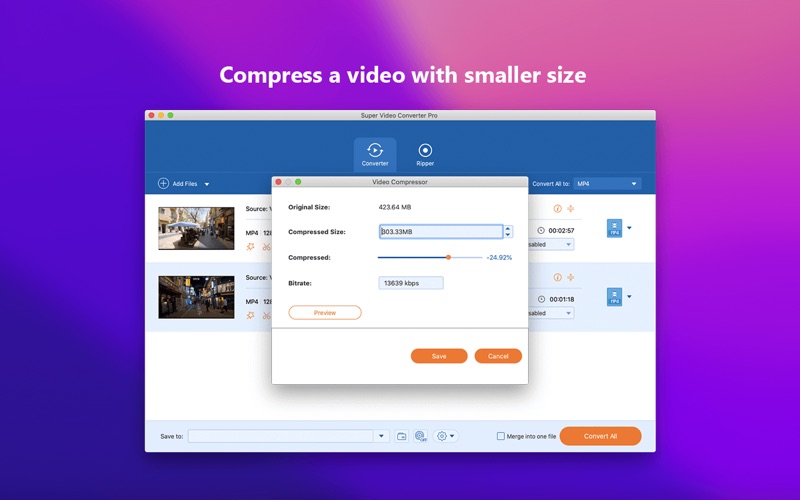
* Compress video to smaller size (New)
You can adjust the compression rate and preview the output file size.
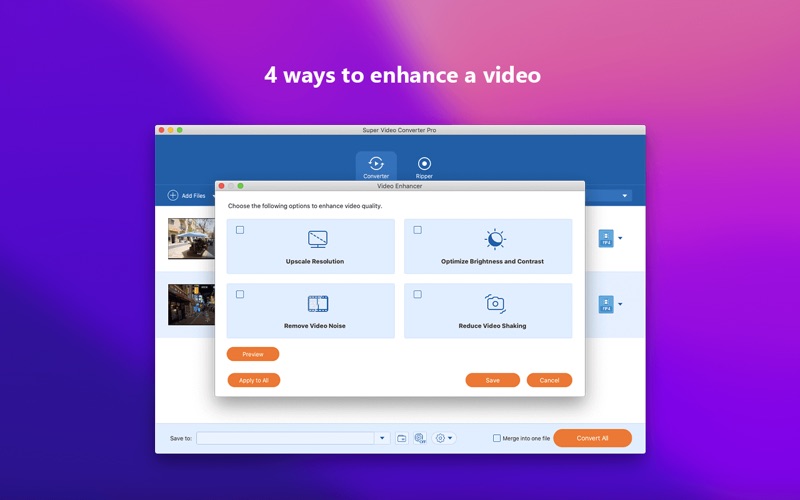
* Enhance video quality (New)
Now it has four new powerful functions to improve your video quality: upscale resolution, optimize brightness and contrast, remove video noise and stabilize shaky videos.
* Multiple video editing functions to choose
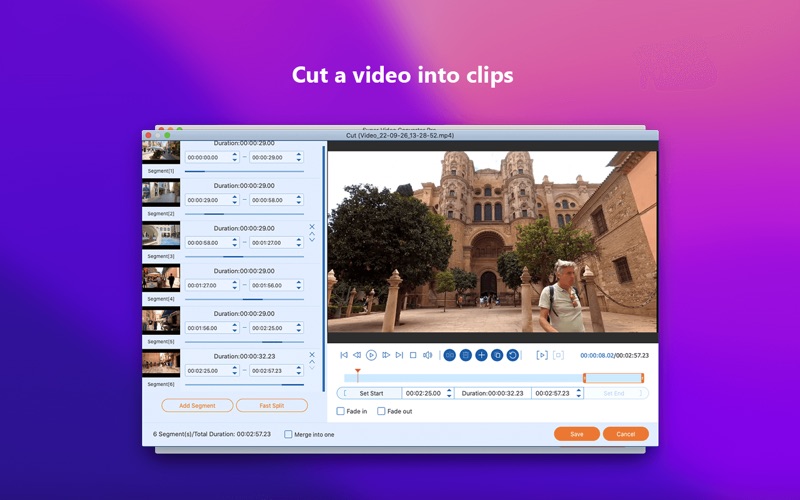
You can adjust the video effect (Brightness, Saturation, Contrast, Hue and Volume); trim the video length; crop video frame to remove the black edges; add text/image watermark; and merge multiples files into a new single one.
* Add audio track and subtitle
You can choose to enable/disable audio track and subtitle. You can also choose the audio track and subtitle you want to use. You can even add external audio track and subtitle to the video.
3. Support batch conversion and user-friendly
* Batch conversion
This Video File Converter can convert one or more source files to different formats at the same time.
* Preview and snapshot
This App owns a built-in player to help you preview video effect. During previewing, you can capture favorite picture and save it as an image.
Supported output Formats and Video Editing Software:
* Supported Output Formats:
General Video: MPG, MPEG-1, MPEG-2, MPEG-4, H.264, H.264/MPEG-4 AVC, DivX, XviD, AVI, FLV, MP4, M4V, MKV, MOV, 3GP, 3G2, MTV, SWF, WMV, WMV-2, ASF, DPG, TS, DV, VOB, AMV, WebM
HD video: TS, HD MP4, HD AVI, HD MOV, HD ASF, HD H.264/MPEG-4 AVC, HD MPEG-4, MPEG-2 HD, HD MKV, HD MPG, HD MPEG-4 TS, MPEG-2 TS HD, HD H.264 TS, DivX HD, XviD HD, YouTube HD, HD FLV, HD WMV, HD VOB, HD WebM
4K Video: 4K H.265/HEVC, 4K H.264/MPEG-4 AVC, 4K MPEG-4, WebM-VP8 4K WebM, WebM-VP9 4K WebM, 4K H.264 TS, 4K AVI, XviD 4K, 4K H.264 TS, 4K AVI, XviD 4K, 4K H.264 FLV, 4K MKV, YouTube 4K
5K/8K Video: MP4 5K video, MKV 5K Video, MP4 8K Video, MKV 8K Video
*** It works with OS X 10.7 or later! ***
Need help? Please contact us via https://www.anymp4.com/app-store/contact.html and you will receive a reply within 24 hours.
If you love this app, do not hesitate to leave a review.
Safety and technology
Found in the app by AppBrain- Price
- $29.99
- App size
- 142.2 MB
- Content rating
- Everyone
Technologies used by Super Video Converter Pro
Releases
Updates seen on the App Store- Version
- 6.3.31
- Launched
- April 2013
No changelog data
Alternatives
Similar apps and more from iColorfulsoftMore from iColorfulsoft




Rankings
App Store top chartsApp Store Rankings for Super Video Converter Pro
About the app and developer
About Super Video Converter Pro
Super Video Converter Pro is a photo & video app developed by iColorfulsoft.
User Ratings
The app has no ratings yet.
App Information
Super Video Converter Pro costs $29.99. The app size is 142.21 MB. The latest version available is 6.3.31. The last update was on July 24, 2026.
Technical Requirements
The app has a content rating of Everyone. The app has been available on the App Store since April 2013.
Developer information for iColorfulsoft
Address: