

SwiftoDo for todo.txt
SwiftoDo for todo.txt is made and published by Michael Descy. AppBrain is an independent app data site and isn't affiliated with Michael Descy. The app name, icon, screenshots and description belong to Michael Descy and are shown as published on the App Store.
AppBrain's verdict
EstablishedLoved by users- Rating on App Store
- 4.71
- 295 ratings
- Last updated
- May 1, 2024
- Size
- 20.0 MB
Users love it: 4.7 stars from 295 ratings.
User feedback
Ratings and reviews on the App StoreComments on SwiftoDo for todo.txt for iOS
We don't have enough comments to show example comments. Please check back later.
Store listing
By Michael Descy, from the App Store
Description by Michael Descy Written by the developer, not by AppBrain. Click to read.
# FEATURES
- Full support for the todo.txt file format
- Dropbox sync
- Archiving completed tasks to done.txt
- Import tasks from Reminders
## Supported Todo.txt Format Extensions
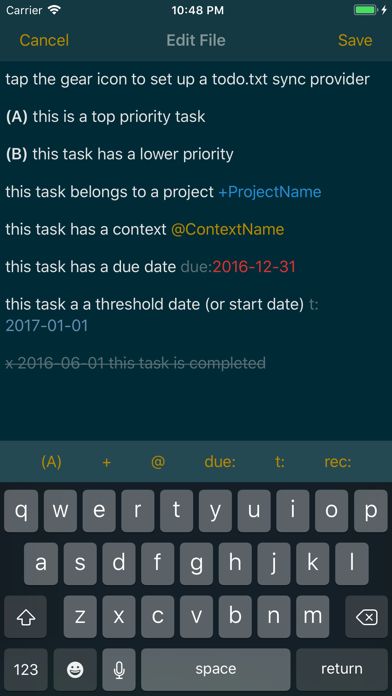
- Due date tags (due:)
- Threshold date tags (t:)
- Recurring tasks (rec:+1w)
- Hidden tasks (h:1)
- Retain priority after completion (optional; two ways)
## User Interface
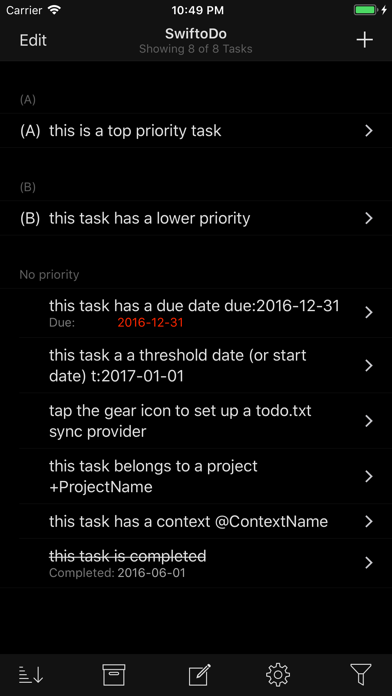
- Four task list styles to customize how you view your tasks
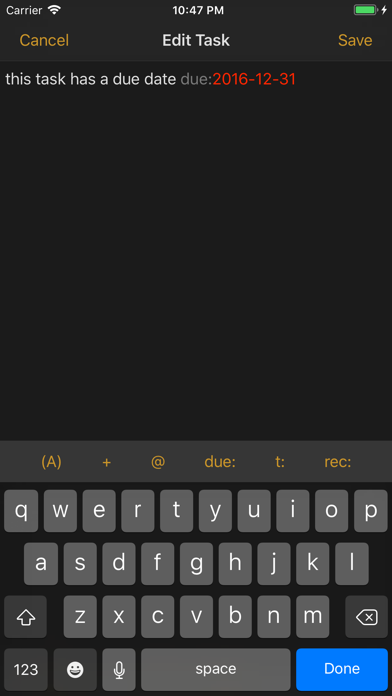
- Full file text editing mode, for when you need it
- Numerous dark and light themes
- Single or multiple task entry for new tasks
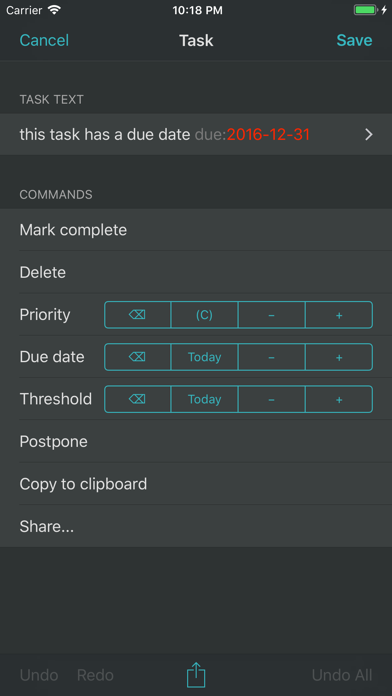
- One-touch edits to change priority, due date, etc.
- Select and edit multiple tasks from the task list with one-touch edits
- Pickers for inserting priority, projects, contexts, etc.
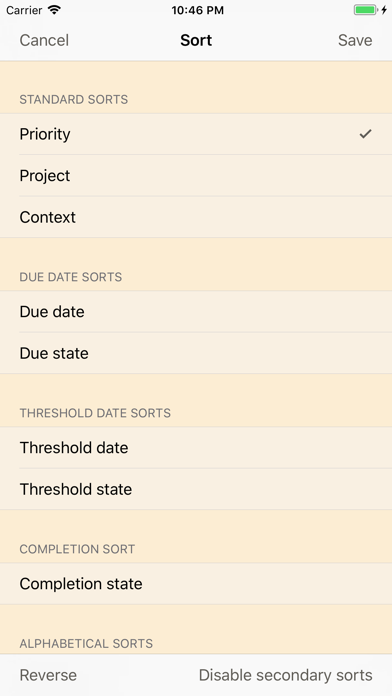
- Numerous sort presets, with grouping
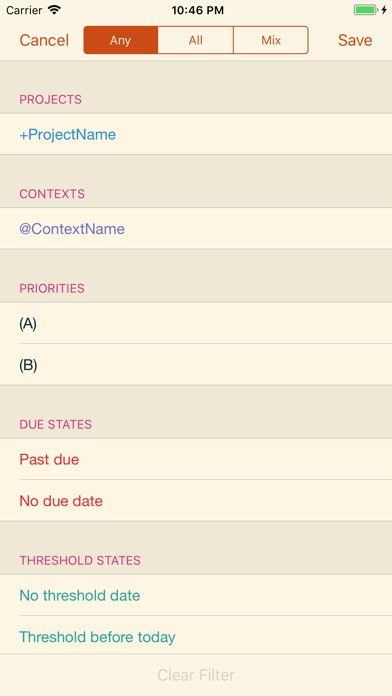
- Powerful filtering capabilities
- Full-text search
- Undo/redo
- Hardware keyboard shortcuts
- Slide-over menu to open URLs contained in the task text
- Option to set a default priority on new tasks
## iOS 10+ Integration
- Universal app for iPhone and iPad
- Live filter split view in landscape on iPad, iPhone 6/6S/7 Plus
- Slide-over and split-screen multitasking on iPad (great for having tasks side by side with your favorite note-taking app)
- 3D Touch peek & pop and home screen quick actions
- Core Spotlight integration
- URL scheme with x-callback-url support
# ARE YOU NEW TO THE TODO.TXT FORMAT? SEE WHAT IT OFFERS:
## A task list that *you* control
Your task list is a plain text file, not some proprietary format owned by a company or locked to a specific application.
## A simple and timeless format
Plain text is the simplest file format there is. It will always be accessible, by some kind of application, forever.
## Few rules to learn
Learn only a few simple formatting rules (which SwiftoDo will take care of for you) to indicate task priority, task completion, and so on.
## A GTD-ready system
The todo.txt format was built with Getting Things Done in mind. It supports projects (which being with “+”) and contexts (which begin with a “@“).
## Use alongside any app on any platform
With Dropbox or Files app (iOS 11+ only) sync enabled, you can sync your task list with any app on any platform.
Safety and technology
Found in the app by AppBrain- Price
- Free
- App size
- 20.0 MB
- Content rating
- Everyone
Technologies used by SwiftoDo for todo.txt
Releases
Updates seen on the App Store- Version
- 3.3.5
- Launched
- January 2016
No changelog data
Alternatives
Similar apps and more from Michael DescyAlternatives to SwiftoDo for todo.txt



More from Michael Descy

Rankings
App Store top chartsApp Store Rankings for SwiftoDo for todo.txt
About the app and developer
About SwiftoDo for todo.txt
SwiftoDo for todo.txt is a productivity app developed by Michael Descy.
User Ratings
SwiftoDo for todo.txt is rated 4.71 out of 5 stars. The rating is based on 300 ratings.
App Information
SwiftoDo for todo.txt is freely available from the App Store. The app size is 19.97 MB. The latest version available is 3.3.5. The last update was on May 1, 2024.
Technical Requirements
The app has a content rating of Everyone. The app has been available on the App Store since January 2016.
Developer information for Michael Descy
Address:
Frequently asked questions about SwiftoDo for todo.txt
Is SwiftoDo for todo.txt free?
Yes. SwiftoDo for todo.txt is free on the App Store.
Is SwiftoDo for todo.txt still available?
Yes. SwiftoDo for todo.txt is on the App Store, and the last update we saw was on May 1, 2024.
How large is SwiftoDo for todo.txt?
SwiftoDo for todo.txt is 19.97 MB.
Is SwiftoDo for todo.txt suitable for children?
App Store rates the content of SwiftoDo for todo.txt as suitable for everyone.
How do people rate SwiftoDo for todo.txt?
SwiftoDo for todo.txt scores 4.71 out of 5 stars, from 295 ratings on the App Store.
Who made SwiftoDo for todo.txt?
SwiftoDo for todo.txt was developed by Michael Descy. It is listed in the productivity category on the App Store.
What are the best alternatives to SwiftoDo for todo.txt?
People looking at SwiftoDo for todo.txt also look at these productivity apps: Taskmator - TaskPaper Client, Plain Org, GTW - Markdown & Text Editor, 1Writer - Markdown Text Editor, beorg: To-Do List & Agenda.