

GoCoEdit - Code & Text Editor
GoCoEdit - Code & Text Editor is made and published by Christoph Gogolin. AppBrain is an independent app data site and isn't affiliated with Christoph Gogolin. The app name, icon, screenshots and description belong to Christoph Gogolin and are shown as published on the App Store.
AppBrain's verdict
EstablishedLoved by users- Best rank
- #38
- Top Paid, Japan
- Rating on App Store
- 4.54
- 122 ratings
- Last updated
- September 24, 2026
Users love it: 4.5 stars from 122 ratings. Its best ranking is #38 in Top Paid, Productivity in Japan.
Rankings
App Store top charts- Highest rank
- #38
- Chart
- Top Paid
- Productivity
- Country
- Japan
App Store Rankings for GoCoEdit - Code & Text Editor
Top rankings
| Rank | Country | Category | List |
|---|---|---|---|
| 38 | Japan | Productivity | Top Paid |
Ranking history in Japan
Competitors
Similar apps and more from Christoph GogolinAlternatives to GoCoEdit - Code & Text Editor








More from Christoph Gogolin








Releases
Updates seen on the App Store- Version
- 25.0
- Launched
- May 2014
No changelog data
User feedback
Ratings and reviews on the App StoreComments on GoCoEdit - Code & Text Editor for iOS
We don't have enough comments to show example comments. Please check back later.
Technology
Found in the app by AppBrain- Price
- $8.99
- App size
- 46.3 MB
- Content rating
- Everyone
Technologies used by GoCoEdit - Code & Text Editor
About the app and developer
About GoCoEdit - Code & Text Editor
GoCoEdit - Code & Text Editor is a productivity app developed by Christoph Gogolin.
What is the rating of GoCoEdit - Code & Text Editor?
GoCoEdit - Code & Text Editor is rated 4.54 out of 5 stars, based on 120 ratings.
Is GoCoEdit - Code & Text Editor free?
GoCoEdit - Code & Text Editor costs $8.99. The app size is 46.33 MB. The latest version available is 25.0. The last update was on September 24, 2026.
What are the requirements for GoCoEdit - Code & Text Editor?
The app has a content rating of Everyone. The app has been available on the App Store since May 2014.
Developer information for Christoph Gogolin
Address:
Frequently asked questions about GoCoEdit - Code & Text Editor
Is GoCoEdit - Code & Text Editor free?
No. GoCoEdit - Code & Text Editor costs $8.99 on the App Store.
Is GoCoEdit - Code & Text Editor still available?
Yes. GoCoEdit - Code & Text Editor is on the App Store, and the last update we saw was on September 24, 2026.
How large is GoCoEdit - Code & Text Editor?
GoCoEdit - Code & Text Editor is 46.33 MB.
Is GoCoEdit - Code & Text Editor suitable for children?
App Store rates the content of GoCoEdit - Code & Text Editor as suitable for everyone.
How do people rate GoCoEdit - Code & Text Editor?
GoCoEdit - Code & Text Editor scores 4.54 out of 5 stars, from 122 ratings on the App Store.
Who made GoCoEdit - Code & Text Editor?
GoCoEdit - Code & Text Editor was developed by Christoph Gogolin. It is listed in the productivity category on the App Store.
What are the best alternatives to GoCoEdit - Code & Text Editor?
People looking at GoCoEdit - Code & Text Editor also look at these productivity apps: iWriter Pro, Taskmator - TaskPaper Client, 1Writer - Markdown Text Editor, SwiftoDo for todo.txt, Codea.
Store listing
By Christoph Gogolin, from the App Store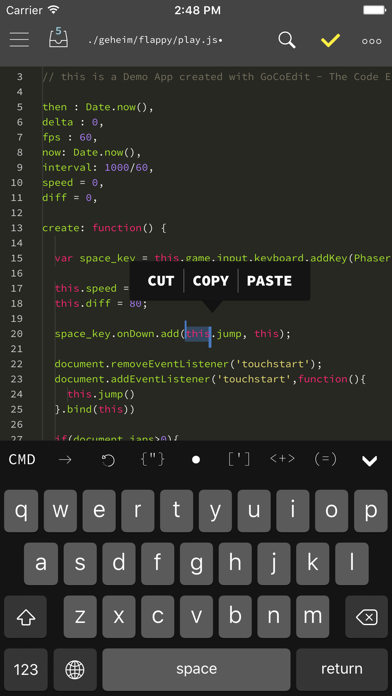
Description by Christoph Gogolin Written by the developer, not by AppBrain. Click to read.
FEATURES:
------------------------------
• Sublime like Code-Editor!
• Universal App (use it on your iPad, iPhone & iPod Touch)
• iPhone X (s/s Max) support
• Full iPad Pro support (including smart keyboard support, shortcuts, split-screen multitasking)
• iPadOS Mouse & Trackpad
• NEW! Multi-caret Editing
• NEW! Siri Shortcuts
- create newfile / start shell / connect to shell / preview
- more soon...
• Drag & Drop Support
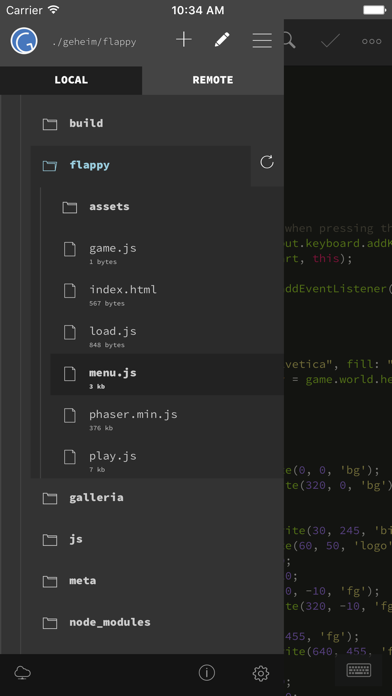
- Support for Drag & Drop files from the Files App
- Support for Drag & Drop files / repos and folders from Working Copy App
- Support for Dragging local files from GoCoEdit to other Apps
• Compatible with Apple Watch
Start a ssh-shell from your wrist right now!
Run your self defined scripts with one tap.
• Extra keybar with swipe functions and trackball to precisely move the cursor and select text
• Syntax highlighting
for many coding languages like:
(apache, arduino, asp/vb.net, c, c#, c++, ceylon, clojure, coffeescript, css, dart, dockerfile, elixir, erlang, fortran, go, handlebars, haskel, html, jade, java, javascript (es6 support), jsx, kotlin, latex/stex, less, lisp, livescript, lua, markdown, mathematica, nginx, objective-c, pascal, perl, php, plist, powershell, pug, puppet, python, r, rss, ruby, rust, sass, scala, shader, shell, sql, squirrel, stylus, svelte, swift, typescript, verilog, vue(js), xml, yaml)
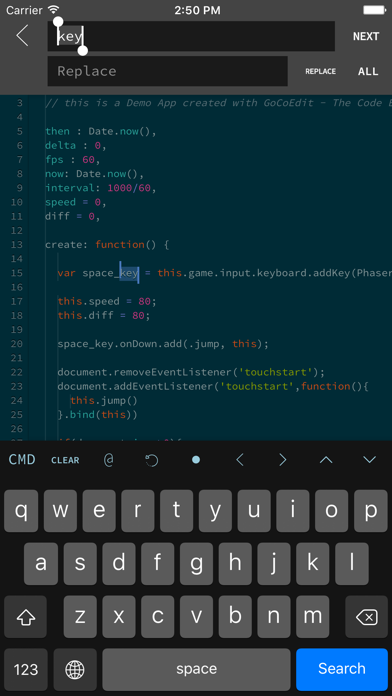
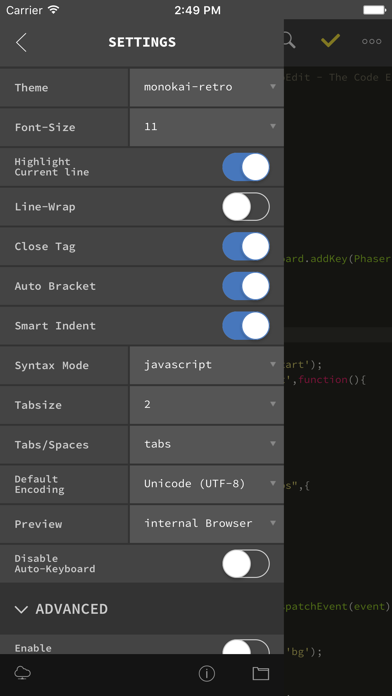
• Some comfort features: code folding, code hinting, auto indent, auto close brackets, line wrapping, smart indent, tag and bracket matching, find by regular expression, replace, replace all, symbolic/function search for many syntax modes
• Quick CMD-mode (keep your hands on the On-Screen-Keyboard)
- p.e. press cmd+c, cmd+v to copy and paste selected text
- over 15 shortcuts supported
• Different themes ( include solarized, monokai and many more ) and font-sizes
• Import / export / open files from icloud drive and other file providers
• Open entire folders or repositories from the Git client Working Copy or the Files App using the iOS document picker
• Extendable
- Custom Syntax Modes -- create your own Syntax highlighting modes
now you can write own modes and use it for your own file types
- Custom Themes -- create your own editor themes
- Snippets -- use short fragments of text again and again
( with filed and placeholders support )
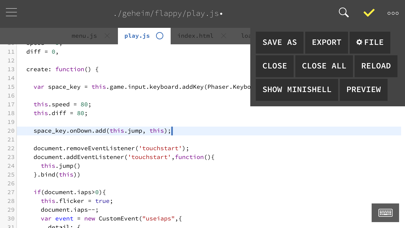
• Preview Browser with Javascript console
( in iPad version resizeable for preview iPad or iPhone layouts )
• Markdown Preview & HTML Export
• Connect to your servers via SFTP, FTP, DRIVE, G-DRIVE, ONEDRIVE or DROPBOX
NEW! with OneDrive 365 and OneDrive for Business support
• NEW! File has changed detection
( GCE is now able to detect external file changes on local and remote files )
• Upload and Download files/folders or edit files directly on your server/dropbox/drive/onedrive without download
• Very fast reconnect and recover of open files after restart
• Edit your files directly on your server without download.
• Integrated Shell (ssh) to perform background tasks like a Grunt, Gulp, npm or another shell job
( type direct or define scripts and run it with a single tap )
• Supporting advanced features like textselection by cursor, Splitview, Slide-Over and Drag & Drop
• 3D Touch support
- Show/move cursor by 3D touch the keyboard
- Quick Actions (new file, start shell, connect shell to last server, show preview of last file)
• External/Bluetooth keyboard support
( all iOS shot-cut keys are supported + lots of shortcuts available )
------------------------------
If you want to support the project and increase the development speed become a patreon.
------------------------------