

SwitchPDF - Image to PDF
SwitchPDF - Image to PDF is made and published by MBG Studio. AppBrain is an independent app data site and isn't affiliated with MBG Studio. The app name, icon, screenshots and description belong to MBG Studio and are shown as published on the App Store.
AppBrain's verdict
- Last updated
- October 13, 2026
Rankings
App Store top chartsApp Store Rankings for SwitchPDF - Image to PDF
Competitors
Similar apps and more from MBG StudioMore from MBG Studio


Releases
Updates seen on the App Store- Version
- 1.4
- Launched
- August 2026
No changelog data
User feedback
Ratings and reviews on the App StoreComments on SwitchPDF - Image to PDF for iOS
We don't have enough comments to show example comments. Please check back later.
Technology
Found in the app by AppBrain- Price
- Free
- App size
- 13.6 MB
- Content rating
- Everyone
Technologies used by SwitchPDF - Image to PDF
About the app and developer
About SwitchPDF - Image to PDF
SwitchPDF - Image to PDF is an utilities app developed by MBG Studio.
User Ratings
The app has no ratings yet.
App Information
SwitchPDF - Image to PDF is freely available from the App Store. The app size is 13.61 MB. The latest version available is 1.4. The last update was on October 13, 2026.
Technical Requirements
The app has a content rating of Everyone. The app has been available on the App Store since August 2026.
Developer information for MBG Studio
Address:
Store listing
By MBG Studio, from the App Store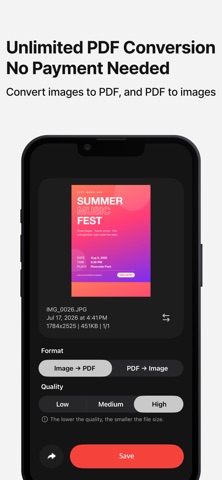

Description by MBG Studio Written by the developer, not by AppBrain. Click to read.
• Every Feature, No Payment
Use every feature right away — no payment required.
• Two-Way Conversion
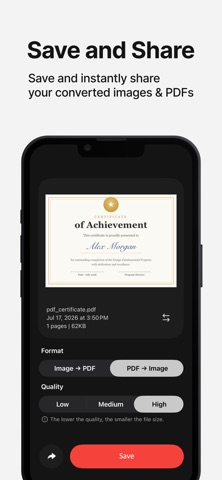
Combine multiple images into a single PDF, or turn each page of a PDF into an image.
• Choose Your Quality
Pick the quality you want to control the size of the converted file.
• Preview Before Converting
When you select multiple images, swipe through them to check — so only what you want goes in.
• Detailed File Info
See key details at a glance, including file name, date created, resolution, and size.
• Separate Saving & Instant Sharing
Your original stays untouched — the converted files are saved separately and can be shared instantly from the app.