

SyncCal
SyncCal is made and published by Dominique Andr Gunia. AppBrain is an independent app data site and isn't affiliated with Dominique Andr Gunia. The app name, icon, screenshots and description belong to Dominique Andr Gunia and are shown as published on the App Store.
AppBrain's verdict
Established- Best rank
- #16
- Top Paid, Belgium
- Rating on App Store
- 3.52
- 23 ratings
- Last updated
- February 15, 2021
It doesn't have enough ratings yet to judge what users think. Its best ranking is #16 in Top Paid, Productivity in Belgium.
Rankings
App Store top charts- Highest rank
- #16
- Chart
- Top Paid
- Productivity
- Country
- Belgium
App Store Rankings for SyncCal
Top rankings
| Rank | Country | Category | List |
|---|---|---|---|
| 16 | Belgium | Productivity | Top Paid |
| 29 | Switzerland | Productivity | Top Paid |
Ranking history in Belgium
Competitors
Similar apps and more from Dominique Andr GuniaAlternatives to SyncCal







More from Dominique Andr Gunia



Releases
Updates seen on the App Store- Version
- 1.26
- Launched
- January 2014
No changelog data
User feedback
Ratings and reviews on the App StoreComments on SyncCal for iOS
We don't have enough comments to show example comments. Please check back later.
Technology
Found in the app by AppBrain- Price
- $0.99
- App size
- 6.76 MB
- Content rating
- Everyone
Technologies used by SyncCal
About the app and developer
About SyncCal
SyncCal is a productivity app developed by Dominique Andr Gunia.
User Ratings
SyncCal is rated 3.52 out of 5 stars. The rating is based on 23 ratings.
App Information
SyncCal costs $0.99. The app size is 6.76 MB. The latest version available is 1.26. The last update was on February 15, 2021.
Technical Requirements
The app has a content rating of Everyone. The app has been available on the App Store since January 2014.
Developer information for Dominique Andr Gunia
Address:
Store listing
By Dominique Andr Gunia, from the App Store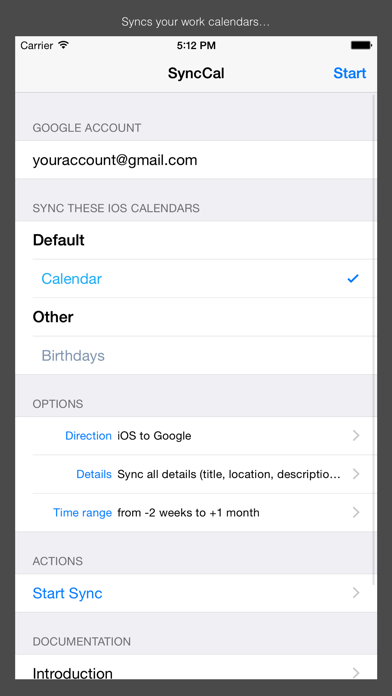
Description by Dominique Andr Gunia Written by the developer, not by AppBrain. Click to read.
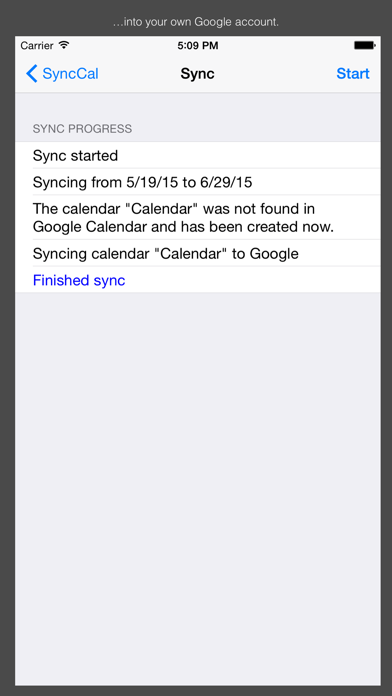
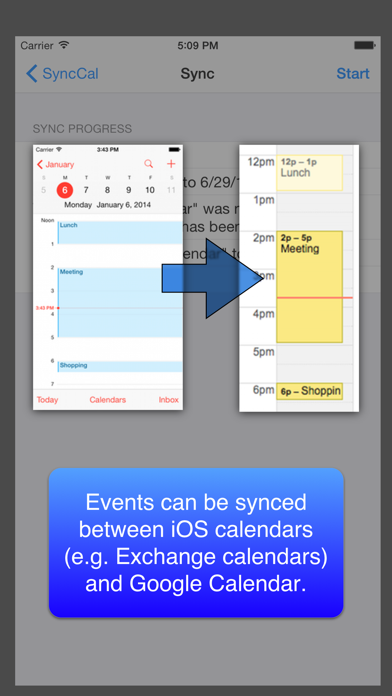
Just install SyncCal, enter your Google Calendar account, select which calendars should be synced and tap "Start". Afterward it will copy the selected calendars into new calendars in Google Calendar. It will also automatically keep them up-to-date by using background refresh and push notifications.
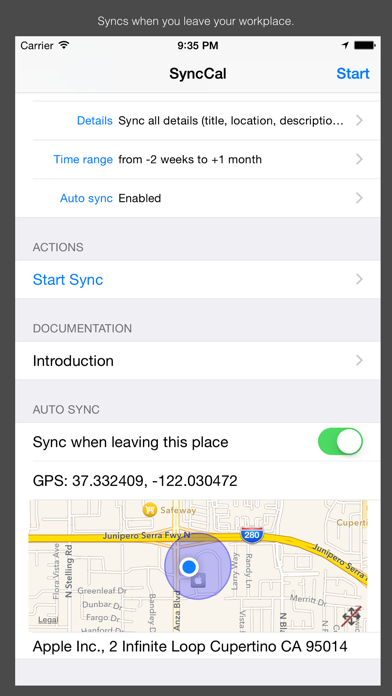
It can also be configured to automatically sync when you leave your workplace. Just turn "Sync when leaving this place" on when you are at work. SyncCal will save the location and afterward it will automatically sync every time you leave your workplace.
iOS' birthday calendar can also be synced into a Google calendar this way.
You can find further information on http://synccal.calengoo.com . If you have any problems please contact synccal@calengoo.com .