Download Android Apps and Games
AppBrain
  • Apps
  • Apps being viewed right now Trending apps today Most popular apps All-time most downloaded apps Top rated apps
  • Intelligence ▾
    Intelligence overview → Track any Android app or your whole market
    Track & analyze
    Keyword Tracker & OptimizerTrack & improve Play rankings App Performance ReportOne-off PDF for any app StatisticsFree Android & Play market stats
    Promote your app
    Featured Apps App Links
  • Intelligence
  • Pricing
  • Dashboard
  • Sign up
  • Log in
Last updated on: 2026-07-08
App Store Apps > Productivity > TaskTask for Outlook Tasks
TaskTask for Outlook Tasks icon

TaskTask for Outlook Tasks

5.5.5
TaskTask LLC
4.50
1,115 reviews
Free
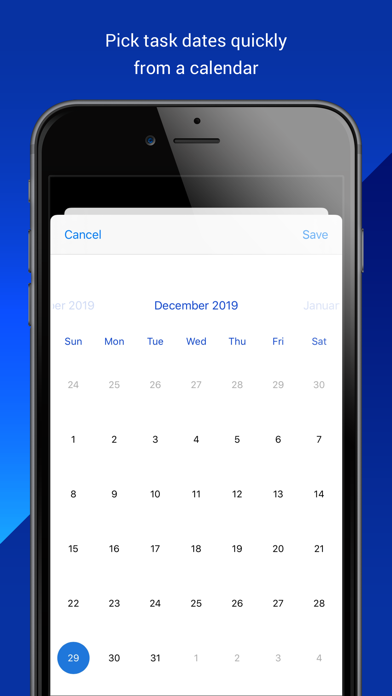
TaskTask for Outlook Tasks Screenshot 1 of 7
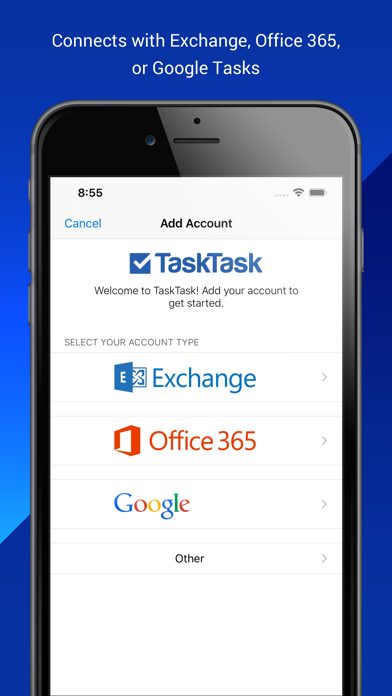
TaskTask for Outlook Tasks Screenshot 2 of 7
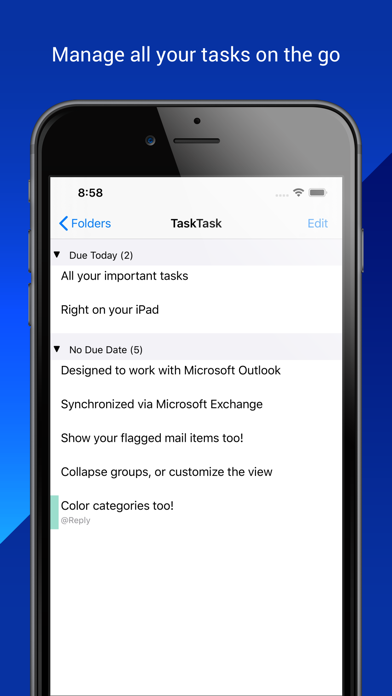
TaskTask for Outlook Tasks Screenshot 3 of 7
TaskTask for Outlook Tasks Screenshot 4 of 7
TaskTask for Outlook Tasks Screenshot 5 of 7
TaskTask for Outlook Tasks Screenshot 6 of 7
TaskTask for Outlook Tasks Screenshot 7 of 7
4.50 ยท 1,115 reviews
Download from the App Store

About TaskTask for Outlook Tasks

TaskTask for Outlook Tasks is an overall app developed by TaskTask LLC.

Download Statistics

User Ratings

TaskTask for Outlook Tasks is rated 4.50 out of 5 stars. The rating is based on 1.1 thousand ratings.

App Information

TaskTask for Outlook Tasks is FREE to download. The APK download size is 16.30 MB. The latest version available is 5.5.5. The last update was on January 27, 2020.

Technical Requirements

The app has a content rating of Everyone. The app has been available on Google Play before 2010.

Description
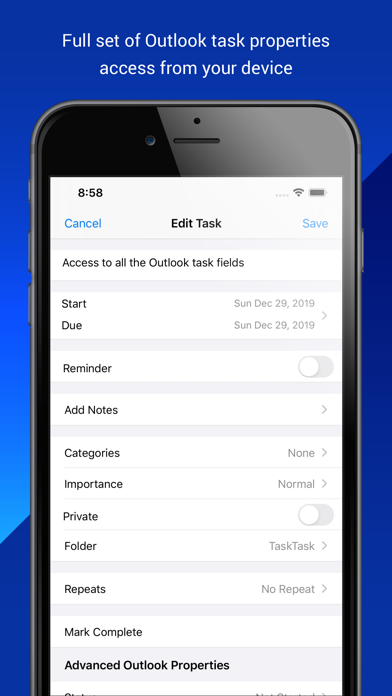
TaskTask is the easiest way to get your Outlook or Gmail tasks onto your iPhone! TaskTask directly connects with your Office 365 Business, Exchange on-premises, or Google tasks to keep your full task list in sync between Outlook and your device. Everything is tracked, include all the advanced properties you can see in Outlook. Best of all TaskTask includes flagged items (email!) so you can see your complete task list on the go.

Using TaskTask, you can manage your to-do list, create tasks, set start/due dates, mark complete, assigning categories, change importance, set and receive reminders, and delete tasks. An Exchange Server or Office 365 account is required to synchronized tasks with Outlook. No additional software is necessary. TaskTask works with Gmail directly, although in a limited fashion.

Key Features:
- Simple interface, quickly create new tasks and mark tasks completed
- Set task attributes, such as category, importance, start/due/complete dates, and notes
- Synchronize your task list with your e-mail account (no hidden fees or software to download)
- Quickly swipe to complete or delete a task
- Easy set up with automatic configuration of your server
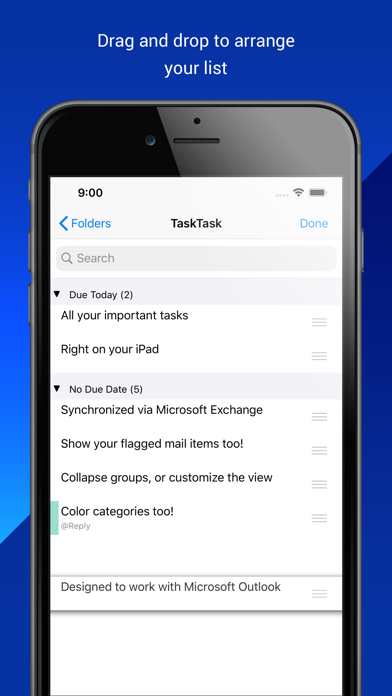
- Drag-to-order your tasks, see the same order in Outlook
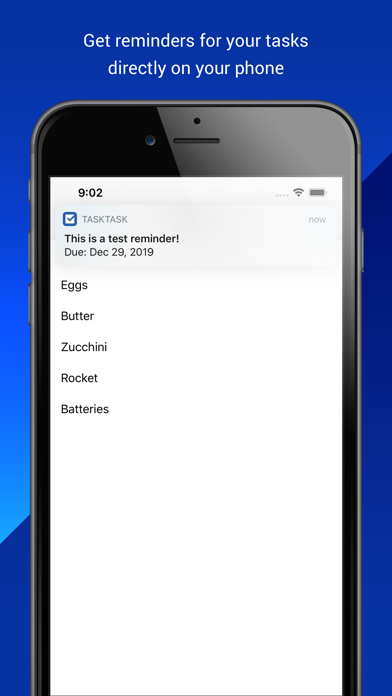
- Recurring tasks and reminders
- View attachments on your tasks and attach files from other apps

How is TaskTask better than Reminders?
- See your task list how you prefer: organize by start date, due date, category, importance, or reminder date.
- Reorder your tasks just by dragging them around
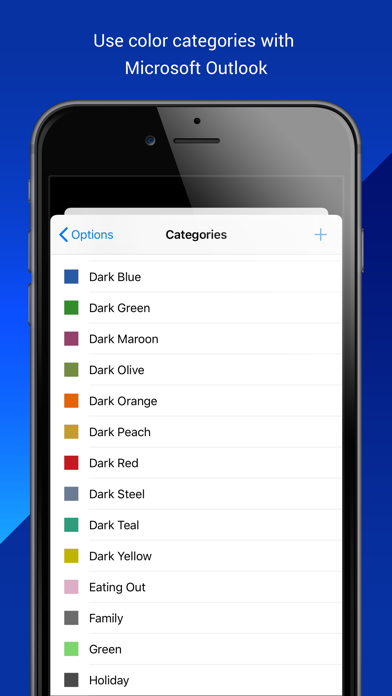
- Full category support, including downloading your list of categories and colors from your Exchange Server.
- See tasks in the same order as Outlook's To Do Bar
- Task filters: filter out tasks in the future or tasks you don't want to see on your mobile device
- Flagged mail items: See the full list of items from your To Do Bar, not just tasks
- Quick Task Entry: Type a list of task subjects quickly in one space, and TaskTask automatically creates the set of tasks
- Mark tasks as private: Hide tasks from others who have visibility to your task list

Note: To synchronize your tasks with Outlook, your email account must be on a compatible Microsoft Exchange Server or Office 365 Business account. Microsoft Exchange Server 2010 and newer versions are supported, although there may be additional factors that prevent TaskTask from working with your server.

If you are using Mail.app or Microsoft Outlook 2011 (Macintosh) with your email account in "Exchange" mode, TaskTask is compatible with your server. Because there are specific requirements for your server, please verify with your e-mail administrator that your server meets these requirements before purchasing this app.
Show more Show less

More data about TaskTask for Outlook Tasks

Price Free to download
Rating 4.50 based on 1.1 thousand ratings
Ranking Not ranked
Version 5.5.5
App download size 16.3 MB
Suitable for Everyone

Alternative downloads for the TaskTask for Outlook Tasks app

FinishLine Pro icon FinishLine Pro
FinishLine Pro
4.4
Free
7 ratings
Calendar 366: Events & Tasks icon Calendar 366: Events & Tasks
Vincent Miethe
4.6
$9.99
542 ratings
Viira for MS Outlook icon Viira for MS Outlook
Karta Mobile Inc.
3.8
Free
6 ratings
More active
Nirvana for GTD icon Nirvana for GTD
Nirvanahq
4.5
Free
269 ratings
Sync2 Outlook Google & iCloud icon Sync2 Outlook Google & iCloud
Alittera Ltd Inc
4.1
Free
113 ratings
SplashID Pro 9 icon SplashID Pro 9
SplashData
2.3
Free
138 ratings
Note Taking - Thinkers icon Note Taking - Thinkers
Thinker's Manifesto LLC
4.2
Free
268 ratings
FacileThings 3 icon FacileThings 3
FacileThings S.L.
3.3
Free
11 ratings

Changelog of TaskTask for Outlook Tasks

No changelog data

Developer information for TaskTask LLC

TaskTask LLC

Address:

Share TaskTask for Outlook Tasks

Comments on TaskTask for Outlook Tasks for iOS

We don't have enough comments to show example comments. Please check back later.

App Store Rankings for TaskTask for Outlook Tasks

This app is not ranked

Technologies used by TaskTask for Outlook Tasks

FinishLine Pro icon FinishLine Pro
Calendar 366: Events & Tasks icon Calendar 366: Events & Tasks
Viira for MS Outlook icon Viira for MS Outlook
Nirvana for GTD icon Nirvana for GTD
Sync2 Outlook Google & iCloud icon Sync2 Outlook Google & iCloud
SplashID Pro 9 icon SplashID Pro 9
Note Taking - Thinkers icon Note Taking - Thinkers
FacileThings 3 icon FacileThings 3

Back to top
AppBrain Intelligence premium content

Subscribe now to get full and unlimited access to AppBrain Intelligence. You'll have access to:

  • App Intelligence dashboard (performance timeline, competitor comparison, country rankings, insight cards)
  • Detailed ranking data per app
  • Full timeline per developer
  • Device market shares data per country
  • Unlimited keyword tracking
1 Month

$75/mo
(billed every month)

SAVE 0%
Subscribe
3 Months

$65/mo
($195 billed every 3 months)

SAVE 13%
Subscribe
1 Year

$57.50/mo
($690 billed every year)

SAVE 23%
Subscribe
Each subscription will automatically renew 3 days before the expiration date for the same time period. Subscriptions can be cancelled at any time before the renewal.

AppBrain is a directory focused on discovering great apps and games. We give statistics, rankings and search options that Google Play and the App Store don't have. All trademarks are owned by their respective owners. AppBrain doesn't offer APKs or binaries, and always lets users install the official version from Google Play or the App Store.

More apps

  • Top Android apps being viewed
  • View Concora Credit
  • Orthodox Home
  • Bhojpuri Status Android App

Android Statistics

  • Android statistics
  • Google Play Developer stats
  • Trending Android Apps
  • Top popular Apps
  • Buy the best Android phone

About AppBrain

  • Contact
  • Privacy
  • Documentation
  • DMCA takedowns
  • Articles
  • Blog
  • Tips to improve your Android promotional campaign
© 2010-2026 - AppBrain