

TB Morphit is made and published by ToneBoosters. AppBrain is an independent app data site and isn't affiliated with ToneBoosters. The app name, icon, screenshots and description belong to ToneBoosters and are shown as published on the App Store.
AppBrain's verdict
Established- Rating on App Store
- 4.64
- 33 ratings
- Last updated
- May 28, 2026
- Size
- 11.2 MB
It doesn't have enough ratings yet to judge what users think.
User feedback
Ratings and reviews on the App StoreComments on TB Morphit for iOS
We don't have enough comments to show example comments. Please check back later.
Store listing
By ToneBoosters, from the App Store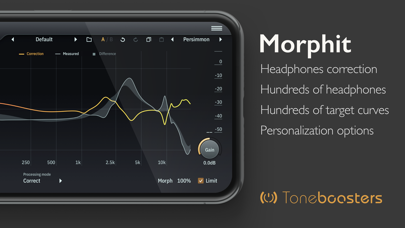

Description by ToneBoosters Written by the developer, not by AppBrain. Click to read.
Enable accurate monitoring and calibration, mix with studio reference equalization, and improve the accuracy of your headphones. Used and trusted by thousands of studios worldwide, and now available on your mobile device!
The ToneBoosters Morphit app captures the microphone (or external sound card) input and processes the signals in real time. To use it as a plug-in, use an AUv3-compatible host app such as Steinberg Cubasis, Apple Garageband, Audio Evolution Mobile Studio, Auria, AUM, or others. ToneBoosters Morphit will appear in the list of Audio Unit extensions for effect plug-ins.
How to use Morphit as AUv3 plugin for headphones correction:
1. Connect your headphones to your iOS device (using the headphones jack, using BlueTooth, or using an adapter as supplied by Apple). You can use any of the many supported headphones listed here: www.toneboosters.com/tb_morphit_v1.html
2. Start your favourite AUv3 host app (Steinberg Cubasis, Apple Garageband, Audio Evolution Mobile Studio, Auria, AUM, or others) and add TB Morphit as Audio Unit insert effect to a track or output bus. See below on how to use Audio Units in various host apps.
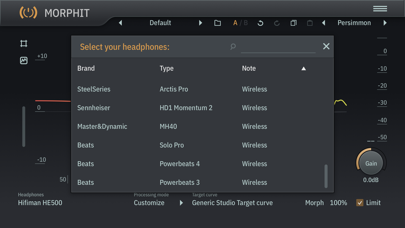
3. Select the headphones you are using from the list of supported headphones provided within the TB Morphit app. That's it - all audio going through the Audio Unit plugin is optimised for your headphones.
Key features:
- The same professional sound as the acclaimed desktop version
- Hundreds of headphones supported!
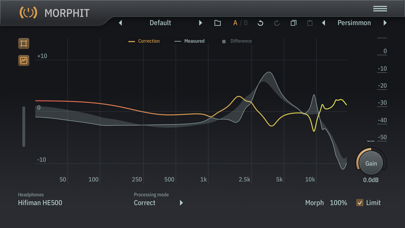
- Unique feature: allow morphing of the amount of correction from 0 to 200%
- Unique feature: allow simulation of any of the supported headphones and see how your mix translates
- Unique feature: personalize the headphones target curve
- Unique feature: use Harman calibration / target curves
- Unique feature: data/measurement visualization mode
- No external hardware required; works with any of the supported headphones models
- Undo/redo, and A/B comparison
- Color themes for the user interface
- Max screen support in Garageband
- Optimised for iPad and compatible with iPhone and iPod Touch
See if your headphones are supported:
www.toneboosters.com/tb_morhpit_v1.html
What you should know:
- Licenses acquired for this platform are not compatible with other platforms.
- Audio Unit (AUv3) extensions require an iPad mini 2, iPad 4 or later models.
Safety and technology
Found in the app by AppBrain- Price
- $8.99
- App size
- 11.2 MB
- Content rating
- Everyone
Technologies used by TB Morphit
Releases
Updates seen on the App Store- Version
- 2.1.8
- Launched
- November 2019
No changelog data
Alternatives
Similar apps and more from ToneBoostersAlternatives to TB Morphit








More from ToneBoosters


Rankings
App Store top chartsApp Store Rankings for TB Morphit
About the app and developer
About TB Morphit
TB Morphit is a music app developed by ToneBoosters.
What is the rating of TB Morphit?
TB Morphit is rated 4.64 out of 5 stars, based on 33 ratings.
Is TB Morphit free?
TB Morphit costs $8.99. The app size is 11.20 MB. The latest version available is 2.1.8. The last update was on May 28, 2026.
What are the requirements for TB Morphit?
The app has a content rating of Everyone. The app has been available on the App Store since November 2019.
Developer information for ToneBoosters
Address: