TermOnMac: remote terminal is made and published by
Chun-Pai Yang.
AppBrain is an independent app data site and isn't affiliated with Chun-Pai Yang.
The app name, icon, screenshots and description belong to Chun-Pai Yang and are shown as
published on the App Store.
About TermOnMac: remote terminal
TermOnMac: remote terminal is an utilities app developed by Chun-Pai Yang.
User Ratings
The app has no ratings yet.
App Information
TermOnMac: remote terminal is freely available from the App Store. The app size is 4.75 MB. The latest version available is 1.5.1. The last update was on May 19, 2026.
Technical Requirements
The app has a content rating of Everyone. The app has been available on the App Store since March 2026.
Description by Chun-Pai Yang(from the App Store)
TermOnMac puts your Mac terminal on your iPhone and iPad — through a built-in relay server, zero setup, end-to-end encrypted.
FREE TO GET STARTED The free plan lets you connect up to 4 Macs with 4 sessions — perfect for checking builds, running quick commands, and trying out the full experience.
VIBE CODING FROM ANYWHERE — JUST $0.99/MO Run Claude Code, Codex, or Cursor sessions for hours from your iPhone or iPad. Pro at $0.99/month gives you the headroom for real AI coding workflows. Heavy users: Premium at $2.99/month is still cheaper than a coffee.
SIMPLE, TRANSPARENT PRICING Usage is measured by relay traffic — data sent through the relay including commands, output, heartbeats, and system requests. No hidden fees. You only pay for what you use.
RELAY SERVER — WORKS BEHIND ANY FIREWALL No SSH keys. No Tailscale. No port forwarding. No public IP needed. Install the Mac agent, scan a QR code on your iPhone or iPad, and you're connected — even behind corporate firewalls, NATs, or VPNs.
BUILT FOR AI CODING AGENTS TermOnMac is a relay terminal — bring your own AI. Run Claude Code, Codex, Gemini CLI, Cursor, or any terminal-based tool on your Mac, then control it remotely from your iPhone or iPad. No vendor lock-in, no extra cost — just your tools, from anywhere.
NEVER LOSE YOUR SESSION Network switches, device sleep, subway tunnels — your session stays alive. Auto-reconnect picks up right where you left off. Input is buffered while disconnected.
SESSION HANDOFF — IPHONE ↔ IPAD ↔ MAC Start a terminal session on your iPhone, continue on your iPad, and pick it up on your Mac — or any direction. Same session, zero interruption. Like Apple Handoff, but for your terminal.
TOUCH KEYBOARD — BUILT FOR TERMINAL A custom toolbar above the on-screen keyboard gives you Ctrl, Esc, Tab, arrow keys, and modifier toggles — the keys iOS doesn't have. Search your shortcuts by name and trigger them with a tap.
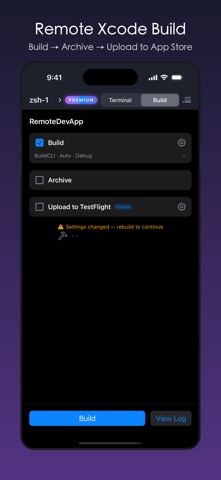
HARDWARE KEYBOARD — FULL CONTROL Connect a Magic Keyboard or any Bluetooth keyboard to your iPad. 12 dedicated shortcuts (⌘⌥ prefix): toggle sidebar, switch sessions, run builds, and more. Full terminal control without touching the screen.
CUSTOM SHORTCUTS Create reusable commands as one-tap shortcuts. Build your own mobile developer toolbar. Export as JSON for backup or sharing with teammates.
END-TO-END ENCRYPTED Curve25519 key exchange, AES-256-GCM encryption, ephemeral keys for forward secrecy. The relay only forwards ciphertext — it cannot read your terminal content.
Payment is charged to your Apple ID. Subscriptions auto-renew unless canceled 24 hours before the current period ends.
REQUIREMENTS • iOS/iPadOS 17.0 or later • TermOnMac Agent on Mac (macOS 13+)
LEARN MORE • Documentation: https://termonmac.com/docs • How It Works: https://termonmac.com/how-it-works • Engineering Blog: https://termonmac.com/blog
Each subscription will automatically renew 3 days before the expiration date for
the same time period. Subscriptions can be cancelled at any time before the renewal.