

Thomson Reuters Authenticator
Thomson Reuters Authenticator is made and published by Thomson Reuters. AppBrain is an independent app data site and isn't affiliated with Thomson Reuters. The app name, icon, screenshots and description belong to Thomson Reuters and are shown as published on the App Store.
AppBrain's verdict
EstablishedPoorly rated- Rating on App Store
- 1.23
- 1,821 ratings
- Last updated
- January 29, 2025
Users are critical: 1.2 stars from 1,821 ratings.
Rankings
App Store top chartsApp Store Rankings for Thomson Reuters Authenticator
Competitors
Similar apps and more from Thomson ReutersAlternatives to Thomson Reuters Authenticator





More from Thomson Reuters


Also available on Google Play

Releases
Updates seen on the App Store- Version
- 3.4
- Launched
- January 2017
No changelog data
User feedback
Ratings and reviews on the App StoreComments on Thomson Reuters Authenticator for iOS
We don't have enough comments to show example comments. Please check back later.
Technology
Found in the app by AppBrain- Price
- Free
- App size
- 6.43 MB
- Content rating
- Everyone
Technologies used by Thomson Reuters Authenticator
About the app and developer
About Thomson Reuters Authenticator
Thomson Reuters Authenticator is an utilities app developed by Thomson Reuters.
User Ratings
Thomson Reuters Authenticator is rated 1.23 out of 5 stars. The rating is based on 1.8 thousand ratings.
App Information
Thomson Reuters Authenticator is freely available from the App Store. The app size is 6.43 MB. The latest version available is 3.4. The last update was on January 29, 2025.
Technical Requirements
The app has a content rating of Everyone. The app has been available on the App Store since January 2017.
Developer information for Thomson Reuters
Address:
Store listing
By Thomson Reuters, from the App Store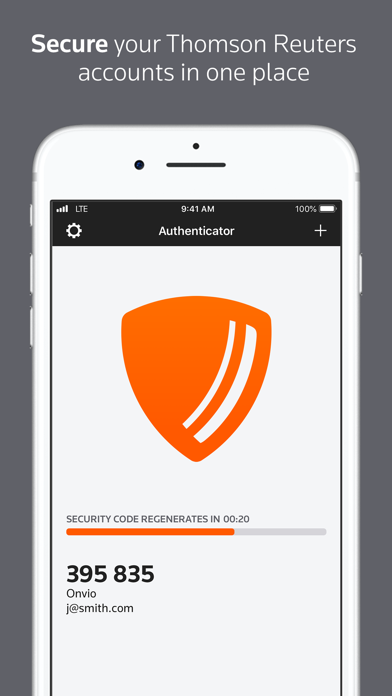
Description by Thomson Reuters Written by the developer, not by AppBrain. Click to read.
Whether using this app to access Thomson Reuters software for work or personal use, multi-factor authentication adds an extra layer of protection to your data, wherever your software or data are stored. The easy-to-use design makes it simple.
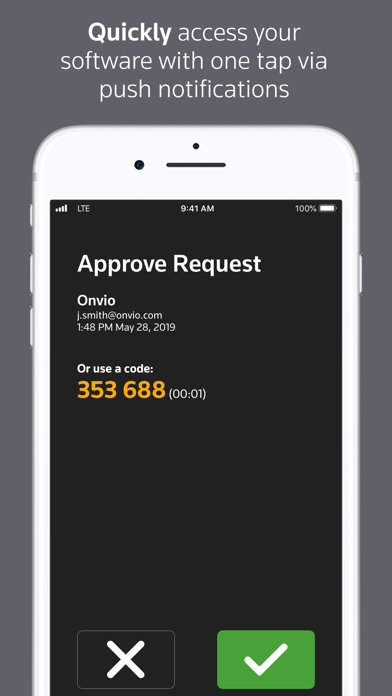
If you’ve enabled multi-factor authentication for any of your Thomson Reuters software, logging in to that software will trigger the Authenticator app to notify you on your device. Simply press approve (or use Face ID / Touch ID) to complete the sign-on process, or press ignore if you’re not trying to access the software at the time.
Software that works with Thomson Reuters Authenticator allows you to authenticate on three levels:
1) Something you KNOW (your login and password)
2) Something you HAVE (your mobile device with the Thomson Reuters Authenticator app)
3) Something you ARE (Face ID / Touch ID)
Features include:
• Automatic setup via QR code
• Support for multiple accounts
• Generate verification codes without a data connection