

Time Card Calculator-Timeclock
Time Card Calculator-Timeclock is made and published by Review And Judge LLC. AppBrain is an independent app data site and isn't affiliated with Review And Judge LLC. The app name, icon, screenshots and description belong to Review And Judge LLC and are shown as published on the App Store.
AppBrain's verdict
EstablishedLoved by users- Rating on App Store
- 4.51
- 1,159 ratings
- Last updated
- July 1, 2024
Users love it: 4.5 stars from 1,159 ratings.
Rankings
App Store top chartsApp Store Rankings for Time Card Calculator-Timeclock
Competitors
Similar apps and more from Review And Judge LLCAlternatives to Time Card Calculator-Timeclock


More from Review And Judge LLC

Releases
Updates seen on the App Store- Version
- 3.3
- Launched
- August 2013
No changelog data
User feedback
Ratings and reviews on the App StoreComments on Time Card Calculator-Timeclock for iOS
We don't have enough comments to show example comments. Please check back later.
Technology
Found in the app by AppBrain- Price
- Free
- App size
- 19.6 MB
- Content rating
- Everyone
Technologies used by Time Card Calculator-Timeclock
About the app and developer
About Time Card Calculator-Timeclock
Time Card Calculator-Timeclock is a productivity app developed by Review And Judge LLC.
User Ratings
Time Card Calculator-Timeclock is rated 4.51 out of 5 stars. The rating is based on 1.2 thousand ratings.
App Information
Time Card Calculator-Timeclock is freely available from the App Store. The app size is 19.60 MB. The latest version available is 3.3. The last update was on July 1, 2024.
Technical Requirements
The app has a content rating of Everyone. The app has been available on the App Store since August 2013.
Developer information for Review And Judge LLC
Address:
Store listing
By Review And Judge LLC, from the App Store

Description by Review And Judge LLC Written by the developer, not by AppBrain. Click to read.
Calculate the time you worked by entering the time you logged in and logged out.
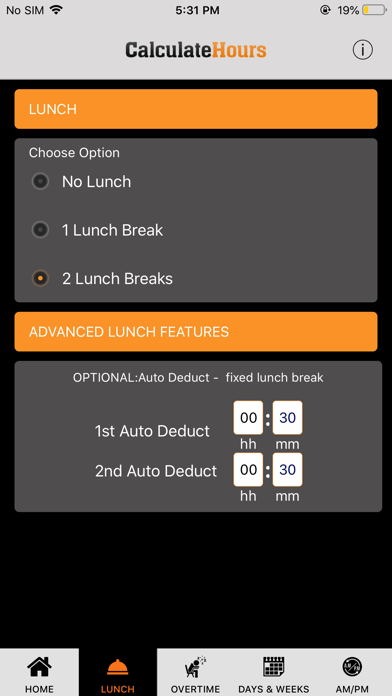
LUNCH BREAKS:
You may add more login lines for 1 or 2 lunch breaks in our time clock calculator.
Or, if you do not log in and out for lunch each day, but you have a certain amount of minutes automatically deducted as lunch, you may enter 15 minutes, 30 minutes, etc. in the LUNCH tab, and this amount will be automatically deducted daily.
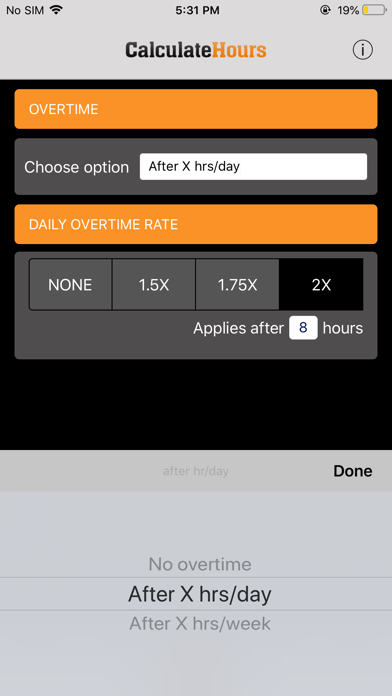
OVERTIME:
You can calculate overtime in your timecard after 8 hours daily or after 40 hours weekly.
Overtime Pay: you may select 1.5x, 1.75x, or 2x in the Overtime Tab.
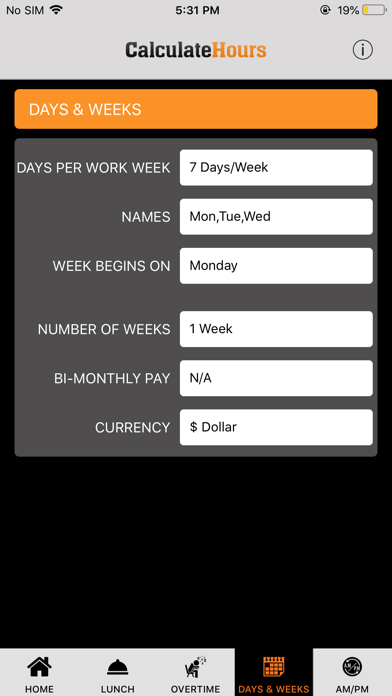
DAYS & WEEKS:
Set your number of work days per week, and the day your week begins for paycheck processing.
Choose between a weekly or a bi-weekly pay period.
Email or download the timesheet for future reference.