

TO1 Light Stick
TO1 Light Stick is made and published by FANLIGHT Co., Ltd. AppBrain is an independent app data site and isn't affiliated with FANLIGHT Co., Ltd. The app name, icon, screenshots and description belong to FANLIGHT Co., Ltd and are shown as published on the App Store.
AppBrain's verdict
- Rating on App Store
- 5.00
- 1 ratings
- Last updated
- March 1, 2023
- Size
- 59.6 MB
It doesn't have enough ratings yet to judge what users think.
User feedback
Ratings and reviews on the App StoreComments on TO1 Light Stick for iOS
We don't have enough comments to show example comments. Please check back later.
Store listing
By FANLIGHT Co., Ltd, from the App Store
Description by FANLIGHT Co., Ltd Written by the developer, not by AppBrain. Click to read.
The app supports TO1 official light stick.
[MAIN FEATURES]
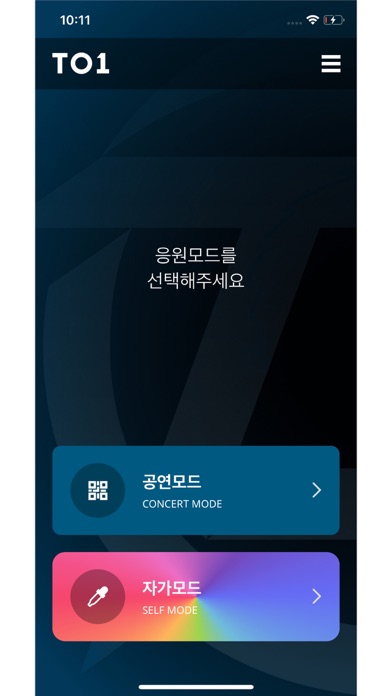
1. CONCERT MODE
Pair your light stick with your concert seat information to enjoy various light stick performance during the concert.
This menu will only be available during the concert period.
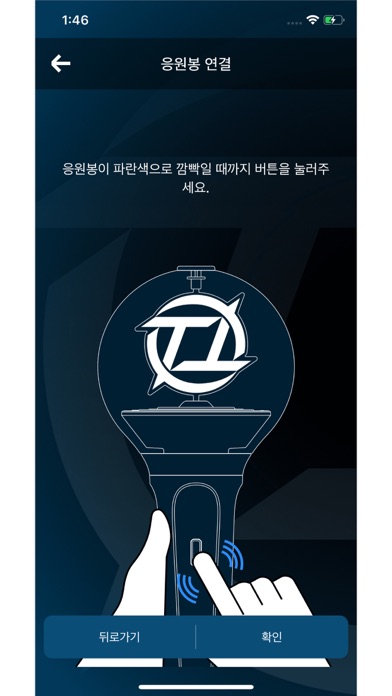
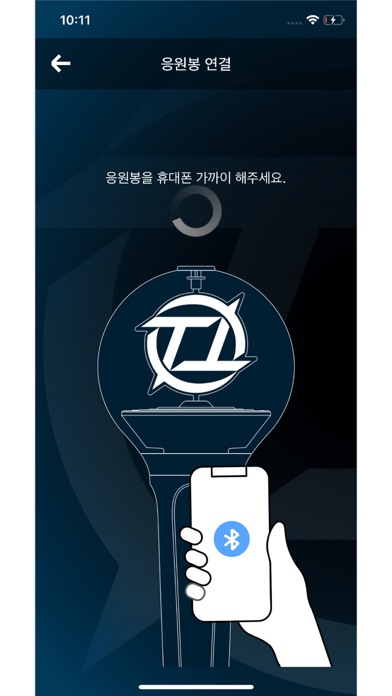
2. CONNECTING TO BLUETOOTH ON YOUR SMARTPHONE
Press the button on the light stick for 3 seconds to set up the “Bluetooth mode”.
Turn on the Bluetooth function of your smartphone and hold your smartphone close to the light stick to sync them together.
Some smartphones require the GPS function to be turned on to enable Bluetooth connectivity.
If you cannot connect to Bluetooth, please turn on the GPS function.
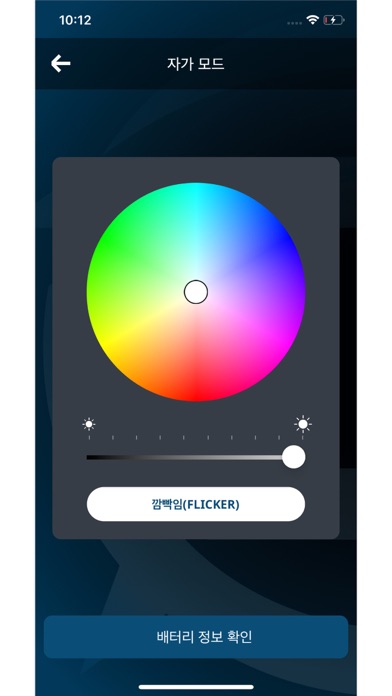
3. SELF MODE
When your light stick is successfully connected to your smartphone, changing the color on the color wheel of the app will change your light stick color accordingly.
4. BATTERY LEVEL CHECK
In the “SELF MODE” page of the app, click the “Check Battery Status” button at the bottom of the screen to check the battery level of your light stick and replace the battery if needed.
※ This function may differ depending on battery performance and smartphone model.
[NOTICE BEFORE CONCERT]
- Check the seat information on your ticket before the concert and enter it into your light stick using the app.
- To take part in the light stick performance, be sure to set the light stick to “Concert mode” by pressing its button for 3 seconds after pairing it with your seat information on the app.
- If the light stick’s wireless performance does not work properly, it may be due to unsuccessful pairing or not completing the pairing process. Please complete the pairing process using the app.
- Please be seated in the same seat you registered for your light stick. Moving to another seat may result in different light stick performance.
- Check the battery level of your light stick in advance to ensure battery sufficiency during the concert.
- There will be a Wireless Control Fanlight Support Center located at the venue.
[REQUIRED ACCESS]
To use the app and the light stick, the following accesses are required.
※ To grant access, please tap the [Allow] button when the pop-up appears.
- DEVICE STORAGE: To store the QR/barcode, seat information, etc.
- PHONE: To read the phone status and its identity
- CAMERA: To read the QR/barcode
- GPS: To connect to Bluetooth
- BLUETOOTH: To connect the light stick
Safety and technology
Found in the app by AppBrain- Price
- Free
- App size
- 59.6 MB
- Content rating
- Everyone
Technologies used by TO1 Light Stick
Releases
Updates seen on the App Store- Version
- 1.0.0
- Launched
- March 2023
No changelog data
Alternatives
Similar apps and more from FANLIGHT Co., LtdAlternatives to TO1 Light Stick


More from FANLIGHT Co., Ltd




Rankings
App Store top chartsApp Store Rankings for TO1 Light Stick
About the app and developer
About TO1 Light Stick
TO1 Light Stick is an entertainment app developed by FANLIGHT Co., Ltd.
User Ratings
TO1 Light Stick is rated 5.00 out of 5 stars. The rating is based on one rating ratings.
App Information
TO1 Light Stick is freely available from the App Store. The app size is 59.59 MB. The latest version available is 1.0.0. The last update was on March 1, 2023.
Technical Requirements
The app has a content rating of Everyone. The app has been available on the App Store since March 2023.
Developer information for FANLIGHT Co., Ltd
Address: