

Total RAW Camera + Editor
Total RAW Camera + Editor is made and published by AppJud. AppBrain is an independent app data site and isn't affiliated with AppJud. The app name, icon, screenshots and description belong to AppJud and are shown as published on the App Store.
AppBrain's verdict
Established- Rating on App Store
- 1.91
- 11 ratings
- Last updated
- October 16, 2023
It doesn't have enough ratings yet to judge what users think.
Rankings
App Store top chartsApp Store Rankings for Total RAW Camera + Editor
Competitors
Similar apps and more from AppJudAlternatives to Total RAW Camera + Editor



More from AppJud

Releases
Updates seen on the App Store- Version
- 4.1.0
- Launched
- December 2019
No changelog data
User feedback
Ratings and reviews on the App StoreComments on Total RAW Camera + Editor for iOS
We don't have enough comments to show example comments. Please check back later.
Technology
Found in the app by AppBrain- Price
- Free
- App size
- 14.1 MB
- Content rating
- Everyone
Technologies used by Total RAW Camera + Editor
About the app and developer
About Total RAW Camera + Editor
Total RAW Camera + Editor is a photo & video app developed by AppJud.
User Ratings
Total RAW Camera + Editor is rated 1.91 out of 5 stars. The rating is based on 11 ratings.
App Information
Total RAW Camera + Editor is freely available from the App Store. The app size is 14.07 MB. The latest version available is 4.1.0. The last update was on October 16, 2023.
Technical Requirements
The app has a content rating of Everyone. The app has been available on the App Store since December 2019.
Developer information for AppJud
Address:
Store listing
By AppJud, from the App Store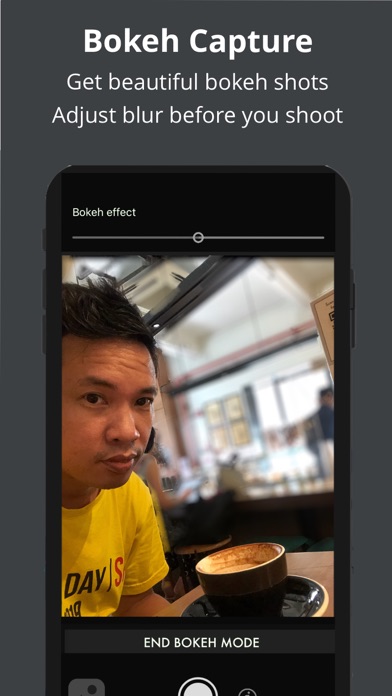
Description by AppJud Written by the developer, not by AppBrain. Click to read.
15 POWERFUL FEATURES
1. SHARP RAW + ProRAW IMAGES
Total Camera doesn't just take RAW images, it does so in a way that maximises sharpness by making better use of iPhone's powerful image stabilization. What you get is sharp RAW images even in low light handheld shooting.
In our latest 4.0.0 release, we have added ProRAW support for maximum dynamic range (iPhone Pro only)
2. UI DESIGNED FOR RAW SHOOTING
It takes just one tap to toggle RAW on or off. No need to search inside hidden menus and messy dialogs.
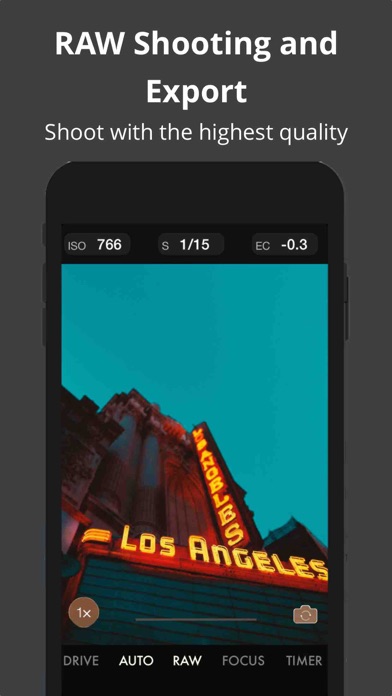
Total RAW displays comprehensive shooting settings like ISO, shutter, white balance, drive mode and many more so you know at a glance what your shooting parameters are.
3. RAW + JPEG EDITING TOOLS
Edit any RAW/JPEG image with a comprehensive set of tools.
Exposure, Shadows, Highlights, Contrast, Sharpen, Clarity, Crop, Straighten, Rotate and more
Now with 4.0.0 tools have been simplified to perform even better
You can also now share an edited image instantly
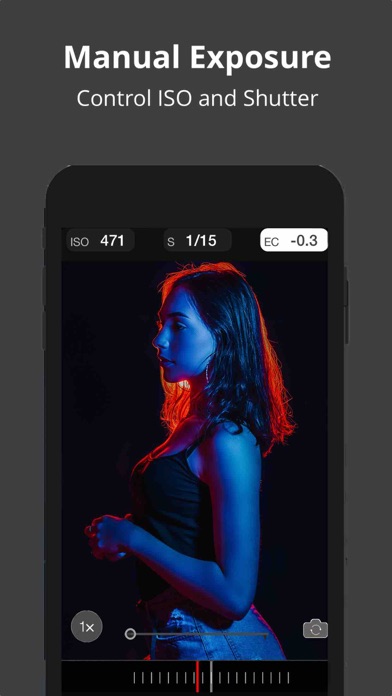
4. FULL MANUAL SHOOTING
Adjust the ISO and Shutter speed for the perfect exposure.
Add exposure compensation
Adjust the white balance
With Total RAW Camera you are in perfect control.
5. RAW/ProRAW EXPORT AND TRANSFER
Shoot with the highest quality in the RAW format.
Export your RAW files/ProRAW, original files, or edited files from within the app.
6. MANUAL FOCUS WITH MAGNIFIER
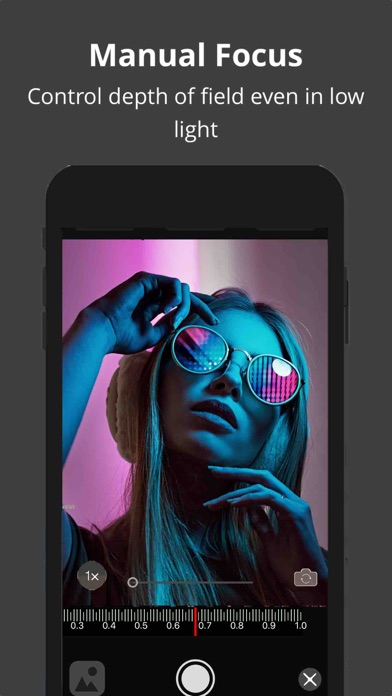
Get precise depth-of-field control with manual focus and with the built-in magnifier, helping you achieve accurate focusing
7. BOKEH CAPTURE
Now Total Camera makes of Dual Camera and TrueDepth Camera to deliver beautiful Bokeh which you can adjust BEFORE the shot is taken. Its the simplest way to get beautiful background blur!
8. REAL-TIME EXPOSURE INDICATORS
otal camera includes a real-time indicator of ISO and Shutter speed which changes in real-time so you know the camera settings before you press the shutter.
9. AUTO EXPOSURE LOCK AND FOCUS LOCK
With one long press, lock both exposure and focus and recompose
10. PHOTO BROWSER WITH EXIF SUPPORT
View EXIF data in each image to understand the camera settings an other characteristics of a photo.
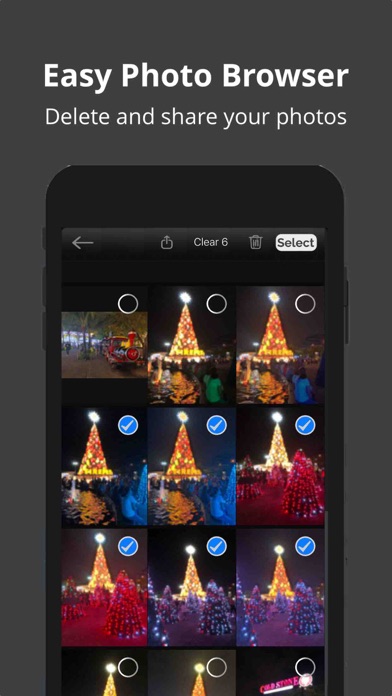
Quickly share or delete images you have taken. You can even export RAW or movie resources
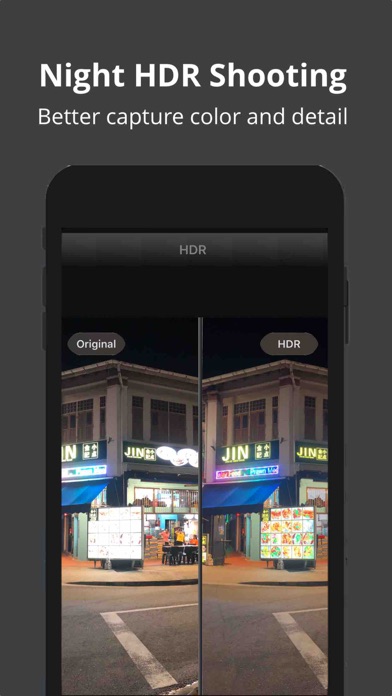
11. AUTO HDR SHOOTING
With our proprietary technology we deliver HDR with greater dynamic range producing images of greater color and detail, ideal for high contrast or poor lighting conditions at night. You can use HDR in any camera and it integrates a viewer to help compare between HDR and non-HDR shots
12. AUTO EXPOSURE BRACKETING
Bracketing allows you to shoot multiple shots at different exposure. Useful for merging images in HDR or just to ensure you get the right exposure. Total camera allows you to select between four bracketing configurations.
13. REAL-tIME CAMERA SETTINGS (FUNCTION) DISPLAY
Never miss a shot because of wrong settings! See the following information with one tap:
Shooting mode, exposure mode, focus mode, white balance, lens position, timer, flash, aperture, file type.
This augments the real time, ISO, Shutter speed, and exposure compensation values.
14. BURST SHOOTING MODE
Shoot multiple images easily with Multi-shot mode useful for better capturing moving objects.
15. TUTORIALS
We've spruced up our Youtube channel and website to deliver useful tutorials on every aspect RAW iPhone Shooting.
Educate yourself to achieve maximum images with RAW shooting + editing
Visit our YouTube channel at https://www.youtube.com/channel/UCLa0dJ57GveJ6y4yFJ3g9jg