

Touch Notation
Touch Notation is made and published by Kawai Musical Instruments Manufacturing Co., Ltd. AppBrain is an independent app data site and isn't affiliated with Kawai Musical Instruments Manufacturing Co., Ltd. The app name, icon, screenshots and description belong to Kawai Musical Instruments Manufacturing Co., Ltd. and are shown as published on the App Store.
AppBrain's verdict
Established- Rating on App Store
- 2.90
- 21 ratings
- Last updated
- April 3, 2026
It doesn't have enough ratings yet to judge what users think.
Rankings
App Store top chartsApp Store Rankings for Touch Notation
Competitors
Similar apps and more from Kawai Musical Instruments Manufacturing Co., Ltd.Alternatives to Touch Notation






Releases
Updates seen on the App Store- Version
- 1.2.6
- Launched
- March 2015
No changelog data
User feedback
Ratings and reviews on the App StoreComments on Touch Notation for iOS
We don't have enough comments to show example comments. Please check back later.
Technology
Found in the app by AppBrain- Price
- $9.99
- App size
- 111.6 MB
- Content rating
- Everyone
Technologies used by Touch Notation
About the app and developer
About Touch Notation
Touch Notation is a music app developed by Kawai Musical Instruments Manufacturing Co., Ltd.
What is the rating of Touch Notation?
Touch Notation is rated 2.90 out of 5 stars, based on 21 ratings.
Is Touch Notation free?
Touch Notation costs $9.99. The app size is 111.64 MB. The latest version available is 1.2.6. The last update was on April 3, 2026.
What are the requirements for Touch Notation?
The app has a content rating of Everyone. The app has been available on the App Store since March 2015.
Developer information for Kawai Musical Instruments Manufacturing Co., Ltd.
Frequently asked questions about Touch Notation
Is Touch Notation free?
No. Touch Notation costs $9.99 on the App Store.
Is Touch Notation still available?
Yes. Touch Notation is on the App Store, and the last update we saw was on April 3, 2026.
How large is Touch Notation?
Touch Notation is 111.64 MB.
Is Touch Notation suitable for children?
App Store rates the content of Touch Notation as suitable for everyone.
How do people rate Touch Notation?
Touch Notation scores 2.90 out of 5 stars, from 21 ratings on the App Store.
Who made Touch Notation?
Touch Notation was developed by Kawai Musical Instruments Manufacturing Co., Ltd. It is listed in the music category on the App Store.
What are the best alternatives to Touch Notation?
People looking at Touch Notation also look at these music apps: iWriteMusic, Piano+ Pro-Sheet Music Creator, MusicJOT, Accordion Vintage, Calypso Score: Sheet Music.
Store listing
By Kawai Musical Instruments Manufacturing Co., Ltd., from the App Store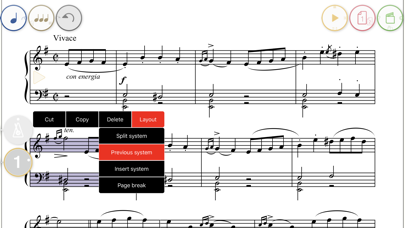

Description by Kawai Musical Instruments Manufacturing Co., Ltd. Written by the developer, not by AppBrain. Click to read.
In Japan, Touch Notation was selected as one of the ‘App Store Best of 2014’ apps, and held the No.1 spot in the iPad Paid App index for music apps for over two weeks.
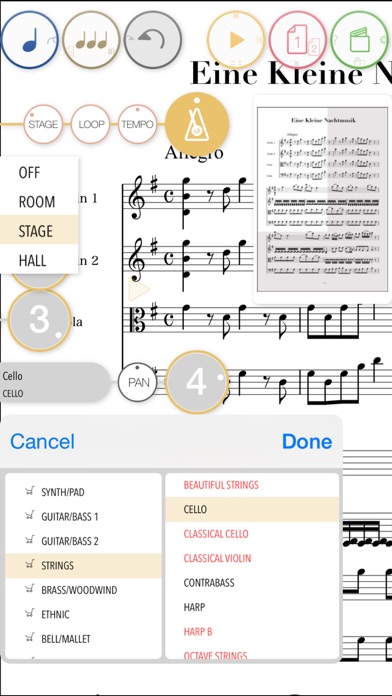
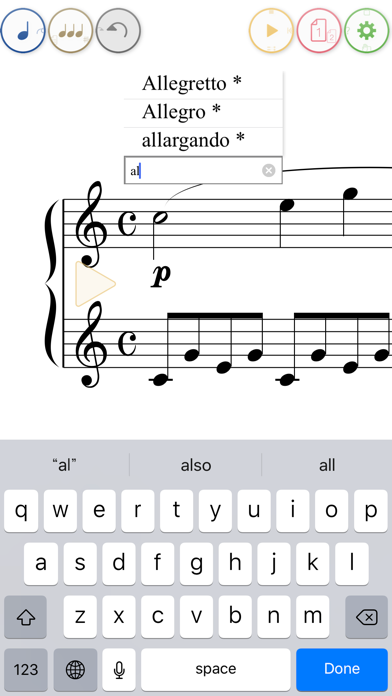
Up until now, musical score creation software has relied upon dragging individual notes from a palette onto staves. By contrast, Touch Notation allows musicians to draw directly onto the score using a finger or touch pen, and have their work immediately appear as beautifully written notation, then played back using the app’s 30 built-in instrument voices.
- A wide-range of functions accessible from a cleanly designed, intuitive user interface.
- Ability to enter musical expressions for adjusting tempo and dynamics.
- Layout functions such as page breaks.
- Convenient transpose feature for raising/lowering the pitch of the entire score.
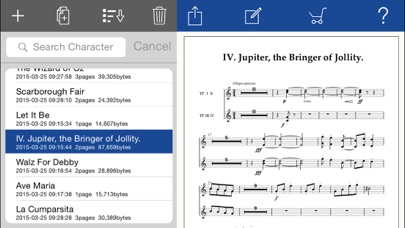
- Output scores using Air Print, or save to Dropbox in PDF, SMF, MusicXML, and ScoreMaker formats.
Touch Notation allows the following musical symbols to be entered by hand:
- Note, Rest (including dotted and double-dotted), Long Rest, Beam, Tuplet (Triplet)
- Grace Note
- Accidental, Tie, Slur
- Accent, Staccato, Tenuto, Fermata
- Trill, sfz, Arpeggio, Pedal, Senza
- Metronome symbol
- Crescendo, Decrescendo
- Dynamics symbols (ppp~fff)
- Octave symbol
- Repeat brackets
- Repeat marks (D.C./Fine/D.S./Segno/Coda/to Coda)
- Clefs (Treble Clef/Bass Clef/C Clef/Percussion Clef)
- Key signature
- Time signature
- Bar lines (repeat marks)
- Abbreviation
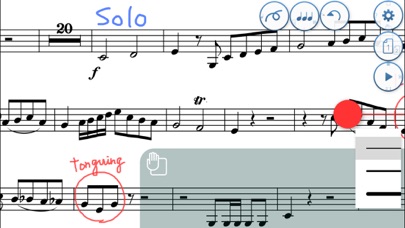
Lyrics and other musical expressions (‘Dolce’, ‘Tranquillo’, etc.) can be added using text input, while comments and memos can also be written freehand directly onto the score.
* Drum notation is supported, but other types such as rhythm notation and tab notation are not supported.
* Older devices may experience stuttering when playing complicated scores with many simultaneous notes.