

TouchCaddie
TouchCaddie is made and published by Samuel Grayson Coffey. AppBrain is an independent app data site and isn't affiliated with Samuel Grayson Coffey. The app name, icon, screenshots and description belong to Samuel Grayson Coffey and are shown as published on the App Store.
AppBrain's verdict
- Rating on App Store
- 5.00
- 10 ratings
- Last updated
- May 28, 2026
It doesn't have enough ratings yet to judge what users think.
Rankings
App Store top chartsApp Store Rankings for TouchCaddie
Competitors
Similar apps and more from Samuel Grayson CoffeyAlternatives to TouchCaddie





Releases
Updates seen on the App Store- Version
- 1.3.1
- Launched
- April 2025
No changelog data
User feedback
Ratings and reviews on the App StoreComments on TouchCaddie for iOS
We don't have enough comments to show example comments. Please check back later.
Technology
Found in the app by AppBrain- Price
- Free
- App size
- 2.25 MB
- Content rating
- Everyone
Technologies used by TouchCaddie
About the app and developer
About TouchCaddie
TouchCaddie is an utilities app developed by Samuel Grayson Coffey.
User Ratings
TouchCaddie is rated 5.00 out of 5 stars. The rating is based on 10 ratings.
App Information
TouchCaddie is freely available from the App Store. The app size is 2.25 MB. The latest version available is 1.3.1. The last update was on May 28, 2026.
Technical Requirements
The app has a content rating of Everyone. The app has been available on the App Store since April 2025.
Developer information for Samuel Grayson Coffey
Address:
Store listing
By Samuel Grayson Coffey, from the App Store


Description by Samuel Grayson Coffey Written by the developer, not by AppBrain. Click to read.
Features include:
* Default presets for popular golf simulation software to get started quickly
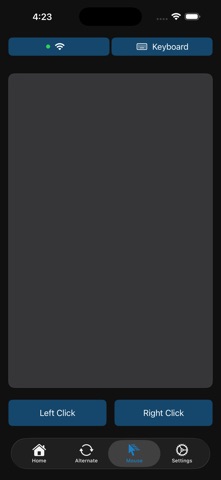
* Mouse and keyboard control of your PC from the app
* Create your own customized presets to optimize for the way you play
* Wireless freedom means you can have your PC in another room away from your golf simulator and still control all features
* Create custom macros for powerful automation of your golf simulator
Setup:
* Install the PC app from the Microsoft Store or by visiting touchcaddie.com
* Install the mobile app
* Make sure you're on the same network as the PC (WiFi is OK)
* Input the connection settings from the server
* Play!
Connecting to the PC companion app requires an active free trial or paid subscription. Get the companion app for free by visiting touchcaddie.com.
Start with a free one-month trial to confirm TouchCaddie works well for your setup, cancel before the trial period ends to avoid being charged. Paid subscription options are monthly at $0.99 per month or annually at $9.99 per year.
We value your feedback! Contact the team at support@touchcaddie.com with any issues or suggestions for improvement.
We don't collect any user data. See our privacy policy and terms of service on our website at touchcaddie.com
Paid subscription Terms of Use available at https://www.apple.com/legal/internet-services/itunes/dev/stdeula/