
TraceArt is made and published by KENICHI YAMAMOTO. AppBrain is an independent app data site and isn't affiliated with KENICHI YAMAMOTO. The app name, icon, screenshots and description belong to KENICHI YAMAMOTO and are shown as published on the App Store.
AppBrain's verdict
Removed- Rating on App Store
- 2.02
- 62 ratings
- Last updated
- January 21, 2024
TraceArt is no longer on the App Store. It had too few ratings to say what users thought.
Competitors
Similar apps and more from KENICHI YAMAMOTOMore from KENICHI YAMAMOTO







Releases
Updates seen on the App Store- Version
- 1.1.2
- Launched
- November 2020
No changelog data
User feedback
Ratings and reviews on the App StoreComments on TraceArt for iOS
We don't have enough comments to show example comments. Please check back later.
Technology
Found in the app by AppBrain- Price
- Free
- App size
- 4.86 MB
- Content rating
- Everyone
Technologies used by TraceArt
About the app and developer
About TraceArt
TraceArt was a graphics & design app developed by KENICHI YAMAMOTO. It was removed from the App Store Aug 6, 2024.
User Ratings
TraceArt was rated 2.02 out of 5 stars, based on 62 ratings.
App Information
TraceArt was free. The app size was 4.86 MB. The last available version was 1.1.2. The last update was on January 21, 2024.
Technical Requirements
The app had a content rating of Everyone. The app had been available on the App Store since November 2020.
Developer information for KENICHI YAMAMOTO
Address:
Store listing
By KENICHI YAMAMOTO, from the App StoreSimilar apps







Description by KENICHI YAMAMOTO Written by the developer, not by AppBrain. Click to read.
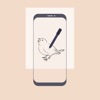
TraceArt is an app that allows you to trace photos and illustrations on your smartphone.
You don't need talent for painting, all you need is a paper and pencil!
*How to use the app
1.Select your favorite photo or illustration from the album.
2.Adjust the thickness of the outline and adjust the size of the image.
3. Lock the screen with the screen lock button (At the same time, the screen brightness is maximized)
4. Place the paper on the screen and draw a picture.
You can save as many sketches as you like.
*Others
Use thin, transparent paper as much as possible.
Photos and illustrations with clear boundaries are recommended.
*Advertisements will be displayed in the free version.
ICONS by icons8(https://icons8.com)