

TripTracker: Trace Your Steps
TripTracker: Trace Your Steps is made and published by Cow Cow Technologies LLC. AppBrain is an independent app data site and isn't affiliated with Cow Cow Technologies LLC. The app name, icon, screenshots and description belong to Cow Cow Technologies LLC and are shown as published on the App Store.
AppBrain's verdict
- Last updated
- October 30, 2026
Rankings
App Store top chartsApp Store Rankings for TripTracker: Trace Your Steps
Competitors
Similar apps and more from Cow Cow Technologies LLCAlternatives to TripTracker: Trace Your Steps


More from Cow Cow Technologies LLC


Releases
Updates seen on the App Store- Version
- 1.3.11
- Launched
- June 2026
No changelog data
User feedback
Ratings and reviews on the App StoreComments on TripTracker: Trace Your Steps for iOS
We don't have enough comments to show example comments. Please check back later.
Technology
Found in the app by AppBrain- Price
- Free
- App size
- 10.4 MB
- Content rating
- Everyone
Technologies used by TripTracker: Trace Your Steps
About the app and developer
About TripTracker: Trace Your Steps
TripTracker: Trace Your Steps is a navigation app developed by Cow Cow Technologies LLC.
User Ratings
The app has no ratings yet.
App Information
TripTracker: Trace Your Steps is freely available from the App Store. The app size is 10.38 MB. The latest version available is 1.3.11. The last update was on October 30, 2026.
Technical Requirements
The app has a content rating of Everyone. The app has been available on the App Store since June 2026.
Developer information for Cow Cow Technologies LLC
Address:
Frequently asked questions about TripTracker: Trace Your Steps
Is TripTracker: Trace Your Steps free?
Yes. TripTracker: Trace Your Steps is free on the App Store.
Is TripTracker: Trace Your Steps still available?
Yes. TripTracker: Trace Your Steps is on the App Store, and the last update we saw was on October 30, 2026.
How large is TripTracker: Trace Your Steps?
TripTracker: Trace Your Steps is 10.38 MB.
Is TripTracker: Trace Your Steps suitable for children?
App Store rates the content of TripTracker: Trace Your Steps as suitable for everyone.
Who made TripTracker: Trace Your Steps?
TripTracker: Trace Your Steps was developed by Cow Cow Technologies LLC. It is listed in the navigation category on the App Store.
What are the best alternatives to TripTracker: Trace Your Steps?
People looking at TripTracker: Trace Your Steps also look at these navigation apps: ApexGPS Hiking, GPS.REC - GPS Trip Recorder, DriveTrack - Track your drives, Truck GPS Routes - Truck Maps, Simple GPS: GPX Routes.
Store listing
By Cow Cow Technologies LLC, from the App Store

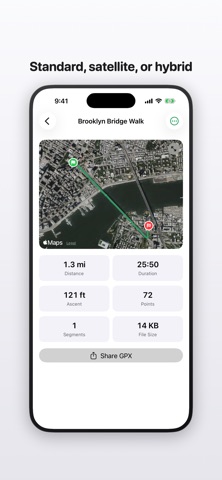


Description by Cow Cow Technologies LLC Written by the developer, not by AppBrain. Click to read.
Tap Start new trip. TripTracker logs your route in the background while you walk, drive, hike, or ride. Stop when you're done. Your trip lands in the list, drawn on an Apple Map, ready to share as a GPX file you can keep, load into another map app, or hand off.
Trips live in files on your phone. Nothing leaves it unless you tap Share, turn on iCloud Drive backup, or turn on place names.
Great for:
• Walks, hikes, runs, bike rides, road trips
• Building up a personal log of routes you've taken
• Capturing a track to share with a friend or load into another app
• Anyone who wants a GPS recorder without an account, a feed, or a subscription
• Quiet outdoor days where you'd rather your phone stayed in your pocket
What you get:
• Background GPS recording
• Live map and stats while recording, including distance, speed, elevation, and duration
• Tap any trip for a full map and stats; rename, resume, or delete
• Trim the start or end of a trip on a scrubber with a live map preview
• Read a multi-day trip one day at a time
• GPX export via the system share sheet. Works with any app that accepts GPX.
• Tune accuracy against battery life by choosing how often the app samples your location
• Metric or imperial. Distance, speed, and elevation in your units.
• Optional place names show where each trip starts and ends, and a new-country alert says hello when you cross a border. Looked up through Apple, only if you turn it on.
• Optional iCloud backup keeps your trips safe if you lose or swap your phone
• Recorded and stored on your phone
Free to download — no subscription, no account.