

TZ SmartWork Locker App
TZ SmartWork Locker App is made and published by TZI Australia Pty Limited. AppBrain is an independent app data site and isn't affiliated with TZI Australia Pty Limited. The app name, icon, screenshots and description belong to TZI Australia Pty Limited and are shown as published on the App Store.
AppBrain's verdict
- Last updated
- December 21, 2021
Rankings
App Store top chartsApp Store Rankings for TZ SmartWork Locker App
Competitors
Similar apps and more from TZI Australia Pty LimitedAlternatives to TZ SmartWork Locker App



More from TZI Australia Pty Limited


Also available on Google Play

Releases
Updates seen on the App Store- Version
- 5.0.2436
- Launched
- October 2020
No changelog data
User feedback
Ratings and reviews on the App StoreComments on TZ SmartWork Locker App for iOS
We don't have enough comments to show example comments. Please check back later.
Technology
Found in the app by AppBrain- Price
- Free
- App size
- 68.4 MB
- Content rating
- Everyone
Technologies used by TZ SmartWork Locker App
About the app and developer
About TZ SmartWork Locker App
TZ SmartWork Locker App is an utilities app developed by TZI Australia Pty Limited.
User Ratings
The app has no ratings yet.
App Information
TZ SmartWork Locker App is freely available from the App Store. The app size is 68.41 MB. The latest version available is 5.0.2436. The last update was on December 21, 2021.
Technical Requirements
The app has a content rating of Everyone. The app has been available on the App Store since October 2020.
Developer information for TZI Australia Pty Limited
Address:
Store listing
By TZI Australia Pty Limited, from the App Store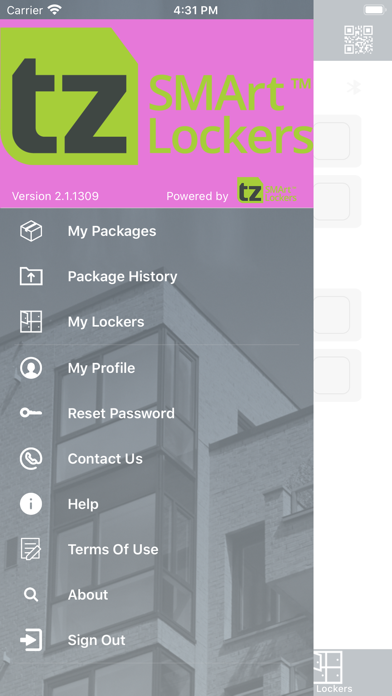


Description by TZI Australia Pty Limited Written by the developer, not by AppBrain. Click to read.
1. Immediate notification when packages have arrived and are ready for collection
2. Users can view basic package details including the carrier and tracking number
3. The mobile app provides 3 different options for User to collect their packages from the locker bank:
- A collection PIN that can be keyed using the Touch Screen at the Locker Bank
- A QRCode that can be scanned Barcode scanner at the locker bank
- A button to remote open the locker containing the package * (*Requires recipient to be within 5 feet of the locker bank to enable this functionality)
4. Package history with ability of filtering packages and see the transaction history of each package.
5. Update User Profile and Preferences
Registered Users are advised to sign up in the app, to be able to use above functionalities.