

ULimaExpo
ULimaExpo is made and published by Universidad de Lima. AppBrain is an independent app data site and isn't affiliated with Universidad de Lima. The app name, icon, screenshots and description belong to Universidad de Lima and are shown as published on the App Store.
AppBrain's verdict
- Last updated
- November 13, 2020
Rankings
App Store top chartsApp Store Rankings for ULimaExpo
Competitors
Similar apps and more from Universidad de LimaAlternatives to ULimaExpo








More from Universidad de Lima

Releases
Updates seen on the App Store- Version
- 1.0
- Launched
- November 2020
No changelog data
User feedback
Ratings and reviews on the App StoreComments on ULimaExpo for iOS
We don't have enough comments to show example comments. Please check back later.
Technology
Found in the app by AppBrain- Price
- Free
- App size
- 65.2 MB
- Content rating
- Everyone
Technologies used by ULimaExpo
About the app and developer
About ULimaExpo
ULimaExpo is an education app developed by Universidad de Lima.
User Ratings
The app has no ratings yet.
App Information
ULimaExpo is freely available from the App Store. The app size is 65.17 MB. The latest version available is 1.0. The last update was on November 13, 2020.
Technical Requirements
The app has a content rating of Everyone. The app has been available on the App Store since November 2020.
Developer information for Universidad de Lima
Address:
Store listing
By Universidad de Lima, from the App Store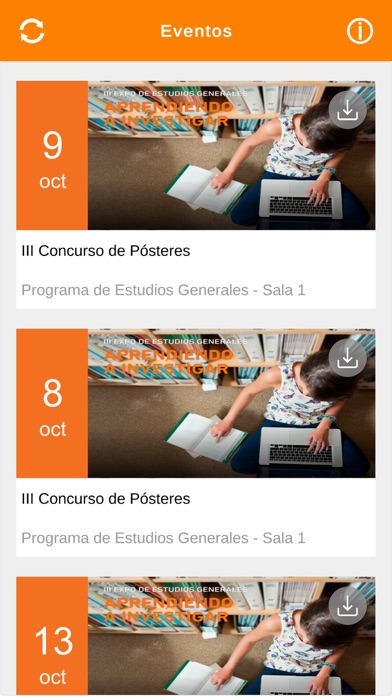
Description by Universidad de Lima Written by the developer, not by AppBrain. Click to read.
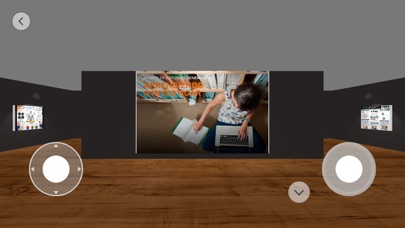
¿Cómo moverse en la galería virtual?
- Utiliza el joystick izquierdo con el dedo y empuja lentamente hacia arriba o hacia a abajo para avanzar o retroceder.
- Utiliza el joystick derecho hacia la derecha o izquierda, arriba o abajo para rotar.
- Presione el botón de agacharse y visualizar el contenido de la parte inferior. "
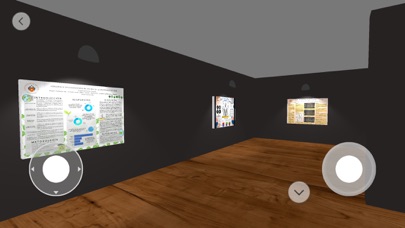
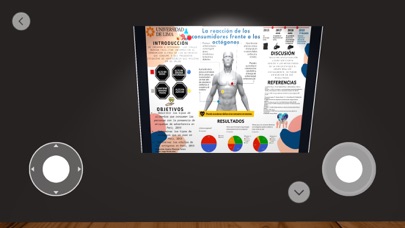
ULimaExpo es una plataforma de exhibición virtual que permite a los usuarios explorar galerías 3D en dispositivos móviles.
¿Cómo moverse en la galería virtual?
- Utiliza el joystick izquierdo con el dedo y empuja lentamente hacia arriba o hacia a abajo para avanzar o retroceder.
- Utiliza el joystick derecho hacia la derecha o izquierda, arriba o abajo para rotar.
- Presione el botón de agacharse y visualizar el contenido de la parte inferior.