

Universal Remote: Smart TV +
Universal Remote: Smart TV + is made and published by SIA Vesoft. AppBrain is an independent app data site and isn't affiliated with SIA Vesoft. The app name, icon, screenshots and description belong to SIA Vesoft and are shown as published on the App Store.
AppBrain's verdict
- Last updated
- September 16, 2026
Rankings
App Store top chartsApp Store Rankings for Universal Remote: Smart TV +
Competitors
Similar apps and more from SIA Vesoft


Releases
Updates seen on the App Store- Version
- 1.0
- Launched
- September 2026
No changelog data
User feedback
Ratings and reviews on the App StoreComments on Universal Remote: Smart TV + for iOS
We don't have enough comments to show example comments. Please check back later.
Technology
Found in the app by AppBrain- Price
- Free
- App size
- 48.9 MB
- Content rating
- Everyone
Technologies used by Universal Remote: Smart TV +
About the app and developer
About Universal Remote: Smart TV +
Universal Remote: Smart TV + is an utilities app developed by SIA Vesoft.
User Ratings
The app has no ratings yet.
App Information
Universal Remote: Smart TV + is freely available from the App Store. The app size is 48.94 MB. The latest version available is 1.0. The last update was on September 16, 2026.
Technical Requirements
The app has a content rating of Everyone. The app has been available on the App Store since September 2026.
Developer information for SIA Vesoft
Address:
Frequently asked questions about Universal Remote: Smart TV +
Is Universal Remote: Smart TV + free?
Yes. Universal Remote: Smart TV + is free on the App Store.
Is Universal Remote: Smart TV + still available?
Yes. Universal Remote: Smart TV + is on the App Store, and the last update we saw was on September 16, 2026.
How large is Universal Remote: Smart TV +?
Universal Remote: Smart TV + is 48.94 MB.
Is Universal Remote: Smart TV + suitable for children?
App Store rates the content of Universal Remote: Smart TV + as suitable for everyone.
Who made Universal Remote: Smart TV +?
Universal Remote: Smart TV + was developed by SIA Vesoft. It is listed in the utilities category on the App Store.
What are the best alternatives to Universal Remote: Smart TV +?
People looking at Universal Remote: Smart TV + also look at these utilities apps: RemoteTv: Ad-Free TV Remote, Sofa: TV Remote & Keyboard, Remotly: Smart Remote, TVRe: TV Remote Control, TV Remote - Controller.
Store listing
By SIA Vesoft, from the App Store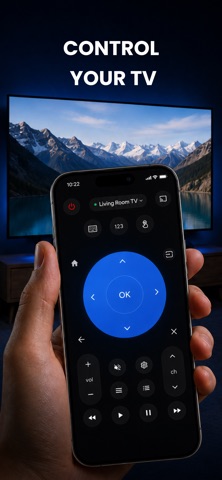

Description by SIA Vesoft Written by the developer, not by AppBrain. Click to read.
Open the app, tap your TV, and you are in control in seconds.
THE REMOTE IS FREE — AND STAYS FREE
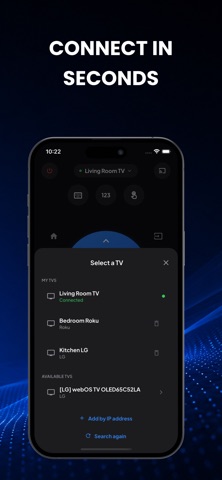
• Automatic TV discovery on your Wi-Fi network
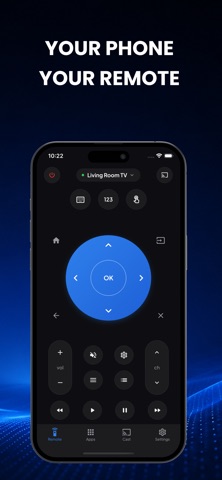
• Full button remote: power, volume, channels, D-pad, OK, back, home
• Switch inputs (HDMI, TV, AV) with a single tap
• Type with your phone keyboard instead of hunting letters on screen
• Launch your streaming apps straight from your phone
• Every button press is free for your connected TV. Forever.
WORKS WITH
• Samsung Smart TV (2016 and newer, Tizen)
• LG Smart TV (webOS)
• Roku, TCL Roku TV and Hisense Roku TV
• Amazon Fire TV and Fire TV Stick
• Android TV and Google TV, including Sony
• Vizio SmartCast
PREMIUM
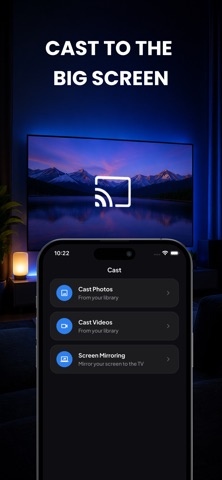
• Cast photos and videos from your phone to the big screen
• Live screen mirroring — share what you see, in real time
• Save several TVs and switch between them instantly
• Custom button layouts and macros
• Haptic feedback and volume-button control
WHY YOU WILL KEEP IT
Remote lost in the sofa? Batteries dead? Kids hid it again? Your phone is always within reach. Everything runs over your home Wi-Fi, so there is nothing to pair, plug in or point at the screen.
HOW TO START
Connect your phone and your TV to the same Wi-Fi network, open the app and pick your TV from the list. Some TVs ask you to confirm the connection once on screen — after that it simply works.
---
Universal TV Remote offers an optional subscription with a 3-day free trial. Payment is charged to your Apple Account at confirmation of purchase. The subscription renews automatically unless auto-renew is turned off at least 24 hours before the end of the current period. Manage or cancel your subscription in your Apple Account settings. Any unused portion of a free trial is forfeited when a subscription is purchased.
Not affiliated with, endorsed by or sponsored by Samsung, LG, Roku, Amazon, Vizio, Sony, TCL, Hisense or Google. All trademarks are the property of their respective owners.
Terms of Use: https://vesoftapps.com/terms
Privacy Policy: https://vesoftapps.com/privacy