

Universal TV Remote Control +
Universal TV Remote Control + is made and published by AppAgency. AppBrain is an independent app data site and isn't affiliated with AppAgency. The app name, icon, screenshots and description belong to AppAgency and are shown as published on the App Store.
AppBrain's verdict
- Rating on App Store
- 4.50
- 22 ratings
- Last updated
- October 16, 2026
It doesn't have enough ratings yet to judge what users think.
Rankings
App Store top chartsApp Store Rankings for Universal TV Remote Control +
Competitors
Similar apps and more from AppAgencyAlternatives to Universal TV Remote Control +


More from AppAgency

Releases
Updates seen on the App Store- Version
- 1.4.9
- Launched
- March 2025
No changelog data
User feedback
Ratings and reviews on the App StoreComments on Universal TV Remote Control + for iOS
We don't have enough comments to show example comments. Please check back later.
Technology
Found in the app by AppBrain- Price
- Free
- App size
- 72.2 MB
- Content rating
- Everyone
Technologies used by Universal TV Remote Control +
About the app and developer
About Universal TV Remote Control +
Universal TV Remote Control + is an utilities app developed by AppAgency.
What is the rating of Universal TV Remote Control +?
Universal TV Remote Control + is rated 4.50 out of 5 stars, based on 22 ratings.
Is Universal TV Remote Control + free?
Universal TV Remote Control + is free. The app size is 72.25 MB. The latest version available is 1.4.9. The last update was on October 16, 2026.
What are the requirements for Universal TV Remote Control +?
The app has a content rating of Everyone. The app has been available on the App Store since March 2025.
Developer information for AppAgency
Address:
Store listing
By AppAgency, from the App Store



Description by AppAgency Written by the developer, not by AppBrain. Click to read.
Turn your iPhone into a universal remote for your Smart TV. Power on, adjust volume, switch channels, navigate menus, launch your favorite streaming apps and search by voice. No more dead batteries, no more hunting behind the couch — just tap and control.
WHY CHOOSE THIS REMOTE
- Truly free — no weekly charge, no forced trial, no surprise fees
- Auto-Connect — reconnects to your last TV automatically, every time
- Voice Search — find shows without typing on a clumsy on-screen keyboard
- Fast setup — connects over your home WiFi, no extra hardware needed
- Clean, simple design made for everyday use
EVERYTHING YOU NEED
- Power, volume, channels and input switching
- D-Pad and touchpad navigation
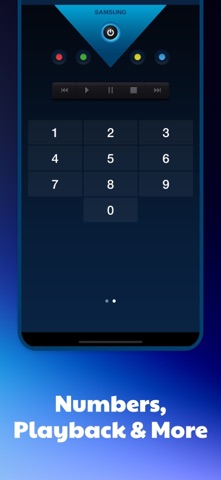
- Number pad for direct channel access
- Full keyboard for fast typing
- Media playback: play, pause, rewind, fast-forward, stop
WORKS WITH MOST SMART TVs & STREAMING DEVICES
- Samsung Smart TV
- LG (WebOS / Netcast)
- Sony Bravia
- Roku TV
- Amazon Fire TV & Fire Stick
- Android TV & Google TV — including Philips, TCL, Xiaomi, Sharp, Hisense, Hitachi, Telefunken, Grundig and other Android TV models
HOW TO START
1. Connect your phone and TV to the same WiFi network.
2. Open the app — your device is detected automatically.
3. Follow the on-screen pairing step if your TV asks for it, then control instantly.
FAQ
- Is it really free? Yes — control your TV for free, no subscription.
- Do I need WiFi? Yes, phone and TV on the same network.
- Will it work with my TV? Most modern WiFi Smart TVs and streaming devices are supported.
Download Now – It's 100% Free
Say goodbye to remote chaos and enjoy full TV control in your pocket.
Universal TV Remote Control – built for convenience, designed for everyone.
This app is not affiliated with or endorsed by Samsung, LG, Sony, Roku, Amazon, Google or any supported brand. It is a third-party tool designed to work with their platforms.
Privacy Policy: http://www.universal-tv-remote.com/privacy-universal-remote.html
Terms of Use: https://www.apple.com/legal/internet-services/itunes/dev/stdeula/