Useful Diary is an overall app developed by Yuya Hiramatsu.
Download Statistics
User Ratings
Useful Diary is rated 4.90 out of 5 stars. The rating is based on 10 ratings.
App Information
Useful Diary is FREE to download. The APK download size is 31.88 MB. The latest version available is 1.6.2. The last update was on January 15, 2023.
Technical Requirements
The app has a content rating of Everyone. The app has been available on Google Play September 2021.
Description
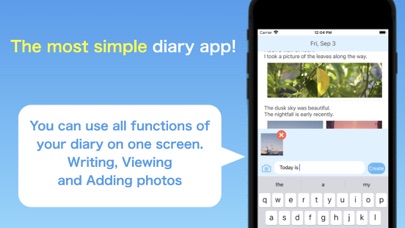
Ease of use No1! It is the diary app with the concept of "continuing comfortably every day". You can write, view, and edit a diary on one screen! It is easy and smooth to operate.
・ Create a diary smoothly ・ Make multiple diaries a day ・ No character limit ・ Photos can be added
→ Recommended for both people who want to write in short sentences and look back on the day in long sentences! Please write diary in “Useful Diary”!
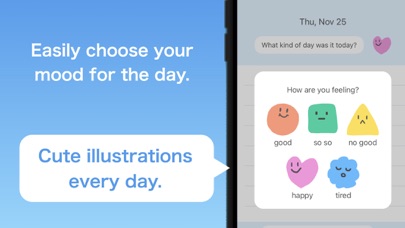
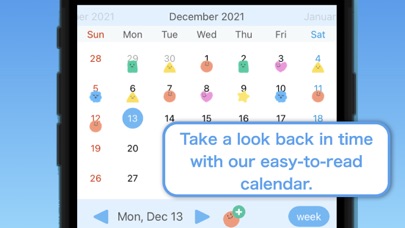
【List of Functions】 ● Calendar It is easy to look back because the mark is attached to the day when you wrote the diary on the calendar. You can view, write, and edit the diary of the date selected on the calendar. In addition, the calendar can be switched between weekly display and monthly display with a button. You can expand the viewing range of the diary by weekly display.
● Photo registration You can register photos in your diary. You can change the saved image quality of the photo on the setting screen. If you want to focus on the image quality of your photos, you can set it to high quality mode, and if you want to save space, you can set it to save mode.
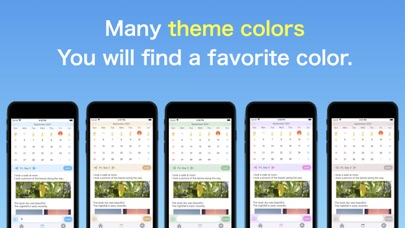
● Theme color setting You can set a theme color that changes the screen color. We offer eye-friendly colors such as light blue, beige, green, pink, and gray.
●Reminder You can prevent forgetting to write your diary because you will be notified on time. The notification time can be decided freely.
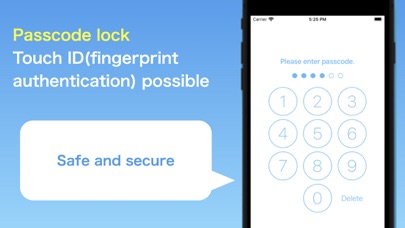
● Passcode lock function It is a passcode lock function that also allows Touch ID (fingerprint authentication). You can write a diary safely and securely without worrying about being seen by others.
● Edit and delete diary You can edit or delete the created diary by swiping left.
【Inquiries】 For inquiries such as "a problem has occurred" or "I don't know how to use it", please contact us from "Settings screen> Opinions and requests" in the app or the support URL in this store. We welcome your opinions and requests such as "I wish there was such a function". We plan to add frequently requested functions at any time.
Each subscription will automatically renew 3 days before the expiration date for
the same time period. Subscriptions can be cancelled at any time before the renewal.