

UVUE PLUS is made and published by NC& Co., Ltd. AppBrain is an independent app data site and isn't affiliated with NC& Co., Ltd. The app name, icon, screenshots and description belong to NC& Co., Ltd. and are shown as published on the App Store.
AppBrain's verdict
- Last updated
- August 17, 2026
Rankings
App Store top chartsApp Store Rankings for UVUE PLUS
This app is not ranked
Competitors
Similar apps and more from NC& Co., Ltd.Alternatives to UVUE PLUS





More from NC& Co., Ltd.


Releases
Updates seen on the App Store- Version
- 1.3.4
- Launched
- June 2023
No changelog data
User feedback
Ratings and reviews on the App StoreComments on UVUE PLUS for iOS
We don't have enough comments to show example comments. Please check back later.
Technology
Found in the app by AppBrain- Price
- Free
- App size
- 101.7 MB
- Content rating
- Everyone
Technologies used by UVUE PLUS
About the app and developer
About UVUE PLUS
UVUE PLUS is an utilities app developed by NC& Co., Ltd.
What is the rating of UVUE PLUS?
UVUE PLUS has no ratings yet.
Is UVUE PLUS free?
UVUE PLUS is free. The app size is 101.68 MB. The latest version available is 1.3.4. The last update was on August 17, 2026.
What are the requirements for UVUE PLUS?
The app has a content rating of Everyone. The app has been available on the App Store since June 2023.
Developer information for NC& Co., Ltd.
Address:
Store listing
By NC& Co., Ltd., from the App Store
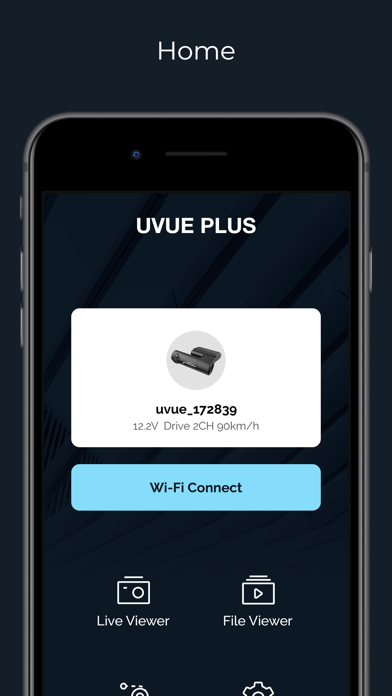
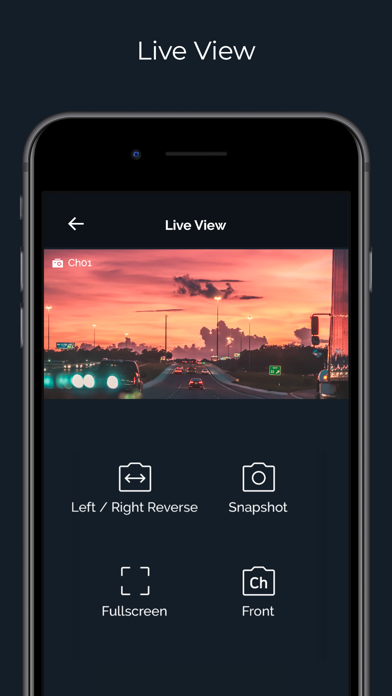


Screenshots by NC& Co., Ltd., from the the App Store listing
Description by NC& Co., Ltd. Written by the developer, not by AppBrain. Click to read.
UVUE PLUS App for UVUE PLUS Dashcam
▶ Live View
- Reverse Left / Right
- Snapshot
- Full Screen
- View Front / Rear
▶ File List
You can view and play the recorded videos through File List
- Drive
- Event
- Parking
- Manual
- Phone
▶ History
View your overall driving history such as trip distance, events, recording time, speed.
You can check the data sorted by day, week, month and year base.
Travel-log-Drive shows vehicle’s location on map, distance, speed and event. You can check the data by date and time.
▶ Setting
You can set the features such as Recording, Event, Sound, Time, Memory and System.
▶ Live View
- Reverse Left / Right
- Snapshot
- Full Screen
- View Front / Rear
▶ File List
You can view and play the recorded videos through File List
- Drive
- Event
- Parking
- Manual
- Phone
▶ History
View your overall driving history such as trip distance, events, recording time, speed.
You can check the data sorted by day, week, month and year base.
Travel-log-Drive shows vehicle’s location on map, distance, speed and event. You can check the data by date and time.
▶ Setting
You can set the features such as Recording, Event, Sound, Time, Memory and System.