

Vellum Schedule is made and published by Sam Kim. AppBrain is an independent app data site and isn't affiliated with Sam Kim. The app name, icon, screenshots and description belong to Sam Kim and are shown as published on the App Store.
AppBrain's verdict
- Last updated
- August 27, 2026
Rankings
App Store top chartsApp Store Rankings for Vellum Schedule
Competitors
Similar apps and more from Sam KimAlternatives to Vellum Schedule





Releases
Updates seen on the App Store- Version
- 1.1.3
- Launched
- August 2026
No changelog data
User feedback
Ratings and reviews on the App StoreComments on Vellum Schedule for iOS
We don't have enough comments to show example comments. Please check back later.
Technology
Found in the app by AppBrain- Price
- Free
- App size
- 21.2 MB
- Content rating
- Everyone
Technologies used by Vellum Schedule
About the app and developer
About Vellum Schedule
Vellum Schedule is a productivity app developed by Sam Kim.
User Ratings
The app has no ratings yet.
App Information
Vellum Schedule is freely available from the App Store. The app size is 21.17 MB. The latest version available is 1.1.3. The last update was on August 27, 2026.
Technical Requirements
The app has a content rating of Everyone. The app has been available on the App Store since August 2026.
Developer information for Sam Kim
Address:
Frequently asked questions about Vellum Schedule
Is Vellum Schedule free?
Yes. Vellum Schedule is free on the App Store.
Is Vellum Schedule still available?
Yes. Vellum Schedule is on the App Store, and the last update we saw was on August 27, 2026.
How large is Vellum Schedule?
Vellum Schedule is 21.17 MB.
Is Vellum Schedule suitable for children?
App Store rates the content of Vellum Schedule as suitable for everyone.
Who made Vellum Schedule?
Vellum Schedule was developed by Sam Kim. It is listed in the productivity category on the App Store.
What are the best alternatives to Vellum Schedule?
People looking at Vellum Schedule also look at these productivity apps: Sova: Planner & Shared Lists, GenMail: AI Email Assistant, MyOdoo, Muslimani Ideal, Google AI Edge Gallery.
Store listing
By Sam Kim, from the App Store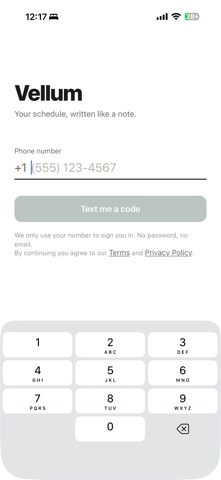

Description by Sam Kim Written by the developer, not by AppBrain. Click to read.
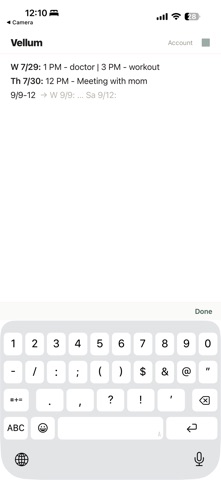
Type naturally and watch structure appear. "13" becomes Monday, July 13. "1 doctor" becomes 1 PM - doctor. Add "3 coffee" and events order themselves chronologically with clean separators — you never format anything.
WRITE, DON'T FILL FORMS
- Dates from plain typing: 7/14, tomorrow, next friday, halloween
- Times that understand context: "3" knows whether you mean AM or PM
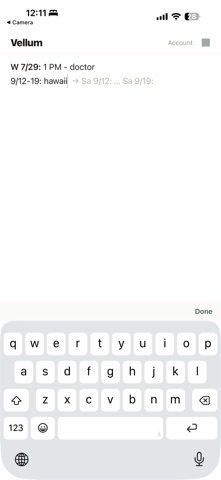
- Multi-day events in one line: "7/14-16: Molly's" fills every day
- Untimed notes pin to the front of the day, alphabetized
ALWAYS ONE STEP AHEAD
- Press return and tomorrow's date appears faintly, ready to accept
- Type any date and see a live preview before you commit
- One backspace undoes any automatic change — you stay in control
YOURS, EVERYWHERE
- Sign in with just your phone number — no password, no email
- Your schedule syncs to your account and survives any reinstall
- Works offline; changes sync when you're back
- Delete your account (and all data) any time, in-app
No ads. No tracking. Just a page that organizes itself while you write.