

Verbatim: Video Editor
Verbatim: Video Editor is made and published by Ion Pulse Software LLC. AppBrain is an independent app data site and isn't affiliated with Ion Pulse Software LLC. The app name, icon, screenshots and description belong to Ion Pulse Software LLC and are shown as published on the App Store.
AppBrain's verdict
- Rating on App Store
- 5.00
- 11 ratings
- Last updated
- October 26, 2026
- Size
- 509.8 MB
It doesn't have enough ratings yet to judge what users think.
User feedback
Ratings and reviews on the App StoreComments on Verbatim: Video Editor for iOS
We don't have enough comments to show example comments. Please check back later.
Store listing
By Ion Pulse Software LLC, from the App Store


Description by Ion Pulse Software LLC Written by the developer, not by AppBrain. Click to read.
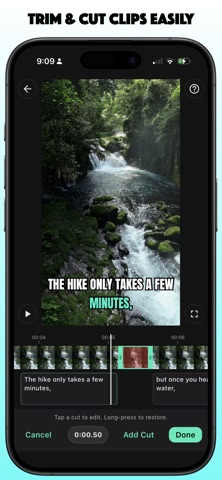
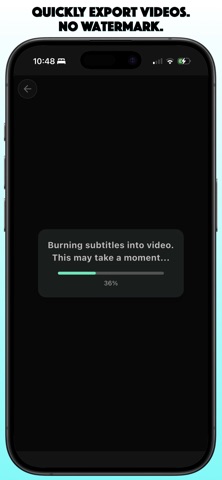
Trim clips, remove unwanted sections, record voiceovers, resize videos for social platforms, generate captions, add styled text overlays, and export clean videos with no watermark.
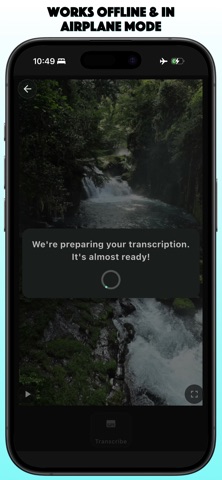
Verbatim works entirely on your iPhone, even offline or in airplane mode. No sign-in required. Free to try with 3 video exports every month.
WHY VERBATIM?
• Edit videos without uploading them
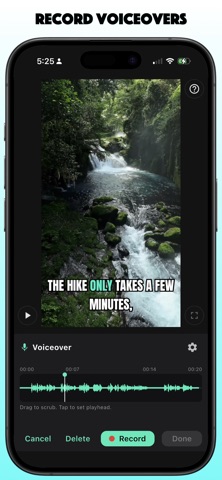
• Record voiceovers directly in your projects
• Generate accurate automatic captions
• Resize and reframe videos for social platforms
• Trim the beginning or end of clips
• Remove unwanted sections from videos
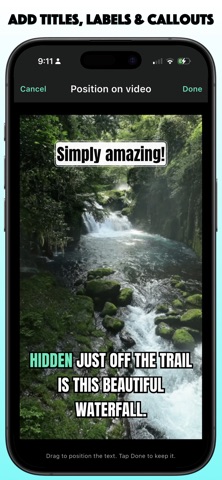
• Add styled text overlays, titles, labels, and callouts
• Edit captions with a visual timeline
• Split, merge, and correct caption segments
• Find and replace caption text
• Create karaoke captions with word-by-word highlighting
• Customize fonts, colors, backgrounds, outlines, and shadows
• Export clean videos with no watermark
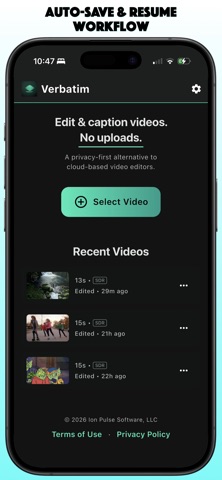
• Save projects and continue editing later
• Export SRT and ASS caption files with Premium
PRIVACY FOCUSED
Your videos, audio, and captions stay on your iPhone.
Verbatim performs editing and caption generation directly on your device instead of sending files to a server. There are no cloud uploads, no cloud queues, and no unnecessary accounts.
VIDEO EDITING
Create ready-to-share videos without the complexity of a traditional editor.
Use Verbatim to trim clips, cut unwanted sections, record voiceovers, resize for different formats, add styled text, edit captions, and export polished videos in just a few taps.
Perfect for Reels, Shorts, TikTok, YouTube, tutorials, product demos, interviews, presentations, training videos, internal updates, and social content.
VOICEOVERS
Add narration without leaving your editor.
Record voiceovers directly inside your project, then trim, caption, and export everything together. Great for tutorials, walkthroughs, product demos, reactions, presentations, and social videos.
ACCURATE AUTOMATIC CAPTIONS
Turn spoken words into captions directly on your iPhone.
Review the transcript, correct mistakes, adjust caption timing, and style your captions before exporting a finished video.
POWERFUL CAPTION EDITING
Make every word count.
• Edit caption text
• Split long captions
• Merge short captions
• Find and replace text
• Preview changes instantly
• Export caption files with Premium
RESIZE FOR SOCIAL MEDIA
Reframe videos for the formats creators actually use.
Choose common layouts like vertical, square, portrait, widescreen, or original size, then position your video before export.
STYLED TEXT OVERLAYS
Add titles, intros, callouts, labels, reminders, and notes anywhere in your video.
Create multiple overlays, customize their appearance, and position them exactly where you want.
CUSTOM STYLES
Make every video match your brand or personal style.
Customize caption fonts, colors, background boxes, outlines, shadows, position, and alignment. Save custom styles with Premium.
WORD-ALIGNED KARAOKE CAPTIONS
Create engaging captions with precise word-by-word highlighting for spoken content, tutorials, interviews, podcasts, and creator videos.
HDR VIDEO SUPPORT
Import, edit, and export HDR videos while preserving vibrant color and visual quality on supported iPhone devices.
PICK UP WHERE YOU LEFT OFF
Recent Videos keeps your projects organized so you can continue editing whenever you’re ready.
VERBATIM PREMIUM
Unlock:
• Unlimited video exports
• Longer video support
• Saved custom styles
• SRT and ASS caption export
• Offline-friendly Premium access
Create captions, record voiceovers, edit videos, resize for social media, and keep your content private — all on your iPhone.
Terms of Use (EULA): https://www.apple.com/legal/internet-services/itunes/dev/stdeula/
Safety and technology
Found in the app by AppBrain- Price
- Free
- App size
- 509.8 MB
- Content rating
- Everyone
Technologies used by Verbatim: Video Editor
Releases
Updates seen on the App Store- Version
- 1.6.1
- Launched
- June 2026
No changelog data
Alternatives
Similar apps and more from Ion Pulse Software LLCAlternatives to Verbatim: Video Editor



Rankings
App Store top chartsApp Store Rankings for Verbatim: Video Editor
About the app and developer
About Verbatim: Video Editor
Verbatim: Video Editor is a photo & video app developed by Ion Pulse Software LLC.
What is the rating of Verbatim: Video Editor?
Verbatim: Video Editor is rated 5.00 out of 5 stars, based on 11 ratings.
Is Verbatim: Video Editor free?
Verbatim: Video Editor is free. The app size is 509.81 MB. The latest version available is 1.6.1. The last update was on October 26, 2026.
What are the requirements for Verbatim: Video Editor?
The app has a content rating of Everyone. The app has been available on the App Store since June 2026.
Developer information for Ion Pulse Software LLC
Address: