

Video Converter - AI Converter
Video Converter - AI Converter is made and published by Kajal Darji. AppBrain is an independent app data site and isn't affiliated with Kajal Darji. The app name, icon, screenshots and description belong to Kajal Darji and are shown as published on the App Store.



AppBrain's verdict
- Rating on App Store
- 1.50
- 2 ratings
- Last updated
- October 11, 2026
- Size
- 83.8 MB
It doesn't have enough ratings yet to judge what users think.
User feedback
Ratings and reviews on the App StoreComments on Video Converter - AI Converter for iOS
We don't have enough comments to show example comments. Please check back later.
Store listing
By Kajal Darji, from the App StoreDescription by Kajal Darji Written by the developer, not by AppBrain. Click to read.
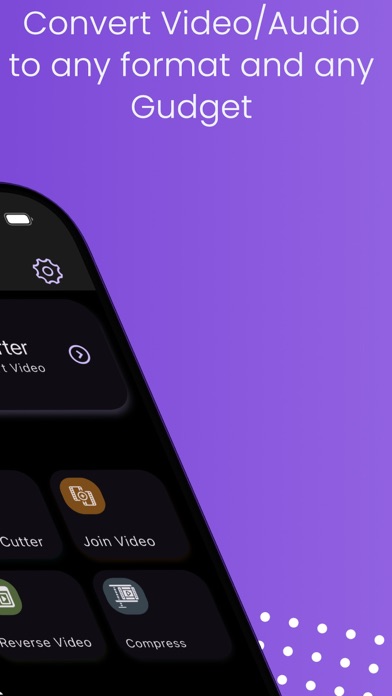
Video Converter is a powerful video converter, video compressor, video trimmer, mp3 converter, video size reducer video merger etc. It’s growing fast and having more and more useful functions. It can be used to convert MP4, MKV, AVI, 3GP, FLV, MTS, M2TS, TS, MPEG, MPG, WMV, M4V, MOV, VOB, F4V, WEBM, DAV, DAT, MOVIE, MOD, MXF, LVF, H264, H265 and more. We also provide video editing function like merge, trim, cut, reverse, stabilise, Super slow motion, crop, rotation and more.
Main Features of Video Converter(Video converter, video compressor, video trimmer, video cutter ,video merger, Reverse video, audio cutter, and Video to mp3 converter):
• Convert videos to any format in simple steps.
• Select Multiple Files for Batch Processing.
• Add/Replace Audio for Output Video.
• Add/Replace Multiple Subtitles for Output Video.
• Add/Replace Multiple Audio for Output Video.
• Custom FrameRate Selection for Output Video.
• MP4 converter: Convert video to MP4 or convert MP4 to any other format.
• MP3 converter: Convert video to MP3 or convert audio files to MP3 easily.
• DVD converter: Convert video to DVD, or convert DVD to MP4, MP3 and more.
• Compress video clips of any size with high quality.
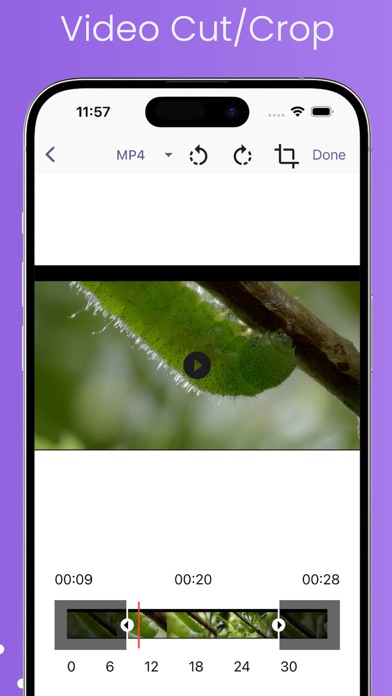
• Cut & trim video clips right on your device.
• Reverse video & Rotate video in any angle.
• Slow motion video effect & Speedup video by 2x,3x,4x etc.
• Play video clips, Share videos.
• Reduce video file size.
• Dark mode support for manual and automatic based on Device Theme.
• Support 4k/8k video conversion.
• Support HVAC H265 video codec
Video to MP3 Converter:
• MP3 Converter
• Audio converter
• mp3 Video Converter
• Audio Cutter
About video conversion:
• Converts videos to HD quality MP4 files.
• Supports converting almost all file formats, including HD, MP4, MKV, AVI, 3GP, FLV, MTS, M2TS, TS, MPEG, MPG, WMV, M4V, MOV, VOB and more.
• Simple to use, Super Speed conversion.
• Select & Convert multiple(Batch Processing) media files.
• Extract part of a video by choosing the specific start time and end time..
• Dynamic Theme Option for Colourful Experience.
Other great points of Video Converter - Video Merger, compressor & trimmer:
• Very Smooth Design UI experience.
• The interface is simple and easy to use.
• Includes basic editing functions: Slow-Motion, trim, Join OR Merge, Reverse, Cut, rotate, stabilise and more
• You can Join/Merge Video by drag&drop arrangement for time line orderly.
• You can Reverse Video in simple Steps
• Advanced mode to specify video bitrate, Custom resolution, Custom FrameRate ,audio bitrate, etc.
Why Vidsoftlab Video Converter is a professional video converter, video compressor, video trimmer, video cutter and video Merger:
• Video Converter has a number of basic editing settings. With these you can customise the video size and aspect ratio and extract audio and video from files. Overall, Video Converter's basic conversion function is quick and easy, but the suite does have less than stellar editing abilities.
• Super speed video conversion and compression, ultra fast.
• Convert, merge, trim and cut videos of high quality without losing video quality.
• Compress videos to very small size, freeing up a lot of memory space on your device. No duration limit.
• Share videos by uploading clips to social medias.
• If you want a specific video format to be supported, please leave the details in comments or email us. We’ll try to add the support in future release.
Any suggestion or question, please contact us: kajalchiragsoft@gmail.com
Safety and technology
Found in the app by AppBrain- Price
- Free
- App size
- 83.8 MB
- Content rating
- Everyone
Technologies used by Video Converter - AI Converter
Releases
Updates seen on the App Store- Version
- 4.0
- Launched
- December 2022
No changelog data
Alternatives
Similar apps and more from Kajal Darji







Rankings
App Store top chartsApp Store Rankings for Video Converter - AI Converter
About the app and developer
About Video Converter - AI Converter
Video Converter - AI Converter is a photo & video app developed by Kajal Darji.
User Ratings
Video Converter - AI Converter is rated 1.50 out of 5 stars. The rating is based on 2 ratings.
App Information
Video Converter - AI Converter is freely available from the App Store. The app size is 83.77 MB. The latest version available is 4.0. The last update was on October 11, 2026.
Technical Requirements
The app has a content rating of Everyone. The app has been available on the App Store since December 2022.
Developer information for Kajal Darji
Address:
Frequently asked questions about Video Converter - AI Converter
Is Video Converter - AI Converter free?
Yes. Video Converter - AI Converter is free on the App Store.
Is Video Converter - AI Converter still available?
Yes. Video Converter - AI Converter is on the App Store, and the last update we saw was on October 11, 2026.
How large is Video Converter - AI Converter?
Video Converter - AI Converter is 83.77 MB.
Is Video Converter - AI Converter suitable for children?
App Store rates the content of Video Converter - AI Converter as suitable for everyone.
How do people rate Video Converter - AI Converter?
Video Converter - AI Converter scores 1.50 out of 5 stars, from 2 ratings on the App Store.
Who made Video Converter - AI Converter?
Video Converter - AI Converter was developed by Kajal Darji. It is listed in the photo & video category on the App Store.
What are the best alternatives to Video Converter - AI Converter?
People looking at Video Converter - AI Converter also look at these photo & video apps: reduce video size - resizer, MOV to MP4: Correct Audio Sync, Infinite Reflect Photo Editor, Video Compress ., Video Editor All in One.