
VideoCalc is made and published by Nelcea. AppBrain is an independent app data site and isn't affiliated with Nelcea. The app name, icon, screenshots and description belong to Nelcea and are shown as published on the App Store.
AppBrain's verdict
Established- Rating on App Store
- 5.00
- 5 ratings
- Last updated
- September 14, 2016
It doesn't have enough ratings yet to judge what users think.
Rankings
App Store top chartsApp Store Rankings for VideoCalc
Competitors
Similar apps and more from NelceaAlternatives to VideoCalc



More from Nelcea


Releases
Updates seen on the App Store- Version
- 2.1
- Launched
- before 2010
No changelog data
User feedback
Ratings and reviews on the App StoreComments on VideoCalc for iOS
We don't have enough comments to show example comments. Please check back later.
Technology
Found in the app by AppBrain- Price
- $3.99
- App size
- 3.01 MB
- Content rating
- Everyone
Technologies used by VideoCalc
About the app and developer
About VideoCalc
VideoCalc is an utilities app developed by Nelcea.
What is the rating of VideoCalc?
VideoCalc is rated 5.00 out of 5 stars, based on 5 ratings.
Is VideoCalc free?
VideoCalc costs $3.99. The app size is 3.01 MB. The latest version available is 2.1. The last update was on September 14, 2016.
What are the requirements for VideoCalc?
The app has a content rating of Everyone. The app has been available on the App Store since before 2010.
Developer information for Nelcea
Address:
Frequently asked questions about VideoCalc
Is VideoCalc free?
No. VideoCalc costs $3.99 on the App Store.
Is VideoCalc still available?
Yes. VideoCalc is on the App Store, and the last update we saw was on September 14, 2016.
How large is VideoCalc?
VideoCalc is 3.01 MB.
Is VideoCalc suitable for children?
App Store rates the content of VideoCalc as suitable for everyone.
How do people rate VideoCalc?
VideoCalc scores 5.00 out of 5 stars, from 5 ratings on the App Store.
Who made VideoCalc?
VideoCalc was developed by Nelcea. It is listed in the utilities category on the App Store.
What are the best alternatives to VideoCalc?
People looking at VideoCalc also look at these utilities apps: PerListen, Barco Pulse Mobile, Arendal Sound, Lensit, Hegel Remote.
Store listing
By Nelcea, from the App Store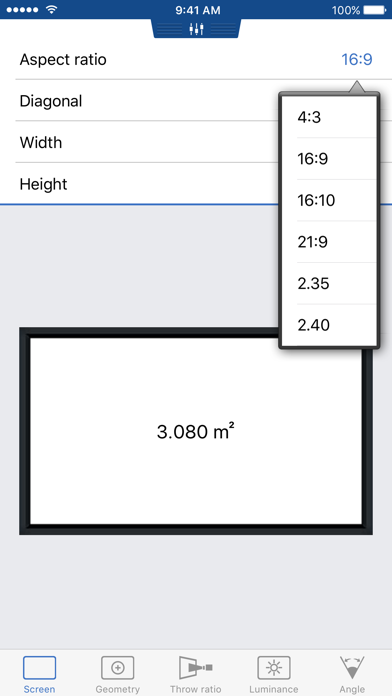


Description by Nelcea Written by the developer, not by AppBrain. Click to read.
It makes all the tedious calculations a breeze and ensures you can get the desired information in an intuitive way.
This is a must have for Home Theater enthusiasts, custom installers, video professionals and more.
VideoCalc is made up of several tools, that each in its own right provide you with essential calculations but do work together, ensuring the effect of every component on the system is taken into account.
Furthermore the tools are organized in a natural progression, guiding you through the process of designing a Home Theater that follows the industry best practices and standards.
Start by defining your screen. The tool allows easy calculation of any screen dimension based on the others.
Support for usual aspect ratios is provided, allowing you to pick amongst a selection of the most commonly used aspects.
For a projection system, the next step tackles the projector part, defining the aspect ratio of the matrix and the optional usage of an anamorphic lens.
The tool shows you how the image will fit within the defined screen and the deformation that the anamorphic lens would apply to the projected image.
This is also a fantastic tutorial tool to understand anamorphic systems.
The next step takes care of projector placement and/or selection in regards to the throw ratio requirements.
Enter the throw ratio range of your projector and check it can be placed to work with your screen.
Alternatively, enter the distance from the screen where you wish to place your projector and the tool computes the required throw ratio.
This is perfect for selecting your lens on higher-end projectors.
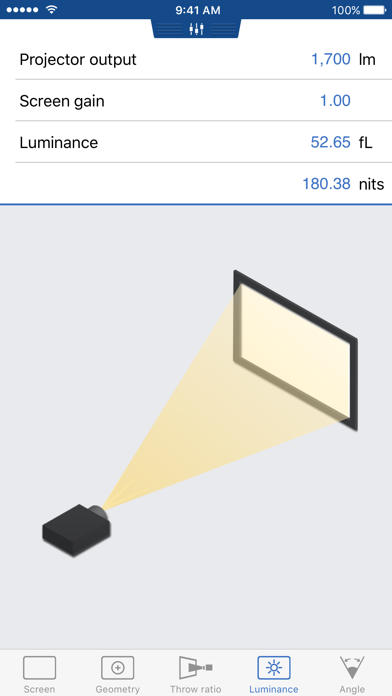
The Luminance tab allows to find out how big the screen can be with a given projector or how bright your projector must be to light up the defined screen, while respecting the industry best practices.
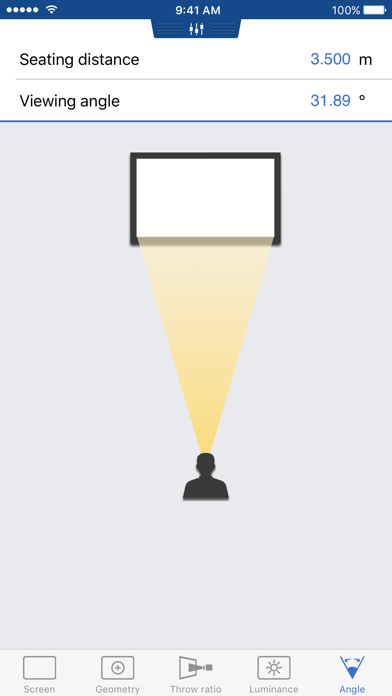
With the Angle tab, validate that your field of view is in accordance with industry accepted standards such as THX or SMPTE.
VideoCalc works in both imperial and metric units. Simply swipe down to reveal the unit selection view, giving you the choice between centimeters, meters, inches and feet.
If you like this tool, be sure to also check AudioCalc, the companion tool addressing your audio needs.