

VideoOffice is made and published by 4NB Corp. AppBrain is an independent app data site and isn't affiliated with 4NB Corp. The app name, icon, screenshots and description belong to 4NB Corp. and are shown as published on the App Store.
AppBrain's verdict
- Last updated
- December 27, 2022
Rankings
App Store top chartsApp Store Rankings for VideoOffice
Competitors
Similar apps and more from 4NB Corp.





Releases
Updates seen on the App Store- Version
- 1.7.12
- Launched
- February 2020
No changelog data
User feedback
Ratings and reviews on the App StoreComments on VideoOffice for iOS
We don't have enough comments to show example comments. Please check back later.
Technology
Found in the app by AppBrain- Price
- Free
- App size
- 22.8 MB
- Content rating
- Everyone
Technologies used by VideoOffice
About the app and developer
About VideoOffice
VideoOffice is a productivity app developed by 4NB Corp.
User Ratings
The app has no ratings yet.
App Information
VideoOffice is freely available from the App Store. The app size is 22.76 MB. The latest version available is 1.7.12. The last update was on December 27, 2022.
Technical Requirements
The app has a content rating of Everyone. The app has been available on the App Store since February 2020.
Developer information for 4NB Corp.
Address:
Store listing
By 4NB Corp., from the App Store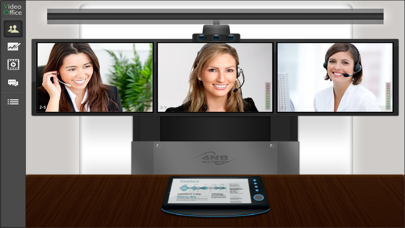



Description by 4NB Corp. Written by the developer, not by AppBrain. Click to read.
■ Features
1. Various video mode
From single to maximum 16 screens, a meeting can be carried out while monitoring various pictures of different locations.
2. HD high resolution
Supports HD quality monitor and clearer video conferences can be hold on mobile devices.
3. White board
Check various document formats (MS Office, Hanguel, Hunminjeongeum, PDF, WPS, other image files) that are shared on PC version or webpage screen shots on mobile devices while writing a note on the white board
4. Photo sharing
Sharing photos stored on mobile devices and write a note.
5. Desktop sharing
Check desktop screens shared by PC version users on mobile devices.
6. Media sharing
Check video and audio files shared by PC version users.
7. Authority
Change a participant’s authority on mobile devices.
8. Data encryption
VideoOffice protects data by encrypting every data such as videos, audios, documents, or instruction words.