Visual Code is made and published by
Start App Ltd.
AppBrain is an independent app data site and isn't affiliated with Start App Ltd.
The app name, icon, screenshots and description belong to Start App Ltd and are shown as
published on the App Store.
About Visual Code
Visual Code is an utilities app developed by Start App Ltd.
What is the rating of Visual Code?
Visual Code is rated 4.29 out of 5 stars, based on 3.6 thousand ratings.
Is Visual Code free?
Visual Code is free. The app size is 167.72 MB. The latest version available is 27.0.0. The last update was on October 1, 2026.
What are the requirements for Visual Code?
The app has a content rating of Everyone. The app has been available on the App Store since November 2022.
Description by Start App Ltd(from the App Store)
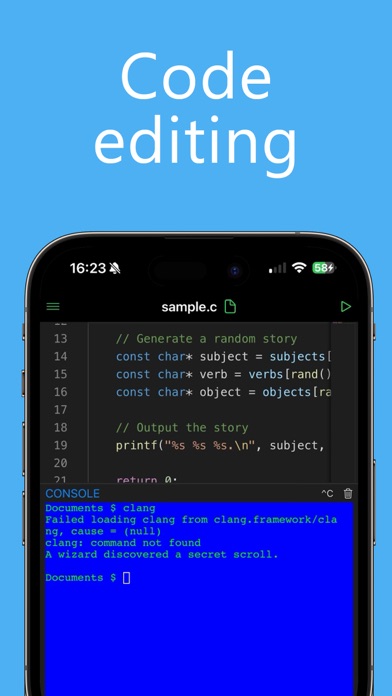
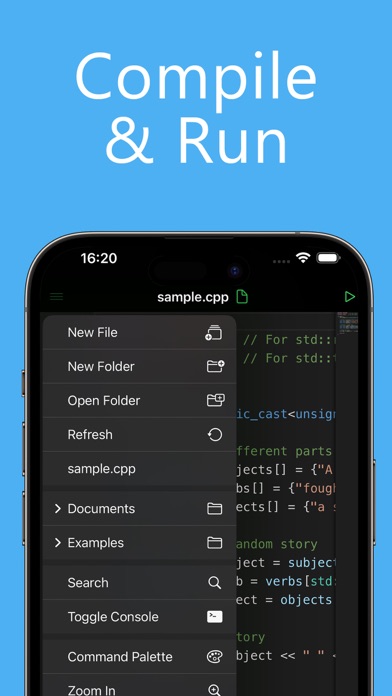
Visual Code transforms your iPhone and iPad into a complete development environment. Built with performance, portability, and flexibility in mind, it allows you to write, debug, and run code wherever you are. Whether you’re a student, hobbyist, or professional developer, Visual Code gives you the power of a desktop IDE in a mobile-first design.
Powerful and Intuitive Visual Code features a sleek, modern interface optimized for productivity. With syntax highlighting, intelligent formatting, and customizable themes, you can focus on what matters most: writing clean, efficient code.
Multi-Language Support Work in the language of your choice without switching apps. Visual Code supports a wide range of popular programming languages, including: Python, JavaScript, C, C++, PHP, Java, Swift, HTML, CSS, Golang, Rust, Ruby, Objective-C, Perl, and Lua.
Built-In Terminal Run commands directly inside the app with the integrated terminal. Manage projects, test scripts, and control workflows seamlessly without ever leaving Visual Code. Optimized for iOS 26 and iPadOS
- Liquid Gas Design: Smooth, futuristic UI tailored to the latest iOS standards. - Deep iPad Integration: Take advantage of multi-window support, multitasking, and full external keyboard compatibility. - Keyboard Shortcuts: Streamline your workflow with shortcut support for iPad keyboards, making coding even faster.
Why Choose Visual Code? - Work on the go with an all-in-one coding environment. - Enjoy a familiar desktop-like experience with mobile convenience. - Build, test, and refine projects without compromise.
Disclaimer Visual Code is not affiliated with, endorsed by, or in any way officially connected to Microsoft Corporation. It is also not related to, nor a part of, Microsoft Visual Studio. All trademarks are the property of their respective owners.
------- Visual Code Pro is an auto renewable subscription:
- Edit Files - AI integrations - Themes
------- Price may vary by location and active promotion. Subscriptions will be charged to your credit card through your iTunes account. Your subscription will automatically renew unless canceled at least 24 hours before the end of the current period. Manage your subscriptions in Account Settings after purchase. Any unused portion of a free trial period, will be forfeited when the user purchases a subscription. -------
Privacy Policy: https://www.iubenda.com/privacy-policy/95401147 Terms of Service: https://www.apple.com/legal/internet-services/itunes/dev/stdeula
Each subscription will automatically renew 3 days before the expiration date for
the same time period. Subscriptions can be cancelled at any time before the renewal.