

Visual Schedule: PictoCue
Visual Schedule: PictoCue is made and published by Smart Automation SRL. AppBrain is an independent app data site and isn't affiliated with Smart Automation SRL. The app name, icon, screenshots and description belong to Smart Automation SRL and are shown as published on the App Store.
AppBrain's verdict
- Last updated
- September 29, 2026
Rankings
App Store top chartsApp Store Rankings for Visual Schedule: PictoCue
Competitors
Similar apps and more from Smart Automation SRLAlternatives to Visual Schedule: PictoCue


More from Smart Automation SRL



Releases
Updates seen on the App Store- Version
- 1.4
- Launched
- August 2026
No changelog data
User feedback
Ratings and reviews on the App StoreComments on Visual Schedule: PictoCue for iOS
We don't have enough comments to show example comments. Please check back later.
Technology
Found in the app by AppBrain- Price
- Free
- App size
- 6.65 MB
- Content rating
- Everyone
Technologies used by Visual Schedule: PictoCue
About the app and developer
About Visual Schedule: PictoCue
Visual Schedule: PictoCue is an education app developed by Smart Automation SRL.
User Ratings
The app has no ratings yet.
App Information
Visual Schedule: PictoCue is freely available from the App Store. The app size is 6.65 MB. The latest version available is 1.4. The last update was on September 29, 2026.
Technical Requirements
The app has a content rating of Everyone. The app has been available on the App Store since August 2026.
Developer information for Smart Automation SRL
Address:
Store listing
By Smart Automation SRL, from the App Store





Description by Smart Automation SRL Written by the developer, not by AppBrain. Click to read.
A child like yours? Would you like your board pictures to show a child with similar features? No photo needed. Optional. Choose only details you want shown.
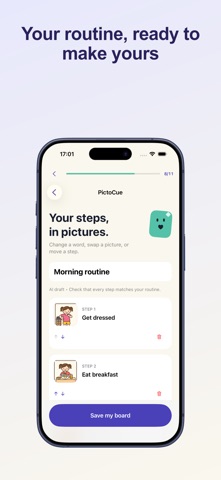
PictoCue helps families, caregivers, teachers, and neurodivergent people create clear visual boards. Enter a short routine, choose friendly illustrations, simple pictograms, or realistic pictures, and PictoCue creates an editable draft after you choose to share it for AI processing. Change every word, picture, and step before saving, or build the complete board yourself without AI.
Main features:
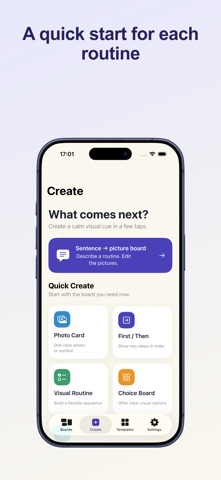
- Optional sentence-to-board suggestions with three picture styles and explicit sharing consent
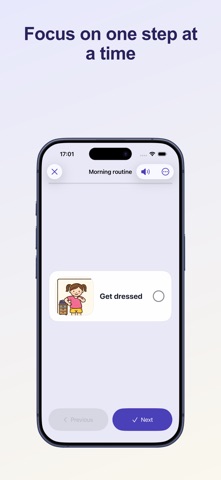
- Editable words, built-in pictures, order, and one-step mode
- Photo cards with your own pictures and short labels
- First/then boards, flexible routines, choice boards, and calm cards
- Quiet full-screen Use Mode with optional on-device voice labels
- PDF, print, Share Sheet, AirDrop, and portable backup
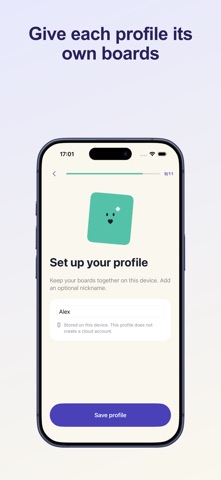
- Local storage and no account required
For the optional AI feature, the sentence you enter, selected language, selected picture style, and generated step labels are sent through the secure gateway to Replicate and OpenAI or Google after you confirm. Photos, existing boards, and profile names are not sent. The manual board builder remains available.
PictoCue is an organizational aid. It does not provide medical advice, diagnosis, or treatment.
Terms of use: https://smartaitomation.com/termspictocueapp.html