

Vocal remover: Audio separator
Vocal remover: Audio separator is made and published by Ozkan Arslan. AppBrain is an independent app data site and isn't affiliated with Ozkan Arslan. The app name, icon, screenshots and description belong to Ozkan Arslan and are shown as published on the App Store.
AppBrain's verdict
- Last updated
- September 25, 2026
Rankings
App Store top chartsApp Store Rankings for Vocal remover: Audio separator
Competitors
Similar apps and more from Ozkan ArslanAlternatives to Vocal remover: Audio separator


More from Ozkan Arslan


Releases
Updates seen on the App Store- Version
- 1.0
- Launched
- September 2026
No changelog data
User feedback
Ratings and reviews on the App StoreComments on Vocal remover: Audio separator for iOS
We don't have enough comments to show example comments. Please check back later.
Technology
Found in the app by AppBrain- Price
- Free
- App size
- 61.7 MB
- Content rating
- Everyone
Technologies used by Vocal remover: Audio separator
About the app and developer
About Vocal remover: Audio separator
Vocal remover: Audio separator is a music app developed by Ozkan Arslan.
User Ratings
The app has no ratings yet.
App Information
Vocal remover: Audio separator is freely available from the App Store. The app size is 61.67 MB. The latest version available is 1.0. The last update was on September 25, 2026.
Technical Requirements
The app has a content rating of Everyone. The app has been available on the App Store since September 2026.
Developer information for Ozkan Arslan
Address:
Frequently asked questions about Vocal remover: Audio separator
Is Vocal remover: Audio separator free?
Yes. Vocal remover: Audio separator is free on the App Store.
Is Vocal remover: Audio separator still available?
Yes. Vocal remover: Audio separator is on the App Store, and the last update we saw was on September 25, 2026.
How large is Vocal remover: Audio separator?
Vocal remover: Audio separator is 61.67 MB.
Is Vocal remover: Audio separator suitable for children?
App Store rates the content of Vocal remover: Audio separator as suitable for everyone.
Who made Vocal remover: Audio separator?
Vocal remover: Audio separator was developed by Ozkan Arslan. It is listed in the music category on the App Store.
What are the best alternatives to Vocal remover: Audio separator?
People looking at Vocal remover: Audio separator also look at these music apps: Vocal Remover·Extract Acapella, Stemix: Vocal Remover, Audio Noise Cleaner AI, AI Vocal Remover Karaoke Maker, Acapo: Vocal Remover & Karaoke.
Store listing
By Ozkan Arslan, from the App Store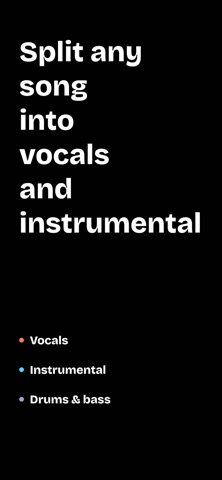


Description by Ozkan Arslan Written by the developer, not by AppBrain. Click to read.
Your first separation is free. Further separations and premium features require a Premium subscription (in-app purchase).
WHAT YOU CAN DO
- Remove vocals and get a clean instrumental track
- Isolate vocals to create an acapella
- Separate drums, bass, piano and other instruments (Premium)
- Turn any song into a karaoke backing track
- Extract stems for remixes, mashups, sampling and DJ sets
- Practice singing or playing along with the original recording
HOW IT WORKS
1. Import a song from your files, library or a link
2. Choose the stems you want (vocals, instrumental, drums, bass, more)
3. Let the AI process the track
4. Preview, download or share the result
BUILT FOR
- Singers preparing karaoke or audition tracks
- Musicians learning parts by ear
- Producers and DJs building remixes and edits
- Content creators who need clean audio for videos
- Music teachers and students
FEATURES
- Studio-grade AI separation with clean, artifact-free results
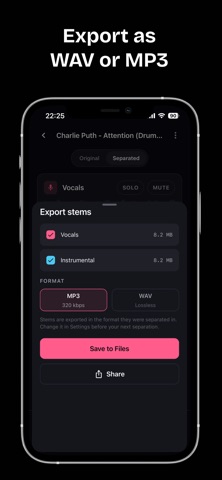
- Supports MP3, WAV, M4A, FLAC and more
- High-quality export (Premium)
- Adjust the volume of each stem before exporting (Premium)
- Fast processing — most songs finish in under a minute
- Works with full-length tracks
- Simple, clean interface with no learning curve
PREMIUM (IN-APP PURCHASE)
Premium unlocks additional separations, multi-stem separation (drums, bass, piano and more), high-quality export and per-stem volume control. Premium is offered as an auto-renewing subscription. Payment is charged to your Apple ID account at confirmation of purchase. The subscription renews automatically unless cancelled at least 24 hours before the end of the current period. Manage or cancel in your App Store account settings.
Whether you need an instrumental for karaoke night, an acapella for a mashup or a drum loop for your next beat, Vocal Remover gives you professional stem separation right on your phone.
Download now and separate your first track for free.
Terms of Use: https://www.apple.com/legal/internet-services/itunes/dev/stdeula/
Privacy Policy: https://www.privacypolicies.com/live/27218f44-9265-4705-8b49-29e7fb7ef630