

Voice Widget Memo
Voice Widget Memo is made and published by Yutaka Kato. AppBrain is an independent app data site and isn't affiliated with Yutaka Kato. The app name, icon, screenshots and description belong to Yutaka Kato and are shown as published on the App Store.
AppBrain's verdict
- Rating on App Store
- 4.40
- 5 ratings
- Last updated
- October 9, 2026
It doesn't have enough ratings yet to judge what users think.
Rankings
App Store top chartsApp Store Rankings for Voice Widget Memo
Competitors
Similar apps and more from Yutaka KatoAlternatives to Voice Widget Memo






More from Yutaka Kato


Releases
Updates seen on the App Store- Version
- 1.2.0
- Launched
- April 2023
No changelog data
User feedback
Ratings and reviews on the App StoreComments on Voice Widget Memo for iOS
We don't have enough comments to show example comments. Please check back later.
Technology
Found in the app by AppBrain- Price
- Free
- App size
- 5.27 MB
- Content rating
- Everyone
Technologies used by Voice Widget Memo
About the app and developer
About Voice Widget Memo
Voice Widget Memo is a productivity app developed by Yutaka Kato.
User Ratings
Voice Widget Memo is rated 4.40 out of 5 stars. The rating is based on 5 ratings.
App Information
Voice Widget Memo is freely available from the App Store. The app size is 5.27 MB. The latest version available is 1.2.0. The last update was on October 9, 2026.
Technical Requirements
The app has a content rating of Everyone. The app has been available on the App Store since April 2023.
Developer information for Yutaka Kato
Address:
Store listing
By Yutaka Kato, from the App Store


Description by Yutaka Kato Written by the developer, not by AppBrain. Click to read.
◆ Types of memos
For home screen: 3 sizes - large, medium, small
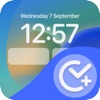
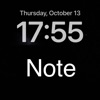
For lock screen: 2 types - square and single-line
◆ How to add widgets
[Home screen]
1. Long-press the home screen
2. Press the "+" button and search for "Voice Widget Memo" widget
3. Add the desired widget size - large, medium, or small
Tapping the added widget will launch the app. Saving the memo will reflect on the widget.
[Lock screen / Square widget]
1. Long-press the lock screen
2. Customize → Lock Screen
3. Tap the square area below the clock
4. Select and add the "Voice Widget Memo" widget
[Lock screen / Single-line widget]
1. Long-press the lock screen
2. Customize → Lock Screen
3. Tap the narrow area above the clock
4. Select and add the "Voice Widget Memo" widget
◆ Features and characteristics
* Easily create voice memos
* Place memos on home screen or lock screen
* Simple
* Minimal features required
* Fast launch
* Just 5 memos - large, medium, small and two for the lock screen. Nothing to organize, nothing to search
* Completely free with no additional charges
Terms of Use: https://mozkzki.github.io/apps/koe_memo/terms_and_conditions/english
Privacy Policy: https://mozkzki.github.io/apps/koe_memo/privacy_policy/english