

WM Video Toolbox
WM Video Toolbox is made and published by Wuhan Zhiya Technology Co., Ltd. AppBrain is an independent app data site and isn't affiliated with Wuhan Zhiya Technology Co., Ltd. The app name, icon, screenshots and description belong to Wuhan Zhiya Technology Co., Ltd. and are shown as published on the App Store.
AppBrain's verdict
- Last updated
- September 30, 2026
Rankings
App Store top chartsApp Store Rankings for WM Video Toolbox
Competitors
Similar apps and more from Wuhan Zhiya Technology Co., Ltd.Alternatives to WM Video Toolbox






More from Wuhan Zhiya Technology Co., Ltd.





Releases
Updates seen on the App Store- Version
- 1.0.54
- Launched
- August 2023
No changelog data
User feedback
Ratings and reviews on the App StoreComments on WM Video Toolbox for iOS
We don't have enough comments to show example comments. Please check back later.
Technology
Found in the app by AppBrain- Price
- Free
- App size
- 57.6 MB
- Content rating
- Everyone
Technologies used by WM Video Toolbox
About the app and developer
About WM Video Toolbox
WM Video Toolbox is an utilities app developed by Wuhan Zhiya Technology Co., Ltd.
User Ratings
The app has no ratings yet.
App Information
WM Video Toolbox is freely available from the App Store. The app size is 57.63 MB. The latest version available is 1.0.54. The last update was on September 30, 2026.
Technical Requirements
The app has a content rating of Everyone. The app has been available on the App Store since August 2023.
Developer information for Wuhan Zhiya Technology Co., Ltd.
Wuhan Zhiya Technology Co., Ltd.
Address:
Store listing
By Wuhan Zhiya Technology Co., Ltd., from the App Store

Description by Wuhan Zhiya Technology Co., Ltd. Written by the developer, not by AppBrain. Click to read.
Contains many practical functions.
1. Extract audio from videos, which can be extracted in batches.
2. Remove audio from videos and support batch removal.
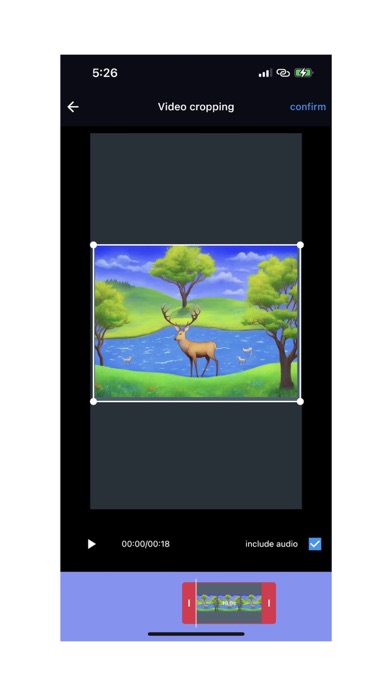
3. Crop the video to capture a segment or designated area of the video.
4. Video to GIF, supporting both standard and high-definition GIF.
5. Modify the MD5 code of the video file.
6. Modify the MD5 code of the image file.
7. View the detailed information of the video file, including the meta information included in the video.
8. Audio cropping, capturing a segment from an audio file.
9. Audio transcoding, adjusting the size of the audio file, and converting the audio file format to another format.
10. Audio volume adjustment, adjusting the volume of audio files.
12. View image details.
13. Adding watermarks to batch videos with rich watermark settings makes it more convenient to flexibly add watermarks to batch videos.
14. Add titles and endings to batch videos.
15. Batch watermark images.
16. Batch compression of images.
17. Video capture.
18. Video compression.
19. Watermark image production.
20. Convert GIF to MP4 format video.
21. Image editing, adding annotations, mosaic, and text.
22. Production of QR code images.
23. Video segmentation, precise segmentation, no need for re coding, extremely fast segmentation speed.
24. Video format conversion, supporting conversion of formats such as MP4, MOV, MVK, FLV, TS, etc.