
Word to PDF Converter: Doc2PDF
Word to PDF Converter: Doc2PDF is made and published by Nicolas Gustavo Melian. AppBrain is an independent app data site and isn't affiliated with Nicolas Gustavo Melian. The app name, icon, screenshots and description belong to Nicolas Gustavo Melian and are shown as published on the App Store.
AppBrain's verdict
- Rating on App Store
- 5.00
- 3 ratings
- Last updated
- April 9, 2026
- Size
- 9.37 MB
It doesn't have enough ratings yet to judge what users think.
User feedback
Ratings and reviews on the App StoreComments on Word to PDF Converter: Doc2PDF for iOS
We don't have enough comments to show example comments. Please check back later.
Store listing
By Nicolas Gustavo Melian, from the App Store
Description by Nicolas Gustavo Melian Written by the developer, not by AppBrain. Click to read.
Transform your documents effortlessly with the ultimate Word to PDF converter. Whether you need to convert PDF to Word or create a PDF from a Word file, our powerful app handles all your document conversion needs with professional-quality results.
Key Features:
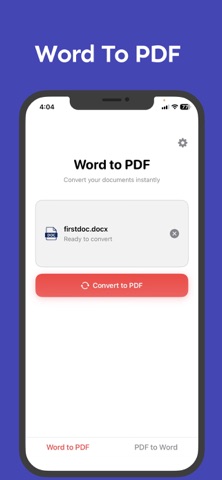
- Word to PDF: Convert Word documents to PDF format instantly.
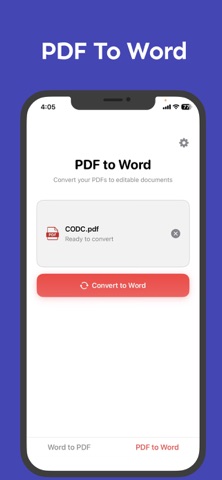
- PDF to Word Converter: Transform PDFs back to editable Word files.
Why Choose Our App:
- Lightning Fast: Convert documents in seconds, not minutes.
- Professional Quality: Preserve fonts, images, and formatting perfectly.
- Universal Compatibility: Works with .docx, .doc, and .pdf files.
- Secure Processing: Your documents are processed safely and deleted after conversion.
- No File Size Limits: Convert large documents without restrictions.
- Offline Ready: Works without internet connection for basic conversions.
Perfect For:
- Students converting assignments and research papers.
- Business professionals handling contracts and reports.
- Anyone needing quick document format changes.
- Converting scanned PDFs to Word for editing purposes.
How It Works:
Select your Word or PDF file.
Choose conversion direction (Word to PDF or PDF to Word).
Tap convert and get your file instantly.
Save to Files app or share anywhere.
Our Word to PDF converter uses advanced algorithms to ensure your converted documents look exactly like the originals. Whether you're creating a PDF from a Word file for professional presentation or need to convert a PDF to Word for editing, we've got you covered.
Download now and experience the fastest, most reliable document conversion tool available!
___________
Terms of Use: https://www.apple.com/legal/internet-services/itunes/dev/stdeula/
Privacy Policy: https://meliann.notion.site/Privacy-Policy-For-Word-To-PDF-Converter-Doc2PDF-248476f8f04180dcaacfe9966298b1c8
Safety and technology
Found in the app by AppBrain- Price
- Free
- App size
- 9.37 MB
- Content rating
- Everyone
Technologies used by Word to PDF Converter: Doc2PDF
Releases
Updates seen on the App Store- Version
- 1.0.3
- Launched
- August 2025
No changelog data
Alternatives
Similar apps and more from Nicolas Gustavo MelianAlternatives to Word to PDF Converter: Doc2PDF


More from Nicolas Gustavo Melian




Rankings
App Store top chartsApp Store Rankings for Word to PDF Converter: Doc2PDF
About the app and developer
About Word to PDF Converter: Doc2PDF
Word to PDF Converter: Doc2PDF is an utilities app developed by Nicolas Gustavo Melian.
What is the rating of Word to PDF Converter: Doc2PDF?
Word to PDF Converter: Doc2PDF is rated 5.00 out of 5 stars, based on 3 ratings.
Is Word to PDF Converter: Doc2PDF free?
Word to PDF Converter: Doc2PDF is free. The app size is 9.37 MB. The latest version available is 1.0.3. The last update was on April 9, 2026.
What are the requirements for Word to PDF Converter: Doc2PDF?
The app has a content rating of Everyone. The app has been available on the App Store since August 2025.
Developer information for Nicolas Gustavo Melian
Address: