

Work Hours Tracker: Sim Hours
Work Hours Tracker: Sim Hours is made and published by SimX. AppBrain is an independent app data site and isn't affiliated with SimX. The app name, icon, screenshots and description belong to SimX and are shown as published on the App Store.
AppBrain's verdict
- Rating on App Store
- 5.00
- 5 ratings
- Last updated
- August 30, 2026
It doesn't have enough ratings yet to judge what users think.
Rankings
App Store top chartsApp Store Rankings for Work Hours Tracker: Sim Hours
Competitors
Similar apps and more from SimXAlternatives to Work Hours Tracker: Sim Hours




More from SimX


Releases
Updates seen on the App Store- Version
- 1.0.4
- Launched
- April 2026
No changelog data
User feedback
Ratings and reviews on the App StoreComments on Work Hours Tracker: Sim Hours for iOS
We don't have enough comments to show example comments. Please check back later.
Technology
Found in the app by AppBrain- Price
- Free
- App size
- 109.9 MB
- Content rating
- Everyone
Technologies used by Work Hours Tracker: Sim Hours
About the app and developer
About Work Hours Tracker: Sim Hours
Work Hours Tracker: Sim Hours is an utilities app developed by SimX.
User Ratings
Work Hours Tracker: Sim Hours is rated 5.00 out of 5 stars. The rating is based on 5 ratings.
App Information
Work Hours Tracker: Sim Hours is freely available from the App Store. The app size is 109.94 MB. The latest version available is 1.0.4. The last update was on August 30, 2026.
Technical Requirements
The app has a content rating of Everyone. The app has been available on the App Store since April 2026.
Developer information for SimX
Address:
Frequently asked questions about Work Hours Tracker: Sim Hours
Is Work Hours Tracker: Sim Hours free?
Yes. Work Hours Tracker: Sim Hours is free on the App Store.
Is Work Hours Tracker: Sim Hours still available?
Yes. Work Hours Tracker: Sim Hours is on the App Store, and the last update we saw was on August 30, 2026.
How large is Work Hours Tracker: Sim Hours?
Work Hours Tracker: Sim Hours is 109.94 MB.
Is Work Hours Tracker: Sim Hours suitable for children?
App Store rates the content of Work Hours Tracker: Sim Hours as suitable for everyone.
How do people rate Work Hours Tracker: Sim Hours?
Work Hours Tracker: Sim Hours scores 5.00 out of 5 stars, from 5 ratings on the App Store.
Who made Work Hours Tracker: Sim Hours?
Work Hours Tracker: Sim Hours was developed by SimX. It is listed in the utilities category on the App Store.
What are the best alternatives to Work Hours Tracker: Sim Hours?
People looking at Work Hours Tracker: Sim Hours also look at these utilities apps: JoinUp - Invitation Maker, Work Hours Tracker: Pay Log, SphereDex, ShiftNote: Work Hours & Pay, Hours Tracker: Flip Clock.
Store listing
By SimX, from the App Store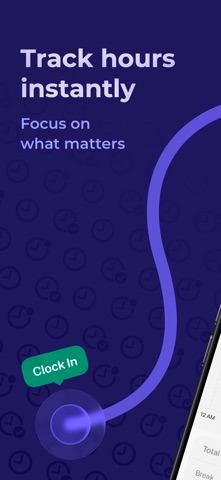

Description by SimX Written by the developer, not by AppBrain. Click to read.
## Accurate time tracking
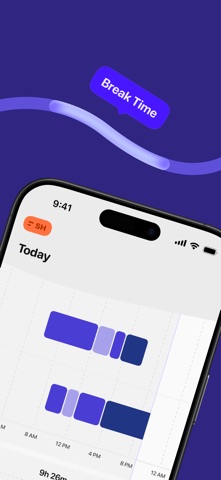
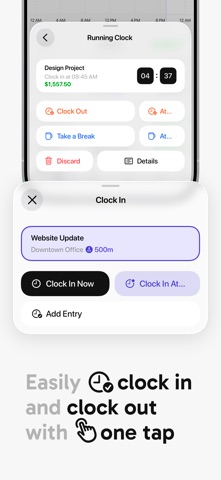
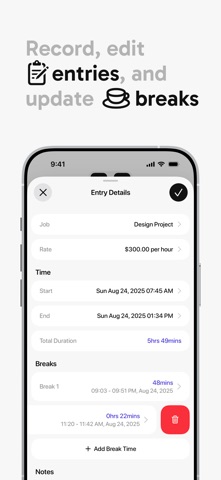
Use the punch clock to clock in and out instantly, or run the timer while you work. Add or edit time entries manually when needed. Every work minute is logged with precision.
## Hourly pay made easy
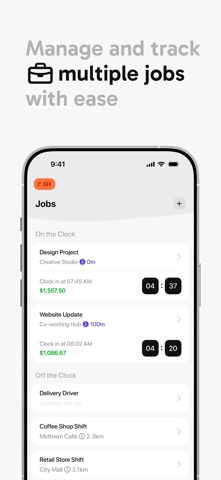
Set up Jobs with individual hourly rates. Need different rates for the same job? Sim Hours handles that too. Your earnings are calculated automatically, so you always know your total pay.
## Professional timesheets
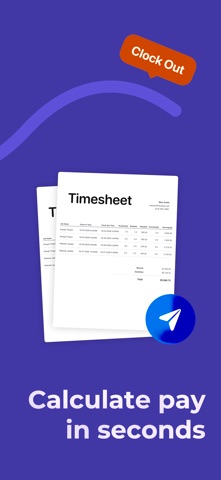
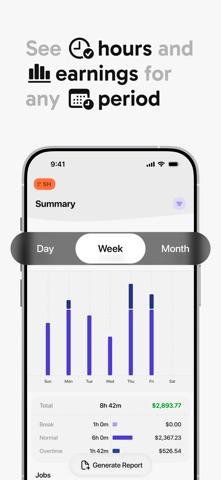
Generate clean daily, weekly, or monthly timesheets with clear visual summaries. Export your time logs and timecards as PDF or CSV for payroll, invoicing, or record-keeping.
## Built for busy schedules
- One-tap punch in / punch out
- Automatic work timer & manual time log
- Job-based tracking with hourly pay calculation
- Attendance & timesheet summaries
- Notes, tags, and task context
- Offline tracking with account sync
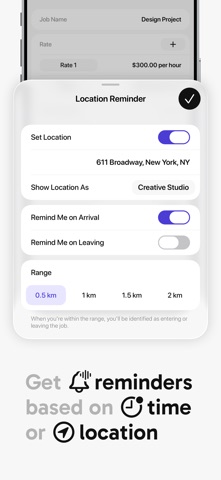
- Time and location reminders to avoid missed entries
## Focused and efficient
Sim Hours keeps things simple. No learning curve. No bloated features. Just fast, reliable timekeeping—cleaner and easier than complex tools like clockify.
Ideal for hourly employees, independent contractors, and anyone who wants clear work time tracking on iOS.
Privacy Policy: https://bit.ly/SH_pp
Terms of Use: https://bit.ly/SH_tou
Questions or support: support@simxapps.com