

World Clock Time Zone Widgets
World Clock Time Zone Widgets is made and published by Overdesigned, LLC. AppBrain is an independent app data site and isn't affiliated with Overdesigned, LLC. The app name, icon, screenshots and description belong to Overdesigned, LLC and are shown as published on the App Store.
AppBrain's verdict
EstablishedLoved by users- Best rank
- #52
- Top Grossing, Indonesia
- Rating on App Store
- 4.71
- 22,568 ratings
- Last updated
- October 13, 2026
Users love it: 4.7 stars from 22,568 ratings. Its best ranking is #52 in Top Grossing, Travel in Indonesia.
Rankings
App Store top charts- Highest rank
- #52
- Chart
- Top Grossing
- Travel
- Country
- Indonesia
Competitors
Similar apps and more from Overdesigned, LLCAlternatives to World Clock Time Zone Widgets




More from Overdesigned, LLC


Releases
Updates seen on the App Store- Version
- 1.27.2
- Launched
- January 2015
No changelog data
User feedback
Ratings and reviews on the App StoreComments on World Clock Time Zone Widgets for iOS
We don't have enough comments to show example comments. Please check back later.
Technology
Found in the app by AppBrain- Price
- Free
- App size
- 158.1 MB
- Content rating
- Low
Technologies used by World Clock Time Zone Widgets
About the app and developer
About World Clock Time Zone Widgets
World Clock Time Zone Widgets is a travel app developed by Overdesigned, LLC.
User Ratings
World Clock Time Zone Widgets is rated 4.71 out of 5 stars. The rating is based on 23 thousand ratings.
App Information
World Clock Time Zone Widgets is freely available from the App Store. The app size is 158.06 MB. The latest version available is 1.27.2. The last update was on October 13, 2026.
Technical Requirements
The app has a content rating of Low Maturity. The app has been available on the App Store since January 2015.
Developer information for Overdesigned, LLC
Address:
Store listing
By Overdesigned, LLC, from the App Store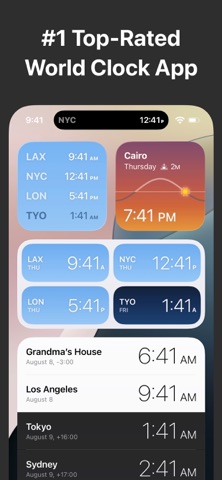




Description by Overdesigned, LLC Written by the developer, not by AppBrain. Click to read.
Features:
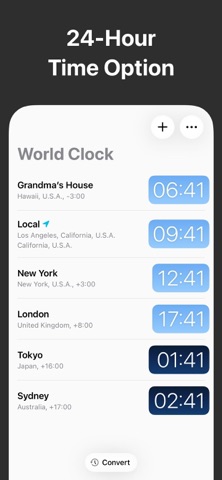
• Attractive analog and digital clock displays, with options to display seconds and 24-hour time.
• Simple UI for adding and managing cities. Search or browse 10,000+ cities by name.
• Rename a city to create a custom clock, e.g., “Grandma’s House”.
• Get your local time using location (GPS).
• Widgets are available in many sizes and styles, including Lock Screen, Home Screen, and Today widgets.
• Live Activities available on iOS 16.2+ and iPadOS 17+. See the Live Activity on your Apple Watch with iOS 18 and watchOS 11.
• Stick a clock or two in the Dynamic Island with Live Activities and see them across all your apps.
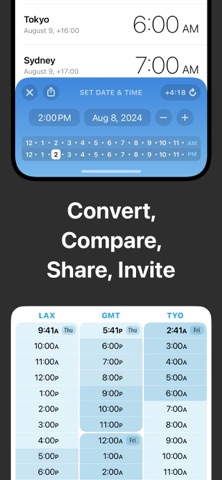
• Convert tool: set the date and time, compare the times across all your time zones, and then share, create a reminder, or add to your calendar with just a few taps. This is a must-have productivity tool for remote workers or anyone coordinating across time zones.
• Includes easy instructions for adding the Widget to your home and lock screens.
• Daylight hours shown visually, based on actual sunrise and sunset times.
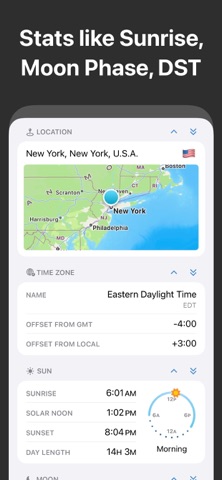
• Look up a location’s sunrise time, moon phase, time zone details, and more.
• In-app purchase to remove ads and unlock extra features. One-time purchase — no subscriptions!