
X-Sensor is made and published by Kai Bruchmann. AppBrain is an independent app data site and isn't affiliated with Kai Bruchmann. The app name, icon, screenshots and description belong to Kai Bruchmann and are shown as published on the App Store.
AppBrain's verdict
Removed- Rating on App Store
- 1.40
- 5 ratings
- Last updated
- March 23, 2023
X-Sensor is no longer on the App Store. It had too few ratings to say what users thought.
Competitors
Similar apps and more from Kai BruchmannMore from Kai Bruchmann







Releases
Updates seen on the App Store- Version
- 1.4
- Launched
- before 2010
No changelog data
User feedback
Ratings and reviews on the App StoreComments on X-Sensor for iOS
We don't have enough comments to show example comments. Please check back later.
Technology
Found in the app by AppBrain- Price
- $1.99
- App size
- 3.25 MB
- Content rating
- Everyone
Technologies used by X-Sensor
About the app and developer
About X-Sensor
X-Sensor was a lifestyle app developed by Kai Bruchmann. It was removed from the App Store Apr 4, 2026.
User Ratings
X-Sensor was rated 1.40 out of 5 stars, based on 5 ratings.
App Information
X-Sensor cost $1.99. The app size was 3.25 MB. The last available version was 1.4. The last update was on March 23, 2023.
Technical Requirements
The app had a content rating of Everyone. The app had been available on the App Store since before 2010.
Developer information for Kai Bruchmann
Address:
Frequently asked questions about X-Sensor
Is X-Sensor free?
No. X-Sensor cost $1.99 on the App Store.
Is X-Sensor still available?
No. X-Sensor was removed from the App Store. We last saw it there Apr 4, 2026.
How large is X-Sensor?
X-Sensor is 3.25 MB.
Is X-Sensor suitable for children?
App Store rates the content of X-Sensor as suitable for everyone.
How do people rate X-Sensor?
X-Sensor scored 1.40 out of 5 stars, from 5 ratings on the App Store.
Who made X-Sensor?
X-Sensor was developed by Kai Bruchmann. It was listed in the lifestyle category on the App Store.
What are the best alternatives to X-Sensor?
People looking at X-Sensor also look at these lifestyle apps: Calvary Tucson: Robert Furrow, eHomeLife, My Church by Pushpay, AT&T Secure Family Companion®, Pulse Checker · BP Monitor.
Store listing
By Kai Bruchmann, from the App StoreSimilar apps


Description by Kai Bruchmann Written by the developer, not by AppBrain. Click to read.
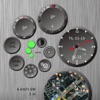
Functions and Display:
1) round chart with actual location (also bigger in 2nd window)
2) Time, date (analog/digital)
3) Compass
4) Goniometer
5) Temperature, air humidity (on your location)
6) Barometer (in mb, hPa, Torr or psi)
7) Wind wheel shows actual wind-speed
8) Cog wheel as sweep hand (w/o further function)
9) Bubble level, Click=Calibration center
10) Moonphase
11,12,13) Battery status from 0 to 100%
Further functions:
- Altimeter (GPS)
- GPS Ready display
- Ruler (Click: bottom left)
- Update button for weather data, moonphase and map
- Turnaround = bigger map
Settings:
- Temperature in °C or °F
- Barometer in mb, hPa, Torr, psi
- Wind speed in KPH oder MPH or ...
- Compass (GPS or Sensor)
Hints:
- Displaying actual weather data, means at the moment of calling the data.
- Compass bases on GPS (at motion) or the internal compass sensor of the iPhone
- Internet connection needed for weather data and moonphase
System:
- iPhone or iPod Touch, iPad with OS 8.0 or higher
- Internetconnection