Xequence AU | Pads
Xequence AU | Pads is made and published by Alexander Ewering. AppBrain is an independent app data site and isn't affiliated with Alexander Ewering. The app name, icon, screenshots and description belong to Alexander Ewering and are shown as published on the App Store.
AppBrain's verdict
Established- Rating on App Store
- 4.64
- 14 ratings
- Last updated
- August 16, 2022
It doesn't have enough ratings yet to judge what users think.
Rankings
App Store top chartsApp Store Rankings for Xequence AU | Pads
Competitors
Similar apps and more from Alexander EweringAlternatives to Xequence AU | Pads
More from Alexander Ewering
Releases
Updates seen on the App Store- Version
- 1.2.0
- Launched
- February 2019
No changelog data
User feedback
Ratings and reviews on the App StoreComments on Xequence AU | Pads for iOS
We don't have enough comments to show example comments. Please check back later.
Technology
Found in the app by AppBrain- Price
- $2.99
- App size
- 2.69 MB
- Content rating
- Everyone
Technologies used by Xequence AU | Pads
About the app and developer
About Xequence AU | Pads
Xequence AU | Pads is a music app developed by Alexander Ewering.
What is the rating of Xequence AU | Pads?
Xequence AU | Pads is rated 4.64 out of 5 stars, based on 14 ratings.
Is Xequence AU | Pads free?
Xequence AU | Pads costs $2.99. The app size is 2.69 MB. The latest version available is 1.2.0. The last update was on August 16, 2022.
What are the requirements for Xequence AU | Pads?
The app has a content rating of Everyone. The app has been available on the App Store since February 2019.
Developer information for Alexander Ewering
Address:
Frequently asked questions about Xequence AU | Pads
Is Xequence AU | Pads free?
No. Xequence AU | Pads costs $2.99 on the App Store.
Is Xequence AU | Pads still available?
Yes. Xequence AU | Pads is on the App Store, and the last update we saw was on August 16, 2022.
How large is Xequence AU | Pads?
Xequence AU | Pads is 2.69 MB.
Is Xequence AU | Pads suitable for children?
App Store rates the content of Xequence AU | Pads as suitable for everyone.
How do people rate Xequence AU | Pads?
Xequence AU | Pads scores 4.64 out of 5 stars, from 14 ratings on the App Store.
Who made Xequence AU | Pads?
Xequence AU | Pads was developed by Alexander Ewering. It is listed in the music category on the App Store.
What are the best alternatives to Xequence AU | Pads?
People looking at Xequence AU | Pads also look at these music apps: Midiflow Channels (Audiobus), Midiflow Adapter (Audiobus), KQ Sampei Legacy, Yukawa - AUv3 Plug-in Effect, QuantiChord.
Store listing
By Alexander Ewering, from the App StoreDescription by Alexander Ewering Written by the developer, not by AppBrain. Click to read.
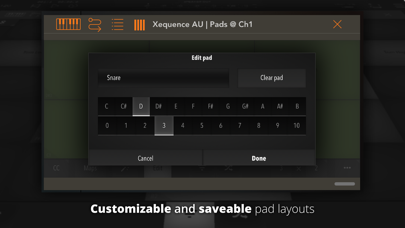
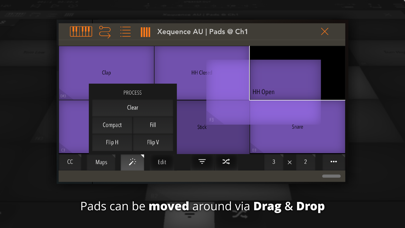
Xequence AU | Pads is an expressive and fully editable (drum) pad surface for use inside AU (Audio Unit) hosts like AUM, Cubasis, apeMatrix, etc.
It features the same, widely acclaimed pad editor that users of Xequence, our advanced MIDI workstation, have grown to love.
HIGHLIGHTS:
- Very playable, fully editable drum pads
- Comes with 40+ factory drum maps for popular apps / hardware
- Custom maps can be created and saved as user presets
- Freely adjustable map size, from 1 x 1 all the way to 8 x 8 (64 pads) and anything in between
- "Glide" mode for triggering pads by sliding between them
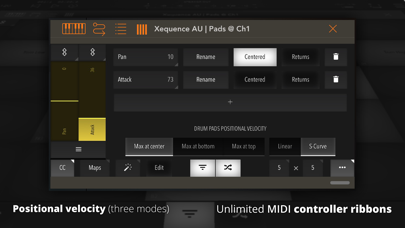
- Velocity emulation (via tap position, several modes and curves to choose from)
- Configurable global color and MIDI channel
- Each pad can also be assigned its own color and/or MIDI channel
- "Zoom to pad" feature to make any single pad fullscreen temporarily for more expressive playing
- Automatically adapts to nearly any plugin window size or aspect ratio
- Extremely fast and light on resources
- Unlimited instances
- Very robust MIDI and touch implementation, copes easily with aggressive playing styles
- Full support for AU presets (and state saving / restoration) in the host
CONTROLLERS:
- Any number of MIDI CCs (controllers) can be freely configured and shown as touch ribbons next to the pads
- A number of standard controller numbers (such as 74 = Cutoff, 7 = Volume etc.) are included and can be set with a single tap
SPECIAL CONTROLLER MODES:
The following special modes can be set per controller:
- DEVICE ROTATION - controller moves according to device rotation
- GATE - controller can be set to a default position, and then tapped anywhere to toggle it to that position and back (think "Trance gates")
Please report any issues via our website, we provide quick and comprehensive support!