

Xtracta is made and published by Xtracta. AppBrain is an independent app data site and isn't affiliated with Xtracta. The app name, icon, screenshots and description belong to Xtracta and are shown as published on the App Store.
AppBrain's verdict
- Last updated
- October 31, 2025
Rankings
App Store top chartsApp Store Rankings for Xtracta
Competitors
Similar apps and more from XtractaAlternatives to Xtracta
 Form Extractor - Scan & Export







Also available on Google Play

Releases
Updates seen on the App Store- Version
- 1.5.2
- Launched
- January 2019
No changelog data
User feedback
Ratings and reviews on the App StoreComments on Xtracta for iOS
We don't have enough comments to show example comments. Please check back later.
Technology
Found in the app by AppBrain- Price
- Free
- App size
- 42.6 MB
- Content rating
- Everyone
Technologies used by Xtracta
About the app and developer
About Xtracta
Xtracta is a productivity app developed by Xtracta.
What is the rating of Xtracta?
Xtracta has no ratings yet.
Is Xtracta free?
Xtracta is free. The app size is 42.61 MB. The latest version available is 1.5.2. The last update was on October 31, 2025.
What are the requirements for Xtracta?
The app has a content rating of Everyone. The app has been available on the App Store since January 2019.
Developer information for Xtracta
Address:
Frequently asked questions about Xtracta
Is Xtracta free?
Yes. Xtracta is free on the App Store.
Is Xtracta still available?
Yes. Xtracta is on the App Store, and the last update we saw was on October 31, 2025.
How large is Xtracta?
Xtracta is 42.61 MB.
Is Xtracta suitable for children?
App Store rates the content of Xtracta as suitable for everyone.
Who made Xtracta?
Xtracta was developed by Xtracta. It is listed in the productivity category on the App Store.
What are the best alternatives to Xtracta?
People looking at Xtracta also look at these productivity apps: Form Extractor - Scan & Export, NeoAI - AI Content Assistant, Kever, NotedWords, Alliance Go.
Store listing
By Xtracta, from the App Store



Description by Xtracta Written by the developer, not by AppBrain. Click to read.
The app allows users to take photographs of documents such as invoices, receipts, orders or virtually any business document they wish to bring into Xtracta for data extraction. The app allows users to add text such as note(s) as per their Xtracta workflow configuration to submit their documents.
Features include:
*Login*
- Using Xtracta username/password
- By Scanning QR Code
*Capture*
Scanning document document in different modes:
- Single: Capturing a single page document.
- Quick: Capturing multiple single page documents one after another
- Multi-page: Scanning a multi-page document
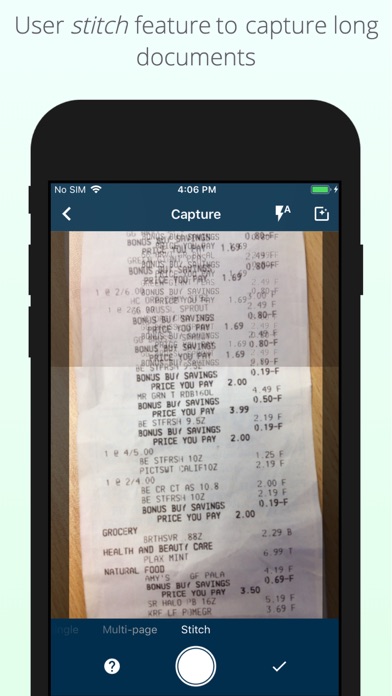
- Stitch: Capturing multiple photos of a long/large document and stitching them all together as one high quality document
*Upload*
- Upload a document to a selected workflow
- Attaching field data during the upload
*Documents*
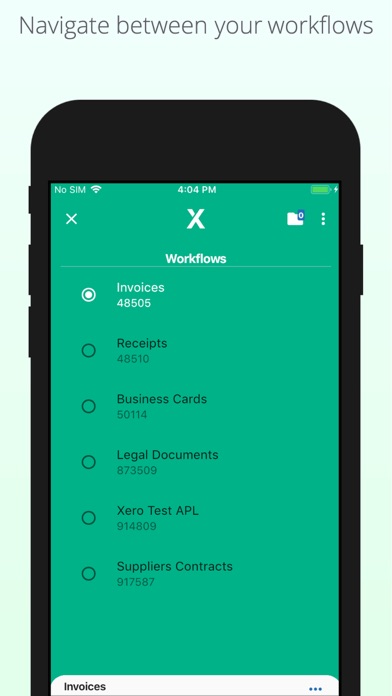
- Ability to navigate between the user's workflows
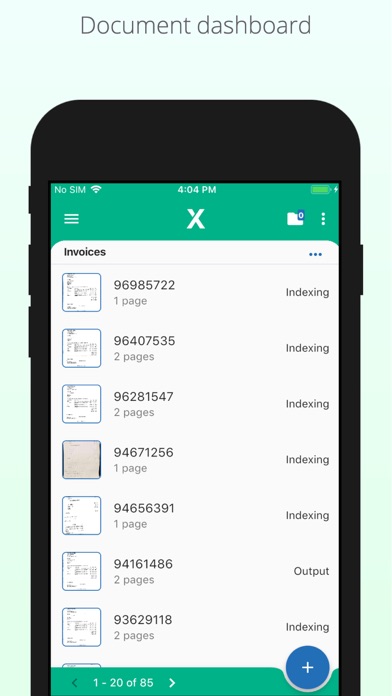
- Viewing a list of all documents that user has uploaded to Xtracta
- Ability to filter those documents based on their status
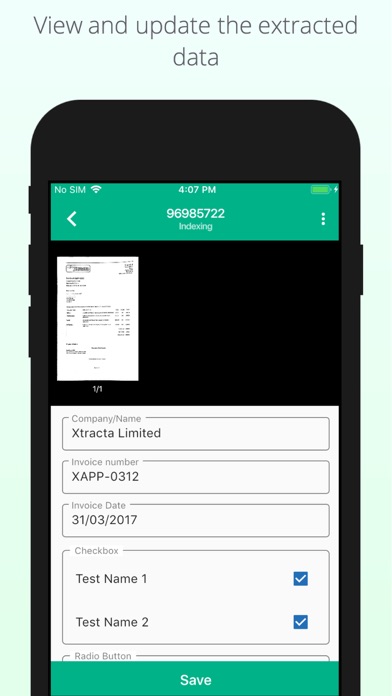
- Ability to edit/update the documents extracted data
- Ability to Output, Reject, Send to Indexing and Send to QA statuses
- Ability to re-assign a document to another workflow
- Ability to delete a document
Any user of Xtracta can make use of this app, however, each user must have a relevant user account within Xtracta assigned to the workflows they wish to submit to. Xtracta partners can provide this access and the required login details.
The app is compatible with all re-branded Xtracta deployments with custom partner branding.