

ZapCopy: Image to Text Scan
ZapCopy: Image to Text Scan is made and published by Handle LLC. AppBrain is an independent app data site and isn't affiliated with Handle LLC. The app name, icon, screenshots and description belong to Handle LLC and are shown as published on the App Store.
AppBrain's verdict
- Rating on App Store
- 5.00
- 5 ratings
- Last updated
- September 14, 2026
It doesn't have enough ratings yet to judge what users think.
Rankings
App Store top chartsApp Store Rankings for ZapCopy: Image to Text Scan
Competitors
Similar apps and more from Handle LLCAlternatives to ZapCopy: Image to Text Scan


Releases
Updates seen on the App Store- Version
- 1.15
- Launched
- March 2026
No changelog data
User feedback
Ratings and reviews on the App StoreComments on ZapCopy: Image to Text Scan for iOS
We don't have enough comments to show example comments. Please check back later.
Technology
Found in the app by AppBrain- Price
- Free
- App size
- 103.6 MB
- Content rating
- Low
Technologies used by ZapCopy: Image to Text Scan
About the app and developer
About ZapCopy: Image to Text Scan
ZapCopy: Image to Text Scan is an utilities app developed by Handle LLC.
What is the rating of ZapCopy: Image to Text Scan?
ZapCopy: Image to Text Scan is rated 5.00 out of 5 stars, based on 5 ratings.
Is ZapCopy: Image to Text Scan free?
ZapCopy: Image to Text Scan is free. The app size is 103.64 MB. The latest version available is 1.15. The last update was on September 14, 2026.
What are the requirements for ZapCopy: Image to Text Scan?
The app has a content rating of Low Maturity. The app has been available on the App Store since March 2026.
Developer information for Handle LLC
Address:
Frequently asked questions about ZapCopy: Image to Text Scan
Is ZapCopy: Image to Text Scan free?
Yes. ZapCopy: Image to Text Scan is free on the App Store.
Is ZapCopy: Image to Text Scan still available?
Yes. ZapCopy: Image to Text Scan is on the App Store, and the last update we saw was on September 14, 2026.
How large is ZapCopy: Image to Text Scan?
ZapCopy: Image to Text Scan is 103.64 MB.
Is ZapCopy: Image to Text Scan suitable for children?
App Store gives ZapCopy: Image to Text Scan a low maturity rating, so it is meant for older children and up.
How do people rate ZapCopy: Image to Text Scan?
ZapCopy: Image to Text Scan scores 5.00 out of 5 stars, from 5 ratings on the App Store.
Who made ZapCopy: Image to Text Scan?
ZapCopy: Image to Text Scan was developed by Handle LLC. It is listed in the utilities category on the App Store.
What are the best alternatives to ZapCopy: Image to Text Scan?
People looking at ZapCopy: Image to Text Scan also look at these utilities apps: PDF Converter: Docs Scanner, Decluttr AI: Storage Cleaner, SELF, Declutter: Smart Photo Cleaner, PureClear: Deep Clean & Boost.
Store listing
By Handle LLC, from the App Store


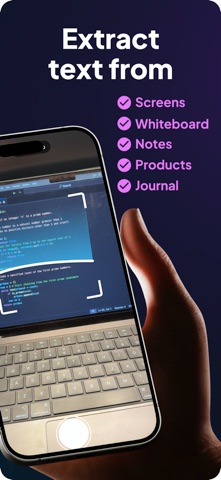


Description by Handle LLC Written by the developer, not by AppBrain. Click to read.
Try it free, no account needed. Open the app, tap Scan something, and photograph a receipt, a business card, a page of notes or a menu. You get the text in seconds and one free workflow to turn it into what you actually need. Create an account only if you want to keep going.
WHAT PEOPLE USE IT FOR
• Receipt to spreadsheet: every line and every number, exported as an Excel file
• Business card to contact: name, company, phone and email straight into Contacts
• Menu, sign or handwritten notes to translation: photograph it, read it in your language
• Lecture notes, textbooks and whiteboards to a clean summary or study outline
• Locked PDFs, read-only screens and printouts to editable text, no retyping
• A funny comment about whatever you scanned, when that is what the moment needs
HOW IT WORKS
1. Scan. Take a photo, pick one from your library, or capture several pages in one session.
2. Read. ZapCopy extracts the text, including handwriting, and shows it to you before anything else happens.
3. Choose. Pick what the scan becomes: Spreadsheet, Contact, Translate, Summary, Explain, Email draft, Calendar event, Reminders, Funny, or describe it in your own words.
4. Send. Copy it, share it to Notes, Messages, Mail or any app, or hand it to VS Code, Cursor or Google Docs with the companion extensions.
WORKFLOWS
Build a workflow once and reuse it: Scan, then an instruction, then an output format. Point it at a stack of receipts and get one spreadsheet. Point it at a recipe and get a cook-along. Point it at a page of notes and get the summary you would have written yourself, plus a diagram or a table when the content calls for one.
VIDEO AND MULTI-PAGE
Capture text from a video or a screen recording, even while it scrolls. Photograph a multi-page document in one session and process it as a set.
PRIVACY
Nothing is sent until you tap Extract text. Lock the app with Face ID or Touch ID. Delete any scan, or your whole account, from Settings.
PLANS
FREE
• One scan and one workflow before you sign up
• 10 credits when you create an account
• Photo scanning and your gallery
PREMIUM, $4.99 a month
• 100 credits a month
• Multi-page collections
• Everything in Free
ULTRA, $19.99 a month, with a 7-day free trial for new subscribers
• 1,000 credits a month
• Workflows: spreadsheets, contacts, translations, summaries and custom instructions
• Video capture
• Exports without ZapCopy branding
• Everything in Premium
Subscriptions renew monthly unless cancelled at least 24 hours before the end of the current period and are charged to your Apple ID account. Manage or cancel in Settings. The 7-day trial converts to a paid subscription unless cancelled before it ends.
Questions? support@zapcopy.app
Privacy Policy: https://zapcopy.app/privacy
Terms of Use (EULA): https://www.apple.com/legal/internet-services/itunes/dev/stdeula/