

Zen Slate: Notes & To-Dos
Zen Slate: Notes & To-Dos is made and published by ZenProducts Technologies Pvt. Ltd. AppBrain is an independent app data site and isn't affiliated with ZenProducts Technologies Pvt. Ltd. The app name, icon, screenshots and description belong to ZenProducts Technologies Pvt. Ltd. and are shown as published on the App Store.
AppBrain's verdict
- Last updated
- October 7, 2026
Rankings
App Store top chartsApp Store Rankings for Zen Slate: Notes & To-Dos
Competitors
Similar apps and more from ZenProducts Technologies Pvt. Ltd.Alternatives to Zen Slate: Notes & To-Dos


More from ZenProducts Technologies Pvt. Ltd.

Also available on Google Play

Releases
Updates seen on the App Store- Version
- 2.5.2
- Launched
- December 2025
No changelog data
User feedback
Ratings and reviews on the App StoreComments on Zen Slate: Notes & To-Dos for iOS
We don't have enough comments to show example comments. Please check back later.
Technology
Found in the app by AppBrain- Price
- Free
- App size
- 23.3 MB
- Content rating
- Everyone
Technologies used by Zen Slate: Notes & To-Dos
About the app and developer
About Zen Slate: Notes & To-Dos
Zen Slate: Notes & To-Dos is a productivity app developed by ZenProducts Technologies Pvt. Ltd.
User Ratings
The app has no ratings yet.
App Information
Zen Slate: Notes & To-Dos is freely available from the App Store. The app size is 23.25 MB. The latest version available is 2.5.2. The last update was on October 7, 2026.
Technical Requirements
The app has a content rating of Everyone. The app has been available on the App Store since December 2025.
Developer information for ZenProducts Technologies Pvt. Ltd.
ZenProducts Technologies Pvt. Ltd.
Address:
Store listing
By ZenProducts Technologies Pvt. Ltd., from the App Store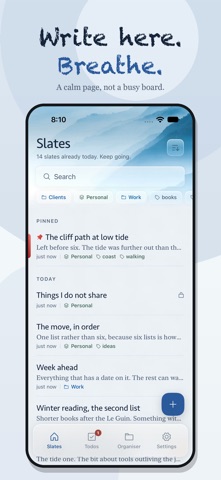


Description by ZenProducts Technologies Pvt. Ltd. Written by the developer, not by AppBrain. Click to read.
WRITE, RECORD AND SCAN
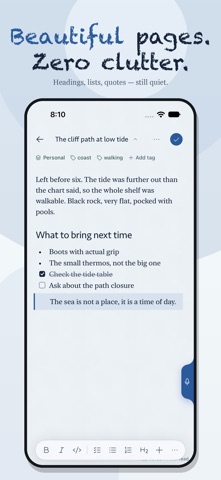
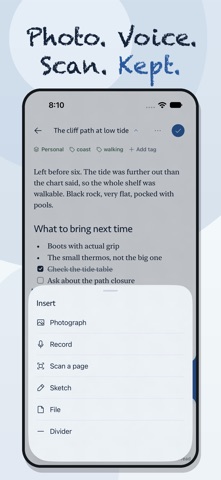
Use headings, bold, italics, quotes, code blocks, highlights and checklists. Add photos, PDFs and files. Record a voice note with on-device transcription, or scan a document with the camera on supported devices. Transcription availability depends on language, device and speech support.
NOTES THAT TURN INTO ACTION
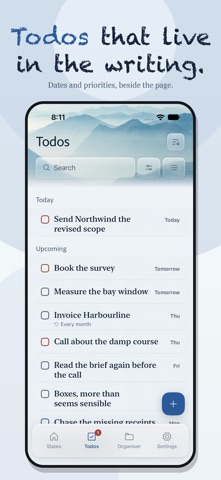
Keep to-dos alongside your notes. Add a date, reminder, priority or repeat to a task, then see tasks together and plan them on a calendar. Checklists inside a note stay with that note. Optional Apple Reminders integration is off until you choose it.
DRAW ON IPAD
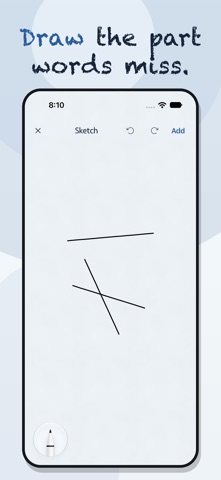
Sketch with Apple Pencil using pens, markers, a highlighter, eraser, lasso and ruler. Drawings remain editable after you save them.
FIND YOUR WAY BACK
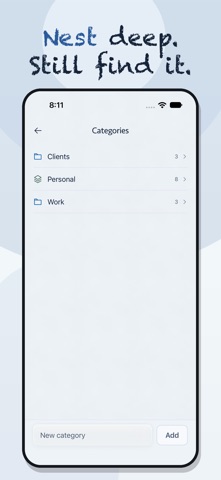
Organize with nested categories, tags and smart folders. Search your writing, bookmark a note, and link related notes with double brackets. Backlinks show where a note is referenced.
BRING YOUR NOTES WITH YOU
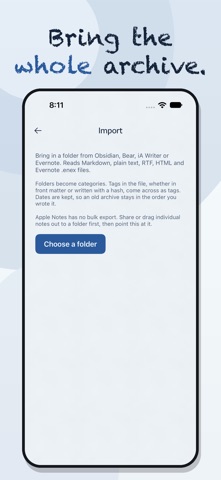
Import Markdown folders with their structure, tags and dates. Import supported Evernote ENEX, RTF and HTML files. Export your library as JSON when you need it.
YOUR DEVICE AND YOUR ICLOUD
No Zen Slate account is required. Notes are stored on your device; sync uses your own iCloud account rather than our servers. Supported devices can protect individual notes with biometric authentication.
CAPTURE WITHOUT THE DETOUR
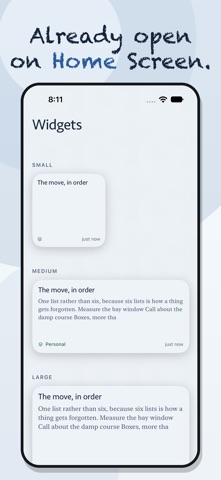
Use widgets, the share sheet, Shortcuts and Spotlight to reach your notes. Features vary by platform; camera scanning and Apple Pencil drawing require supported iPhone or iPad hardware.
FREE AND PRO
Start with five slates for free. Pro removes the limit and adds sync, widgets, backup and export. Choose a yearly subscription or a one-time purchase. The one-time purchase does not renew.
Subscriptions renew automatically unless canceled at least 24 hours before the current period ends. Manage or cancel in your Apple Account subscription settings. See current pricing in the app.
Privacy Policy: https://www.zenproducts.ai/apps/zen-slate/privacy
Terms of Use: https://www.zenproducts.ai/apps/zen-slate/terms
Support: hello@zenproducts.ai